next, go to http://www.cycling74.com/downloads/soundflower , and download, follow instructions for install.
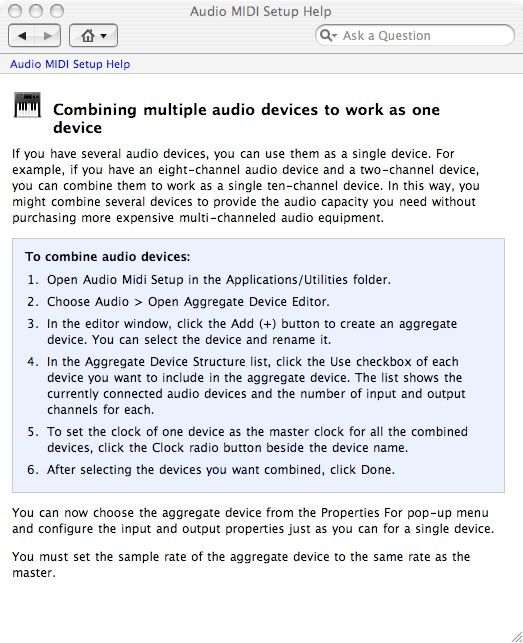
once soundflower is installed, go to audio/midi setup, and create an aggregate device
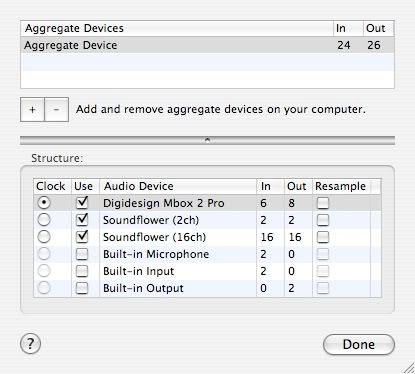
now set your aggregate device up like so:(substitute your interface)
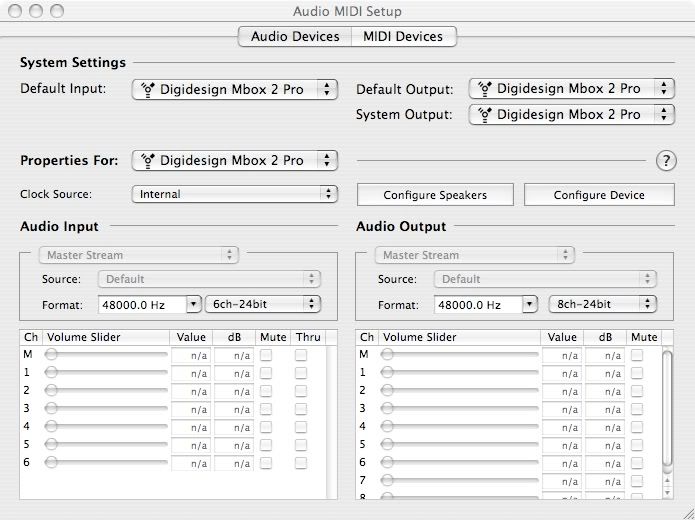
your audio shoud be setup like so
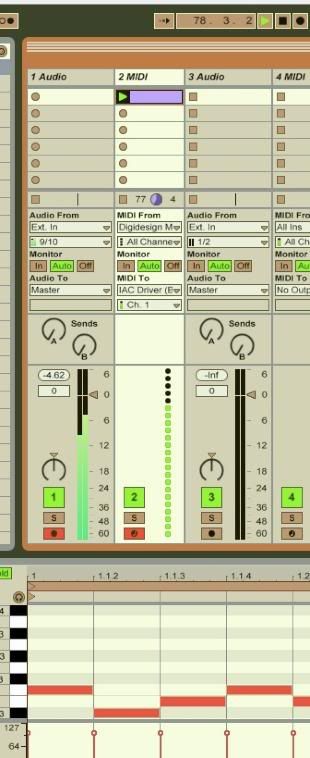
now open live, first. go into preferences, and select aggregate device as your input, select the inputs you want.
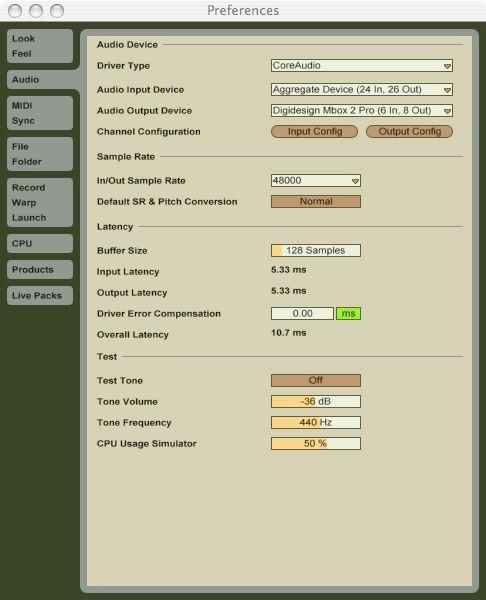
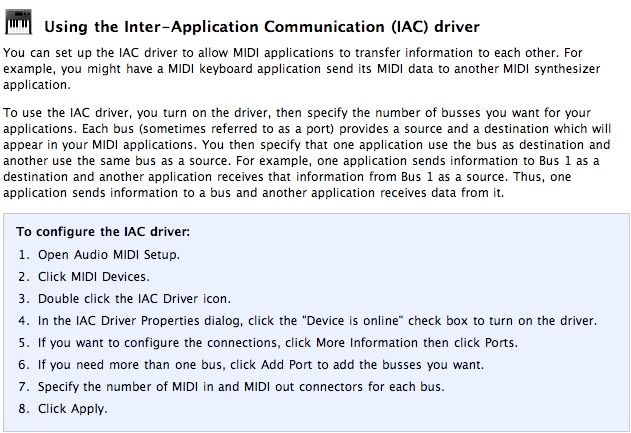
setup midi up for iac
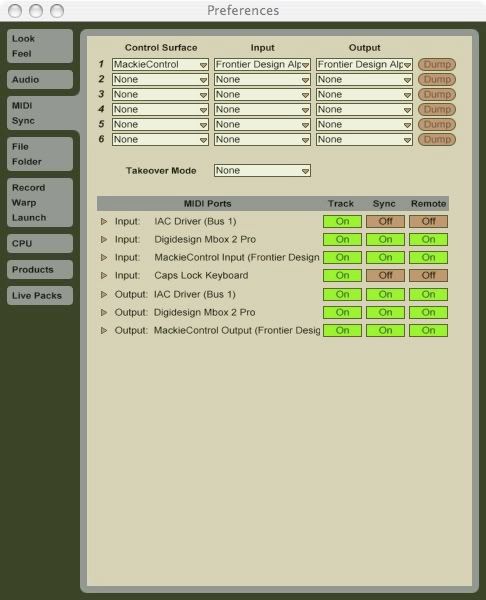
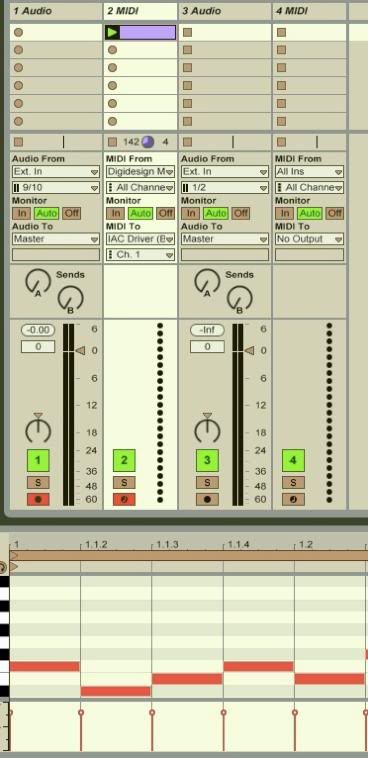
i've choose to have 2 audio and 2 midi tracks in this project, setup like so
now open logic. use a blank template for now. create one instrument track, and load an instance of any logic synth, i used sculpture. go into logic's audio preferences, and select aggregate device as the device.
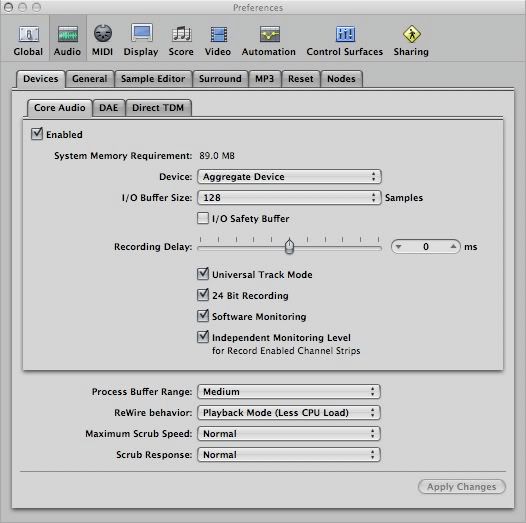
for less confusion, i've set the sculpture channel out to the first soundflower output.
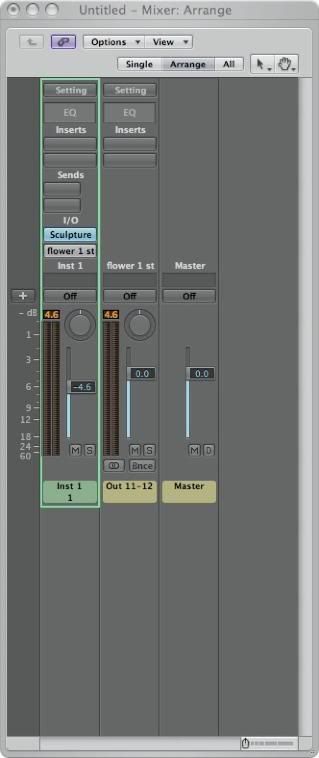
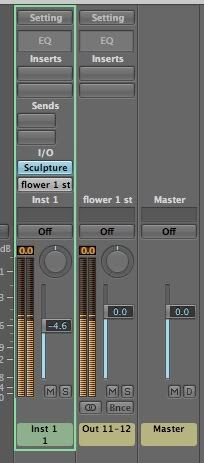
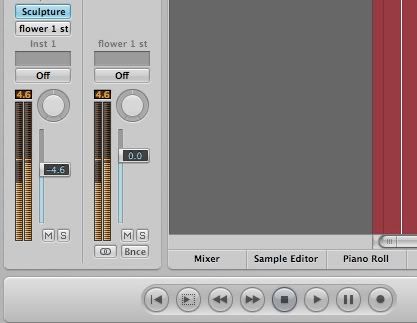
now would be a good time to label logic's i/o, in the mixer view, click otions, and select i/o labels... i've labeled the first soundflower output pair as flower 1 st. remember, the order of the in's and outs in the editor is dependant on the order of the devices in the aggregate device, so if your interface is first, it's i/o will come first, before soundflower.
now select the corresponding input in live, you can drop down the input selector and see which channel it is, by playing a few notes, either as a clip in live, or your midi controller. record enable, and viola! sculpture in live!
after the first time, you should manually load the soundflower app in the apps folder, before opening either program, you will get a little flower icon, in the task bar. here you can route stuff and such. it works, but it can be a headache. don't do while feeling creative...
