Discuss music production with Ableton Live.
-
Tarekith
- Posts: 19140
- Joined: Fri Jan 07, 2005 11:46 pm
-
Contact:
Post
by Tarekith » Tue Mar 22, 2011 7:55 pm
Angstrom wrote:One thing that techno obsessives can forget about is adding a gap on purpose
All this obsessing about seamlessness tends to avoid the fact that the audience feel more involved if you give them a space (or two) to cheer in.
I learned this by mistake really, because my old band used to plough through in one monolithic music block but one day when i fucked up the next song so we took it to a crescendo and stopped, the audience assumed it was all intentional and cheered wildly for 10 - 15 seconds, giving us chance to get it together. The gig was actually better after that because social reinforcement meant that the audience had now informed itself "we are enjoying this" through the collective cheer, and so it took the gig to new heights.
We figured it out: A gig is a conversation between you and the crowd. Obviously you take the primary role, but no gaps is like conversing with one of those people who never takes a breath, you feel un-necessary and un-appreciated.
So from then on we intentionally put a couple of stops in, giving the audience a chance to contribute, cheer, re-enforce the good times, before we ramped it back up again.
It had a double benefit, #1 the vibe was always improved , #2 we could use the stop to change vibe and tempo quite easily allowing us to re-build to a new set crescendo. It made our lives a lot easier, and the gigs better
Well said. Something Pitch Black do for each song too, and it's not hurting them at all. (course Paddy also has to scroll through 257 scenes and 54 tracks to get to his next song, so he needs that time!

)
-
Pitch Black
- Posts: 6722
- Joined: Sat Dec 21, 2002 2:18 am
- Location: New Zealand
-
Contact:
Post
by Pitch Black » Tue Mar 22, 2011 8:32 pm
Tarekith wrote:Angstrom wrote:One thing that techno obsessives can forget about is adding a gap on purpose
All this obsessing about seamlessness tends to avoid the fact that the audience feel more involved if you give them a space (or two) to cheer in.
I learned this by mistake really, because my old band used to plough through in one monolithic music block but one day when i fucked up the next song so we took it to a crescendo and stopped, the audience assumed it was all intentional and cheered wildly for 10 - 15 seconds, giving us chance to get it together. The gig was actually better after that because social reinforcement meant that the audience had now informed itself "we are enjoying this" through the collective cheer, and so it took the gig to new heights.
We figured it out: A gig is a conversation between you and the crowd. Obviously you take the primary role, but no gaps is like conversing with one of those people who never takes a breath, you feel un-necessary and un-appreciated.
So from then on we intentionally put a couple of stops in, giving the audience a chance to contribute, cheer, re-enforce the good times, before we ramped it back up again.
It had a double benefit, #1 the vibe was always improved , #2 we could use the stop to change vibe and tempo quite easily allowing us to re-build to a new set crescendo. It made our lives a lot easier, and the gigs better
Well said. Something Pitch Black do for each song too, and it's not hurting them at all. (course
Paddy also has to scroll through 257 scenes and 54 tracks to get to his next song, so he needs that time! )
**sneezes** Bullshit!!!

No scrolling for me - once the set is loaded, its all controlled from MIDI controllers, no looking at the screen or touching the computer. I send one program change and everything is ready for the next song.
We lay songs out diagonally in the Session view so that each part has an individual track. Each song's Clips / Scenes / Parameters / Controllers are assigned to a different MIDI channel (song 1 listens to ch1, song 2 listens to ch2 etc...) so we just change the transmitting channel on our controllers (via a program change) and the next song is ready to go.
This is about 1/8th of our set:

+186,000 to leaving a gap on purpose when you want to.
-
tigali
- Posts: 452
- Joined: Thu Dec 18, 2008 6:49 pm
- Location: Ireland
Post
by tigali » Tue Mar 22, 2011 8:38 pm
Hey Paddy, I've been re-watching the Pitch Black walk thru's on YouTube. I actually attended the workshop you did in Dublin and it was a huge help. Just been going back to the youtube vids to see how you set up some of the dub style delays. Are you using the Live delays or 3rd party plugins?
-
Pitch Black
- Posts: 6722
- Joined: Sat Dec 21, 2002 2:18 am
- Location: New Zealand
-
Contact:
Post
by Pitch Black » Tue Mar 22, 2011 8:53 pm
Hey Tigali, just using Simple Delay / EQ8 / Live Compressor for dub.
Have you seen this longer video? It goes into much more detail about the dub chain than the YT vids, and also about changing between songs, and it has goodness from Tom Cosm too.
Ableton Live On Stage with Tom Cosm and Pitch Black
http://vimeo.com/6281034
-
Nick Shepherd
- Posts: 314
- Joined: Tue May 19, 2009 10:06 am
- Location: Berlin
Post
by Nick Shepherd » Tue Mar 22, 2011 10:16 pm
how many tracks do you currently have in your live-set Paddy ?

and how long do you perform on average ?
-
Pitch Black
- Posts: 6722
- Joined: Sat Dec 21, 2002 2:18 am
- Location: New Zealand
-
Contact:
Post
by Pitch Black » Tue Mar 22, 2011 10:38 pm
Nick Shepherd wrote:how many tracks do you currently have in your live-set Paddy ?
14 "songs", some of which are mash-ups of several songs from our back-catalog. We split the showload over two computers, each load has about 110 tracks and 250 scenes.
Nick Shepherd wrote:and how long do you perform on average ?
The average gig is 90mins but we have done up to 2 hours with this showload.
Here's an example of 2 "songs" played live lasting 16mins:
http://www.pitchblack.co.nz/downloads/P ... 20Edit.mp3
(Big Trouble Upstairs/Melt - live at the Liquid Room, Tokyo 2006)
It uses the setup demo'd here:
http://www.youtube.com/watch?v=1siG6_Pd-Mg
(Pitch Black Walkthru)
-
slumbermonkey
- Posts: 3
- Joined: Thu Aug 20, 2009 3:39 am
Post
by slumbermonkey » Sun Apr 24, 2011 12:23 am
This is an amazingly informative thread.. I'm at the early stages of getting an APC40 set worked out and having a hell of a time figuring out the best approach. The point I always get stuck at is how much to try and recreate in the Live set, and how much to just bounce into a stem and trigger.
I'm curious how much of what you guys use is straight audio clips, and how much is either audio with FX on the channel or actual MIDI devices playing back sequences?
I started out with the intent of recreating my overly complicated Logic sessions live, but the more I get into it the more it seems a good idea to ditch the studio versions and just mine them for samples in stripped-down remixes etc.
-
Tarekith
- Posts: 19140
- Joined: Fri Jan 07, 2005 11:46 pm
-
Contact:
Post
by Tarekith » Sun Apr 24, 2011 12:44 am
I think the key is to keep it simple, but flexible. There's only so much you can manage to do at one time on stage, so making things overly complicated just gets frustrating. On the other hand, you do want some element of a performance to it too, it can't just be so simple that you're really not doing anything. Or that you get too locked into something and can't change it if the crowds not feeling it.
-
cacti
- Posts: 900
- Joined: Tue Sep 11, 2007 9:53 pm
Post
by cacti » Sun Apr 24, 2011 3:42 am
Pitch Black wrote:Tarekith wrote:Angstrom wrote:One thing that techno obsessives can forget about is adding a gap on purpose
All this obsessing about seamlessness tends to avoid the fact that the audience feel more involved if you give them a space (or two) to cheer in.
I learned this by mistake really, because my old band used to plough through in one monolithic music block but one day when i fucked up the next song so we took it to a crescendo and stopped, the audience assumed it was all intentional and cheered wildly for 10 - 15 seconds, giving us chance to get it together. The gig was actually better after that because social reinforcement meant that the audience had now informed itself "we are enjoying this" through the collective cheer, and so it took the gig to new heights.
We figured it out: A gig is a conversation between you and the crowd. Obviously you take the primary role, but no gaps is like conversing with one of those people who never takes a breath, you feel un-necessary and un-appreciated.
So from then on we intentionally put a couple of stops in, giving the audience a chance to contribute, cheer, re-enforce the good times, before we ramped it back up again.
It had a double benefit, #1 the vibe was always improved , #2 we could use the stop to change vibe and tempo quite easily allowing us to re-build to a new set crescendo. It made our lives a lot easier, and the gigs better
Well said. Something Pitch Black do for each song too, and it's not hurting them at all. (course
Paddy also has to scroll through 257 scenes and 54 tracks to get to his next song, so he needs that time! )
**sneezes** Bullshit!!!
No scrolling for me - once the set is loaded, its all controlled from MIDI controllers, no looking at the screen or touching the computer. I send one program change and everything is ready for the next song.
We lay songs out diagonally in the Session view so that each part has an individual track. Each song's Clips / Scenes / Parameters / Controllers are assigned to a different MIDI channel (song 1 listens to ch1, song 2 listens to ch2 etc...) so we just change the transmitting channel on our controllers (via a program change) and the next song is ready to go.
This is about 1/8th of our set:
+186,000 to leaving a gap on purpose when you want to.
How do you have that much ISH going on and your CPU is on 1%?
-
kanuck
- Posts: 622
- Joined: Thu Nov 26, 2009 5:29 pm
Post
by kanuck » Sun Apr 24, 2011 3:52 am
cacti wrote:
How do you have that much ISH going on and your CPU is on 1%?
Live is smart enough to not use cpu on tracks that aren't playing.
-
cacti
- Posts: 900
- Joined: Tue Sep 11, 2007 9:53 pm
Post
by cacti » Sun Apr 24, 2011 4:15 am
kanuck wrote:cacti wrote:
How do you have that much ISH going on and your CPU is on 1%?
Live is smart enough to not use cpu on tracks that aren't playing.
I guess i have way to much stuff loaded in my set.
-
ze2be
- Posts: 3500
- Joined: Mon Apr 12, 2004 2:17 am
- Location: Europe
Post
by ze2be » Sun Apr 24, 2011 12:53 pm
Is anyone using follow actions on the clips, and if so: whats your method?
-
ollyb303
- Posts: 2666
- Joined: Wed Jun 25, 2008 3:49 pm
- Location: Bristol, UK
-
Contact:
Post
by ollyb303 » Sun Apr 24, 2011 2:12 pm
I often use follow actions for my breakdowns/drops to make sure everything bangs back in on time. I use a scene with stop buttons on the tracks I want to drop out altogether, and variations of the main groove on other tracks, and empty clips on tracks that are out for the breakdown, then back in at the drop. All the clips have follow actions to flip to the next/previous scene after the length of the breakdown (usually 16 or 32 bars).
This way I can launch my breakdown scene, tweak my 303 and filters/EQ on my other tracks, safe in the knowledge that the drop will be bang on timing.
-
ze2be
- Posts: 3500
- Joined: Mon Apr 12, 2004 2:17 am
- Location: Europe
Post
by ze2be » Sun Apr 24, 2011 5:05 pm
ollyb303 wrote:I often use follow actions for my breakdowns/drops to make sure everything bangs back in on time. I use a scene with stop buttons on the tracks I want to drop out altogether, and variations of the main groove on other tracks, and empty clips on tracks that are out for the breakdown, then back in at the drop. All the clips have follow actions to flip to the next/previous scene after the length of the breakdown (usually 16 or 32 bars).
This way I can launch my breakdown scene, tweak my 303 and filters/EQ on my other tracks, safe in the knowledge that the drop will be bang on timing.
Interesting. I did a demo set recently, using 2 beats long roll-intro on the clips. And have them loop after this roll. Clips then needs to be fired 2 beats prior to their downbeat. Because to me its natural with a little roll intro to the next loop. It worked quite nicely, but it is possible to miss the beat.
-
kb420
- Posts: 2772
- Joined: Fri Jan 13, 2006 3:35 am
- Location: Cydonia on the 4th Planet
Post
by kb420 » Sun Apr 24, 2011 8:03 pm
The best way to patch a seam is with some compound (spackle) and a taping knife:
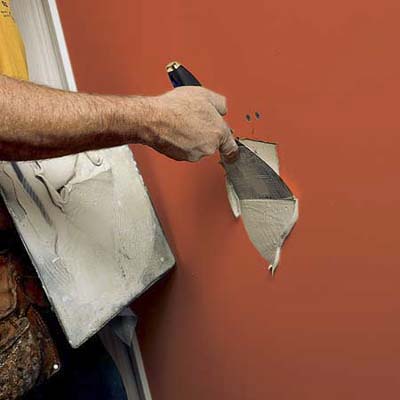
I highly recommend using drywall tape too:

"That which does not kill us makes us stronger..........."
-Friedrich Nietzsche-