Re: Note Mode for the APC40 - Python Scripts
Posted: Thu May 20, 2010 9:47 pm
No Live 7 support 
Not sure what to suggest. Might be easier to program a solution for this in M4L, however, if you could describe how you would imagine such a solution, I might be able to tell you how feasible it would be to implement as a python script.HeadrickProductions wrote:Request or suggestion how to get this to work.
Your in session in live setting
So let's say you have a beat made and going (battery 3 or whatever)
then you want to do another loop in time (Massive lead or anything for that matter).
You have already set the length of midi clip to the same length as the battery 3 loop
I want to be able to press the launch all clips of the apc for that row so that it re-triggers the drum loop while at the same time starting to record the massive loop recording so they are in perfect time.
I've found that when I press the launch all button on the apc for that row it re-triggers the drum loop and just plays the massive loop and does not record. I have to reach and press both buttons. Now when it is just two button that is not bad but you can imagine when you have many loops that it is a problem.
Any way to fix this or suggest any type of work around
If I'm not clear just let me know but I thought you'd be a good source to see if there is something that can be done.
Hey Hanz, excellent work, any sign of notemode feedback available in the api? I tried the new files and encountered one bug, seems like the tap tempo is still on the shifted button, probably just left over from the first scripts you made. Device lock is also on the tap tempo button when shifted which is correct.Hanz_Petrov wrote:I've updated the APC40 Note Mode scripts so that all of the new features are now shifted controls (with the exception of Note Mode). This leaves the original APC40 assignments unchanged.
- Shift + Tap Tempo = Device Lock.
- Shift + Nudge- = Undo.
- Shift + Nudge+ = Redo.
- Shift + Cue Volume = Tempo Control.
- Shift + Arm = Slider Reassignment. 8 Modes are available (from left to right): Vol, Pan, Send A, Send B, Send C, User 1, User 2, User 3.
I've left Note Mode mapped to the Master button (as it is with the APC20), since Shift + Master is a bit awkward. I figure that if it's good enough for the APC20, then it's good enough for the APC40.
Also, the lower left 4 x 4 section of the Note Mode grid will now follow the Drum Rack selection box (can't make it any bigger, however, since the LiveAPI limits pad translations to 16 notes).
The new files are available at my blog.
Enjoy.
Hanz
PS: Guess this thread should really be moved to the Tips & Tricks forum, since the new Board Index now states clearly: "Share your Ableton Live secrets here".

Hanz_Petrov wrote:I've updated the APC40 Note Mode scripts so that all of the new features are now shifted controls (with the exception of Note Mode). This leaves the original APC40 assignments unchanged.
- Shift + Tap Tempo = Device Lock.
- Shift + Nudge- = Undo.
- Shift + Nudge+ = Redo.
- Shift + Cue Volume = Tempo Control.
- Shift + Arm = Slider Reassignment. 8 Modes are available (from left to right): Vol, Pan, Send A, Send B, Send C, User 1, User 2, User 3.
I've left Note Mode mapped to the Master button (as it is with the APC20), since Shift + Master is a bit awkward. I figure that if it's good enough for the APC20, then it's good enough for the APC40.
Also, the lower left 4 x 4 section of the Note Mode grid will now follow the Drum Rack selection box (can't make it any bigger, however, since the LiveAPI limits pad translations to 16 notes).
The new files are available at my blog.
Enjoy.
Hanz
PS: Guess this thread should really be moved to the Tips & Tricks forum, since the new Board Index now states clearly: "Share your Ableton Live secrets here".
Hanz_Petrov wrote:You guys are hard to please.
I had done a version with Shift + Master for Note Mode, but found it inconvenient to use. Since you've asked, however, I've uploaded it as an alternate version.
Best,
Hanz
Thanks, I agree, consistency with shift is key. Now how 'bout those available clip stop buttons!!!Hanz_Petrov wrote:You guys are hard to please.
I had done a version with Shift + Master for Note Mode, but found it inconvenient to use. Since you've asked, however, I've uploaded it as an alternate version.
Best,
Hanz

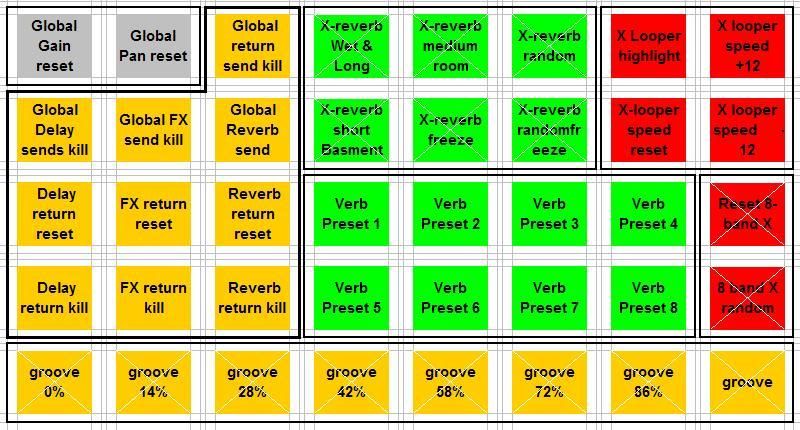
Code: Select all
    def _on_note_mode_changed(self):
        if not self._master_button != None:
            raise AssertionError
        if self.is_enabled() and self._invert_assignment == self._toggle_pressed:
            if self._note_mode_active:
                self._master_button.turn_on()
                for scene_index in range(5):
                    #TODO: re-map scene_launch buttons to note velocity...
                    scene = self._session.scene(scene_index)
                    for track_index in range(8):
                        clip_slot = scene.clip_slot(track_index)
                        button = self._matrix.get_button(track_index, scene_index)
                        clip_slot.set_launch_button(None)
                        button.set_enabled(False)
                        button.set_channel(9) #remap all Note Mode notes to channel 10
                        if track_index < 8:
                            button.set_identifier(36 + (8 * scene_index)  + track_index))
                            if (scene_index = 4):
                                buton.send_value(6)
                            if ((scene_index < 4) and (scene_index > 0)) and (track_index < 3):
                                buton.send_value(5)
                            if (scene_index =  0 abd track_index= 2):
                                button.send_value(5)
                            if (scene_index < 1) and ((track_index = 3) or (track_index = 4) or (track_index = 5)):
                                button.send_value(2)
                            if (scene_index > 1 and scene_index < 4) and (track_index > 3 and track_index < 7):
                                button.send_value(1)
                            if (scene_index > 1 and track_index < 2):
                                button.send_value(3)
                            if (scene_index = 2 or scene_index = 3) and (track_index = 7):
                                button.send_value(4)
                            else:
                                button.send_value(0)
                self._rebuild_callback()
            else:
                self._master_button.turn_off()
        return None
