Page 22 of 34
Posted: Sat Jun 14, 2008 6:08 pm
by Angstrom
labrat51 wrote:you'd have thought they'd have written a de-normaliser algorithm into it to prevent exactly that (remember digitalfishphones did one to stick on any plugin chain over vst to prevent cpu spikes on a pentium 4? i actually got it to work on cubase sx and kontakt, i was having horrendous trouble when the instrument wasn't playing any notes, spikes of like 35% until i slotted one of these in after. i think it basically cut off anything below a certain threshold)
It's not a denormal issue.
a denormal routine is done in a number of ways, but one of the most common is to add a very small amount of noise at a very low level. This has the effect of eliminating numbers which fall between the bitdepth limit and true zero . EG : when a delay fades away below the limit for 32 bit audio and then, is it at zero or where is it ? who knows.
Sometimes this can become an large issue - so adding a low level noise definitively eliminates the uncertainty. Unfortunately - low level noise can have implications for the calculations of anything later in the chain, because they think that this is 'signal' and attempt to process it as such. So you have eliminated the nasty 32% CPU denormal spikes, but gain a small 1% for every device that follows. That's my understanding of common denormalisation practise anyway.
sorry, I took the thread off tangent there.
carry on
Posted: Sat Jun 14, 2008 6:33 pm
by labrat51
no worries mate, my bad.
Re: THE Rack List. (What can YOU do with Racks in Live 6?)
Posted: Sun Jun 22, 2008 9:55 am
by misteron
jasinski wrote:DJ-EQ 2/11/07
by hoffman2k: "Some people don't seem to be happy with EQ3 for Dj'ing and find EQ4/8 too complex to set up. So here's my attempt at a DJ EQ.
The requests were only as specific as: "It should not color the sound" and "0dB should be in the middle".
With those 2 features in mind, I built the rack."
Anyone know where I can get this or a similarly good (native) DJ style EQ?
Checked covops.org but couldn't see one.
Re: THE Rack List. (What can YOU do with Racks in Live 6?)
Posted: Sun Jun 22, 2008 10:12 am
by hoffman2k
misteron wrote:jasinski wrote:DJ-EQ 2/11/07
by hoffman2k: "Some people don't seem to be happy with EQ3 for Dj'ing and find EQ4/8 too complex to set up. So here's my attempt at a DJ EQ.
The requests were only as specific as: "It should not color the sound" and "0dB should be in the middle".
With those 2 features in mind, I built the rack."
Anyone know where I can get this or a similarly good (native) DJ style EQ?
Checked covops.org but couldn't see one.
Thanks for reminding me
 http://www.covops.org/uploads/DJ-EQ.adg.zip
Posted: Sun Jun 22, 2008 11:42 am
by misteron
cheers
Posted: Sun Jun 22, 2008 9:14 pm
by JuSchu
I made a Kick-Synthesizer ONLY with Ableton-Devices. I used a sine- and a square-wave from the library in a simpler as oszialtor and build it into a rack.
There are the following parameters:
-Amp Attack
-Amp Decay
-Mix: Sine <-> Square
-Volume
-Punch
-Pitch
-Fine-Tune
-Sweep-Time
if the samples "Digital Sine.aif" and "Digital Square.aif" are not loadet automaticly, you will find them in the Library.
...\Library\Samples\Waveforms\Components\Spectral\
Download-Link:
www.juschu.eu/Kick-Designer.adg
if you still use live 6 here is a screenshot of all the settings.
www.juschu.eu/Kick-Synthesizer.jpg
Posted: Wed Jul 30, 2008 9:27 am
by esky
Recently i spoke to a friend who's using Cubase 4. He told me about the Control Room feature which is basically a mutiple mix bus for the main output with possibilitys to listen to external stereo sources. I thought this is a good idea for a rack as we all know how important it can be to compare mixes to other music or to switch between mix bus settings. My first layout is pretty simple:

Switching is done via soloing the chain. Unfortunatly not possible via a key. Of course everybody is using higher value plugins for the mix bus chain.Here is the rack:
http://www.mediafire.com/?s2joncmmwvn
Comments are appreciated. Other ideas of course too. Hopefully this hasn't been done before...
Posted: Tue Aug 05, 2008 3:03 pm
by opuswerk
^^^^wtf
Posted: Fri Aug 22, 2008 3:07 pm
by ethios4
Reverse Compressor
This s basically a sidechain expander. Open up the rack and set the sidechain input for the compressor, and the threshold, ratio, attack, and decay. As the input volume at the sidechain increases, the volume of the track you have this plugin on will also increase.
Posted: Fri Aug 22, 2008 3:11 pm
by misteron
Sounds cool
Thanks.
Posted: Mon Oct 06, 2008 8:30 am
by heathledger
linx for 16 step Sequencer 3/4/07 by rbmonosylabik is broken can someone share? also need dj style eq by hoffman2k or another "fixed" eq3 with knobs at 0db in middle/no coloration thx.
Posted: Mon Oct 06, 2008 9:06 am
by hoffman2k
heathledger wrote:linx for 16 step Sequencer 3/4/07 by rbmonosylabik is broken can someone share? also need dj style eq by hoffman2k or another "fixed" eq3 with knobs at 0db in middle/no coloration thx.
http://www.covops.org/index.php/Download-Live-Presets/
In the Audio Effects section.
Posted: Mon Oct 20, 2008 12:09 pm
by Liquid B
heathledger wrote:...also need dj style eq by hoffman2k or another "fixed" eq3 with knobs at 0db in middle/no coloration thx.
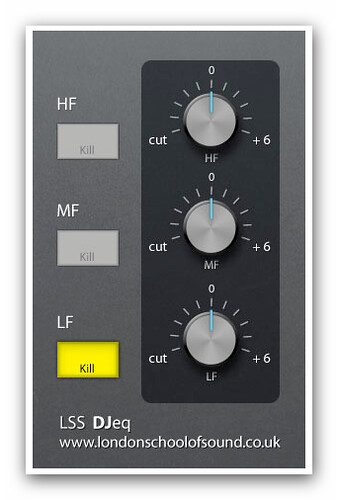
try this...
Posted: Sat Nov 01, 2008 1:32 am
by manimal
I tried that plug in and thought it sounded really bad??
I would prefer to use Eq eight with just the 4 knobs??
Posted: Wed Nov 05, 2008 9:18 am
by Mr Mowgli
Would be really useful to have a simple 'auto-transpoer' although I was told by someone at ableton that they are considering adding this in the 'loop/warp area, I hate dragging whole sequences up and octave/down 2 etc...arrrgggg lol