Moving Start point on waveform help....
Posted: Mon Feb 14, 2011 11:08 pm
Hi,
Just a quick question, i often load samples into drum rack, then double click on the pad in the drum rack to show the waveform window to the right with all its controls -
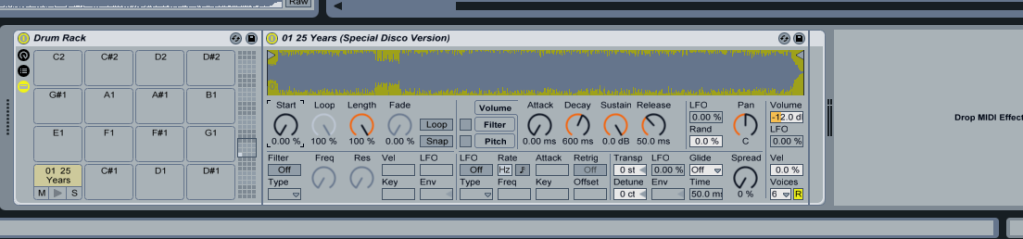
What i would like to know is how can i move the 'start' knob slowly, so it moves the start point in very fine steps? When i move it, it moves through the waveform too much. I can zoom in on the wave no problem, but even if i move the start knob very finely, it jumps chunks of audio. I have tried holding the 'apple/cmd' key, and that does help, but it still misses chunks of audio.
Any help and advice would really be appreciated.
Thanks
Just a quick question, i often load samples into drum rack, then double click on the pad in the drum rack to show the waveform window to the right with all its controls -
What i would like to know is how can i move the 'start' knob slowly, so it moves the start point in very fine steps? When i move it, it moves through the waveform too much. I can zoom in on the wave no problem, but even if i move the start knob very finely, it jumps chunks of audio. I have tried holding the 'apple/cmd' key, and that does help, but it still misses chunks of audio.
Any help and advice would really be appreciated.
Thanks