Page 1 of 2
convert .aif to .wav
Posted: Wed Jan 11, 2012 8:29 pm
by icedsushi
What's the easiest way to do this without any degradation or having to resample & trim the files?
Without getting special software to do this simple task, I'm thinking I can just load them into iTunes, right click & "create WAV version". Is this the best way to do it?
Re: convert .aif to .wav
Posted: Wed Jan 11, 2012 8:49 pm
by icedsushi
iTunes didn't work for my application because they're 24 bit files & it converts them to 16 bit.
Re: convert .aif to .wav
Posted: Wed Jan 11, 2012 9:32 pm
by pharos
I use Foobar2000 for converting .aif to wav, but I'm not sure about 24 to 16 bit. Someone else will have to chime in.
Re: convert .aif to .wav
Posted: Wed Jan 11, 2012 9:55 pm
by icedsushi
OK, I'm on a mac and Foobar2000 is for windows.
I tried this application but it significantly reduced the size of the files, even when I selected the same format as the output format:
http://www.nch.com.au/switch/index.html
Which leads me to believe it reduced them to 16 bit as well...
Re: convert .aif to .wav
Posted: Wed Jan 11, 2012 10:14 pm
by Tarekith
Use Max from Sbooth.org.
Re: convert .aif to .wav
Posted: Wed Jan 11, 2012 10:36 pm
by Komodovaran
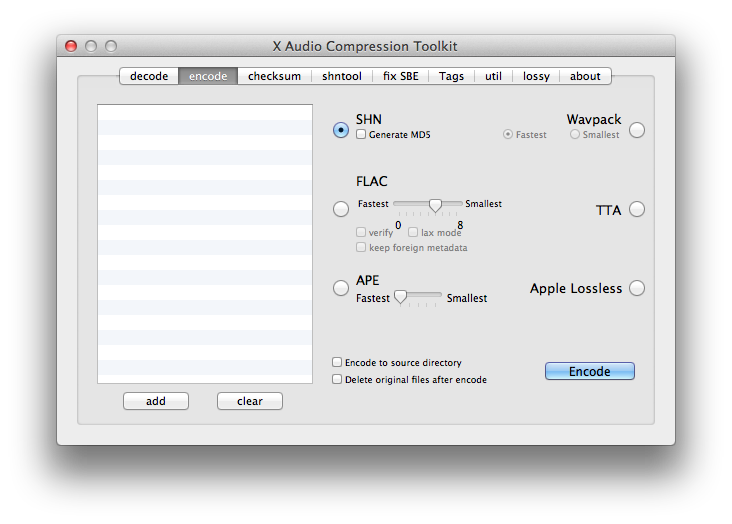
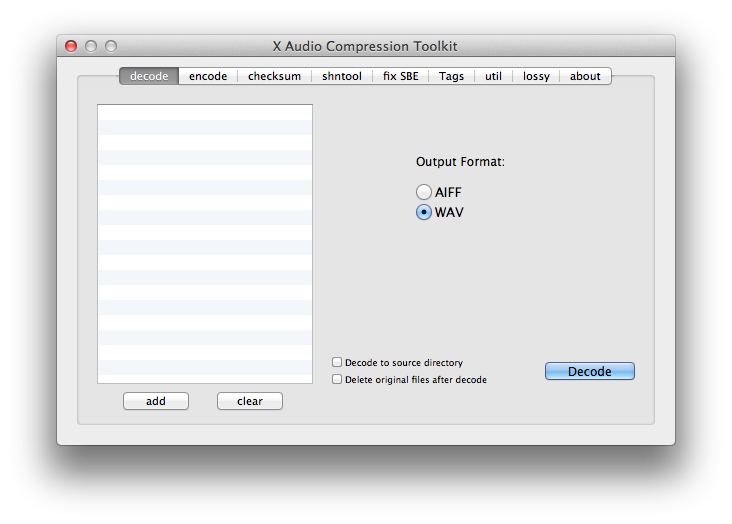
There's a handy application for Mac called xACT that can convert all kinds of audio files. It's free.
Re: convert .aif to .wav
Posted: Wed Jan 11, 2012 10:44 pm
by Tone Deft
icedsushi wrote:iTunes didn't work for my application because they're 24 bit files & it converts them to 16 bit.
some flavors of aif are 16 bit only, Apple has changed the standard over the years (they invented it.)
both aif and wav are lossless PCM codecs (audio data straight off the A/D converter.) transcoding from one to the other should also be a no-brainer lossless operation.
I've been using CDEX for years.
Re: convert .aif to .wav
Posted: Wed Jan 11, 2012 11:14 pm
by pharos
icedsushi wrote:OK, I'm on a mac and Foobar2000 is for windows.
Whoops, my bad. I automatically said Foobar since I just did this the other day myself. Hope you get it sorted out.
Re: convert .aif to .wav
Posted: Thu Jan 12, 2012 12:09 am
by fishmonkey
Tarekith wrote:Use Max from Sbooth.org.
yep, what he said.
Re: convert .aif to .wav
Posted: Thu Jan 12, 2012 2:57 am
by muthafunka
Lemon-squeezy! XLD, tis free, super-flexible and you save all your conversion setups as profiles.
Btw, can you not do it in Live??
Re: convert .aif to .wav
Posted: Thu Jan 12, 2012 3:17 am
by synnack
fishmonkey wrote:Tarekith wrote:Use Max from Sbooth.org.
yep, what he said.
I use this too but if you really wanted no extra software you could just bring the .aif into Live, turn off warping, then export it to .wav
Re: convert .aif to .wav
Posted: Thu Jan 12, 2012 3:20 am
by Tone Deft
tempus3r wrote:fishmonkey wrote:Tarekith wrote:Use Max from Sbooth.org.
yep, what he said.
I use this too but if you really wanted no extra software you could just bring the .aif into Live, turn off warping, then export it to .wav
pffft, with Live's audio quality?? you serious?
Re: convert .aif to .wav
Posted: Thu Jan 12, 2012 4:58 am
by synnack
Tone Deft wrote:tempus3r wrote:
I use this too but if you really wanted no extra software you could just bring the .aif into Live, turn off warping, then export it to .wav
pffft, with Live's audio quality?? you serious?
rofl.
Good point. The lack of 128bit analog summing bus. What was I thinking. It doesn't even have "pro" in the name. I'm so stupid.
Re: convert .aif to .wav
Posted: Thu Jan 12, 2012 5:15 am
by Hervé
Re: convert .aif to .wav
Posted: Tue Mar 13, 2012 2:00 am
by icedsushi
If anyone is interested I stumbled upon how to do this easily with an app I already had


. Izotope RX, just open the .aif file, then save as, select .wav. So easy! No resampling, bit reduction, signal loss or editing out silence after recording required and the sample comes out an exact copy, just in the other format.
Of the suggestions above, Audacity, SBooth or xACT probably would have worked fine but I never needed to try them after I realized something I already had would do it.
tempus3r wrote:if you really wanted no extra software you could just bring the .aif into Live, turn off warping, then export it to .wav
At first I was thinking I'd need to meticulously trim the silence out of the files after resampling them in Live locked to the grid.
But yeah as you say, you can just drag the 24 bit .aif clip onto the arrange page, turn warping off, select the clip & hit export, select 24 bit .wav. And it will only render what is selected. I would think that should turn out exactly the same, but I saw some comments on here that using the track resample is more accurate than the export? Maybe that was just hearsay or incorrect. Theoretically/ideally you should be able to export, load the new file, export that, repeat 9 times the tenth sample should be the same as the first I would like to believe.