102455 wrote:Good contrast and high lumens are good, but short throw lens....
A short throw lens CAN give you more flexibility for installations, if your VJ software will allow it, you can over-shoot the screen with a wide projector beam, and make the video image itself smaller to fit the screen from within the VJ app.
If you want to carry a fully self-contained video show with you, IMHO you will need to use a proper VJ application, and most likely running on a second laptop. You
can run video directly out of Live's arrange page, or from a Max4Live plugin, or something simple like a Quicktime Player in the backround on the same computer, but you had better be VERY careful about your CPU load when playing live, as video streaming + live audio streaming on the one machine will push your computer to the max.
I use a VJ app called Modul8 on a second laptop, which receives MIDI notes sent from Live on the audio laptop. Usually one MIDI note-per-Scene from Live: I trigger a Scene in Live, and that Scene has a MIDI clip that fires out a single MIDI note at it's head to Modul8. As long as the Scene keeps looping, the MIDI clip keeps looping and re-triggering that video clip until I move on to the next Scene.
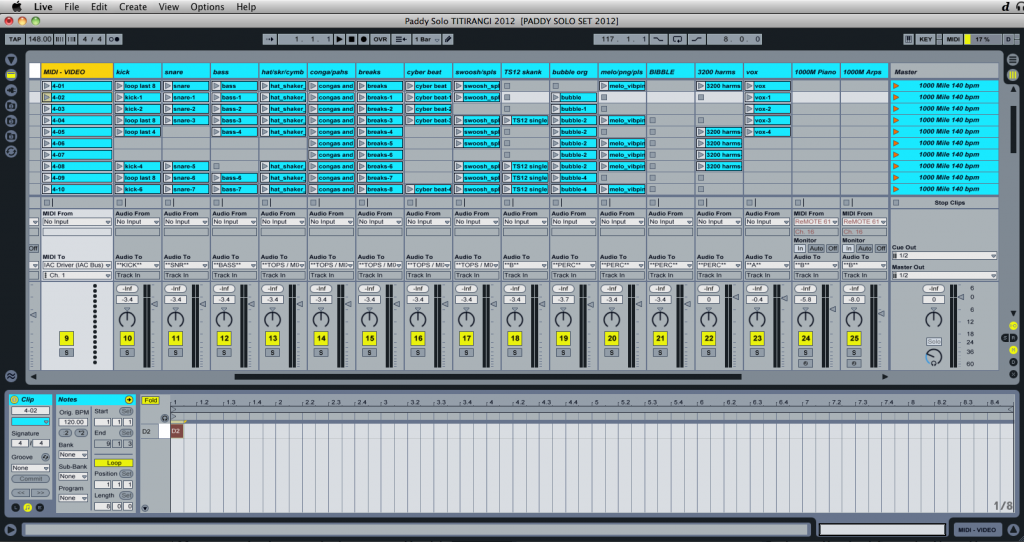
At home, for development, my computer (2010 MBP i5 dual 2.53gHz - 4MB RAM) can
just handle running both Live and Modul8 on the same machine, but I get occasional glitches in my audio stream that would be unacceptable in a live show, but not a major problem at home. At home, I route Live's MIDI output to Modul8 via the IAC bus, and for shows MIDI goes out from my RME audio/MIDI interface into a USB MIDI interface on the video computer. By using 2 laptops, I keep to a known quantity of CPU load. If you're serious about doing video, I believe this to be "Best Practice".
102455 wrote:Many projectors only have vertical keystone adjustment, meaning the image can be adjusted for whether the projector is angled up or down.......but horizontal keystone correction is not so common - meaning your projector will have to be square on to the surface in order to give a level picture (top & bottom horizontal.
Modul8 has a "module" (which is a free 3rd-party plugin someone has written and uploaded - there's hundreds of them) called MapMapMap. Its a basic "video mapping" tool, in that it lets you change the size and shape of your video output within the software. This lets you correct for horizontal and vertical keystoning, or map the video onto a physical object in the space.
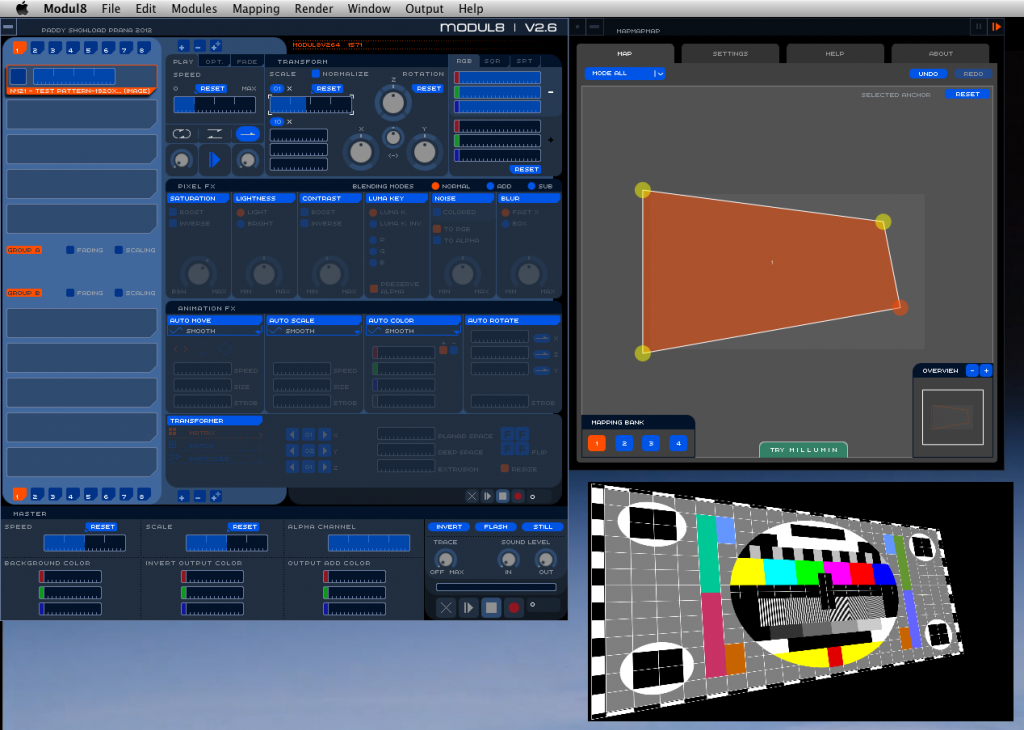
This allows me to over-shoot the screen slightly with the projector and then fit the image precisely to the screen with the software. This means that I could have the projector on the floor and off to one side, or mounted on a speaker stack beside me, or wherever wherever the circumstances dictate, and "pin" the corners of the video image exactly onto the corners of the physical screen in software. This is where having a short-throw projector can be an advantage: over-shoot the screen with the wider beam that the short-throw gives, and pin the image to the screen in software. You lose a little bit of resolution this way, but usually you would not be going pixel-for-pixel anyway. ie, if your projector's native resolution is WVGA (1280x800) you probably wouldn't be using video files that large. I use video files 800x450 in size for live use, and I find this looks fine.
102455 wrote:I bought a projector and a couple of screens a few years ago, but so few venues are suitable that I would suggest either using whatever projection rig the venue has in place already, or using large LCD or plasma screens.
I agree, bringing in your own complete video setup is a whole extra level of work, and some venues just won't be suitable. But by the same token, a clean white king-sized sheet neatly gaffa-taped to the back wall (or wherever) will look great if you can keep most of other lights off it, and only hit it with the projector beam. You go into the club, and the first thing you do is rig the projector wherever possible, and output a quick test-pattern. You then hang your sheet inside this projector beam, and fold it/tape it/mask it into the nicest possible size and shape, and finally re-map the image to fit onto the sheet exactly. Looks great!
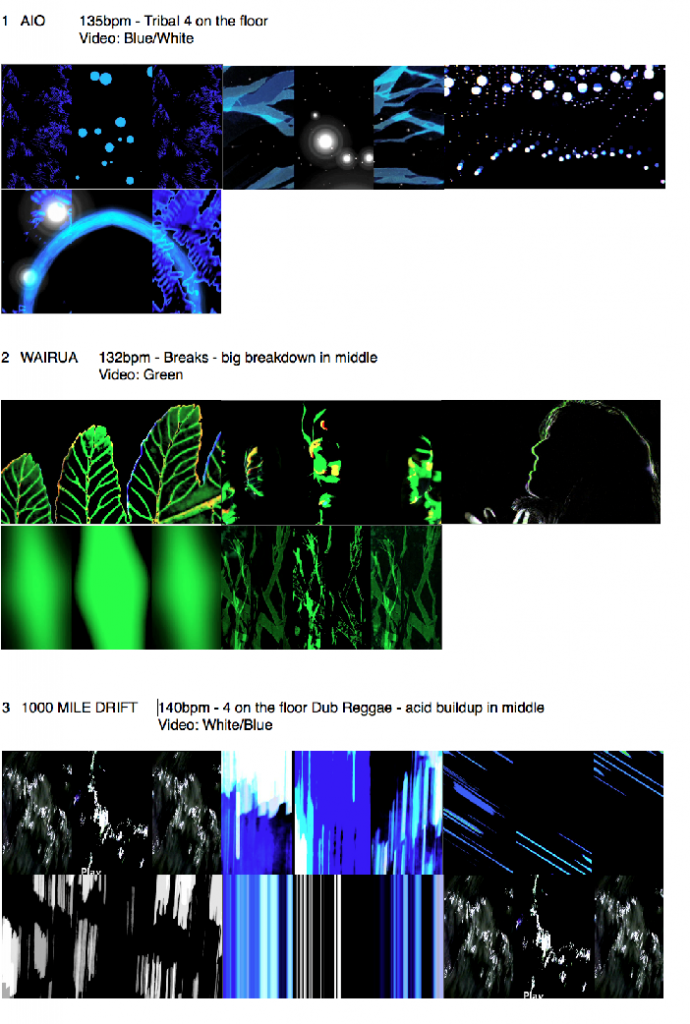
As mentioned in one of the other posts, I ask the lighting tech to keep just a dark blue wash on me all night, and invite them to go crazy hitting the dancefloor with party lights/movers for the punters. I usually give them a setlist with pictures of the video so that (if they're professional, motivated, and keen!) they can know in advance whats coming up, and help make the look as good as it can possibly be.
Finally, please allow me to pimp a video from my latest show...

This was at a festival that had a pixel-drape installed for all the acts at the rear of the stage, so in addition to the video laptop feeding my projector and rear-pro screens, I used a second video laptop triggered by the same MIDI notes from Live to feed the pixel-drape.
https://vimeo.com/51115658
