Page 1 of 2
Granulator II
Posted: Thu Mar 07, 2013 7:30 pm
by crystalmsc
Finally, the long awaited Granulator II was released:
http://www.monolake.de/technology/granulator.html
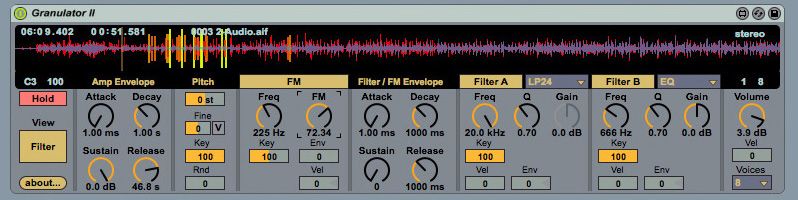
This is one of the most exciting reason to get Max for Live for me.
Re: Granulator II
Posted: Thu Mar 07, 2013 10:45 pm
by bdhm
Wunderbar!!!
Dank und Gruesse,
BD
Re: Granulator II
Posted: Fri Mar 08, 2013 12:45 am
by Random Mullets
i have an issue with the view mode when i switch to filter view , the window is cut down, someone else experiment it ?
Re: Granulator II
Posted: Fri Mar 08, 2013 4:18 pm
by geiger167
Works perfect for me 64 bit live9 in windows 8. What does it sound like, awesome, really awesome

Re: Granulator II
Posted: Sat Mar 09, 2013 9:35 am
by siehorst
Works perfect
Hi, whenever I drag an aif audio file to Granulator II I get a Max Runtime Message: 'cannot open parser for this file'
What does that mean? horst
Re: Granulator II
Posted: Sat Mar 09, 2013 11:42 am
by artpunk
siehorst wrote:Works perfect
Hi, whenever I drag an aif audio file to Granulator II I get a Max Runtime Message: 'cannot open parser for this file'
What does that mean? horst
This was flagged in the beta forum quite a while back. I was hoping they would sort it by now...
Re: Granulator II
Posted: Sat Mar 09, 2013 11:46 am
by geiger167
works with wav files, use them
Re: Granulator II
Posted: Sat Mar 09, 2013 11:50 am
by artpunk
geiger167 wrote:works with wav files, use them
I actually just downloaded the new version from the link above, deleted the beta 9 version of granulator II I had, installed the new one and dropped an aif file into it with no error message at all. I'm not sure what is happening with your scenario siehorst... you don't have the beta version of Granulator II still on your system do you?
Re: Granulator II
Posted: Sat Mar 09, 2013 11:56 am
by siehorst
artpunk wrote: you don't have the beta version of Granulator II still on your system do you?
No, with both my computers it is the same. Never had beta installed. Previous Live 8, but before installing Live 9 I played back a 'Live free system Image'.
Thank's for the replys, so I know, it is not just me.
horst
Re: Granulator II
Posted: Sat Mar 09, 2013 11:58 am
by artpunk
siehorst wrote:artpunk wrote: you don't have the beta version of Granulator II still on your system do you?
No, with both my computers it is the same. Never had beta installed. Previous Live 8, but before installing Live 9 I played back a 'Live free system Image'.
Thank's for the replys, so I know, it is not just me.
horst
Just one last thought, you have the latest Max 6.1 installed I suppose? I hope you can get it sorted, but in the meantime .wav files are the way to go...
Re: Granulator II
Posted: Mon Mar 11, 2013 2:32 pm
by Andrew Hill
artpunk wrote:siehorst wrote:Works perfect
Hi, whenever I drag an aif audio file to Granulator II I get a Max Runtime Message: 'cannot open parser for this file'
What does that mean? horst
This was flagged in the beta forum quite a while back. I was hoping they would sort it by now...
Having same problem with same error message.
Re: Granulator II
Posted: Mon Mar 11, 2013 4:01 pm
by kleine
Make sure to have the latest Max 6.1 version (should read ee85fad) in the about screen.
Re: Granulator II
Posted: Mon Mar 11, 2013 5:21 pm
by Andrew Hill
Yes, I have that version.
Re: Granulator II
Posted: Tue Mar 12, 2013 7:50 pm
by crystalmsc
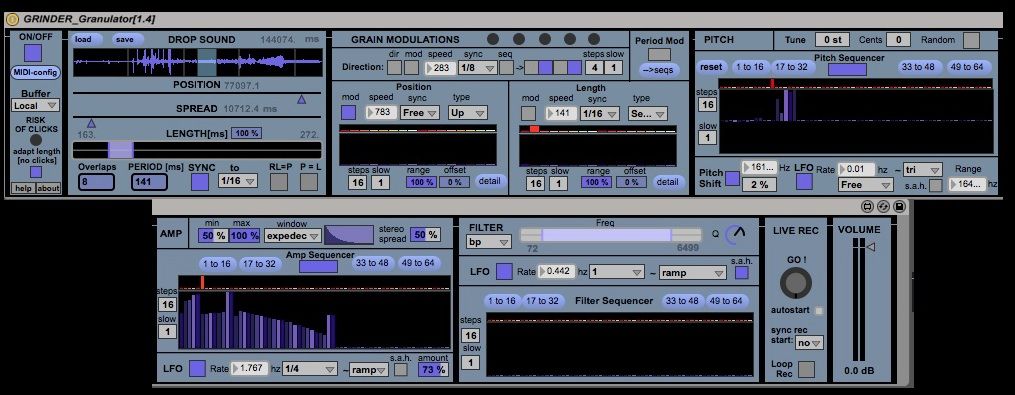
Another great Granulator development: Grinder Granulator by Colingagne ://
www.maxforlive.com/library/device/1516
Re: Granulator II
Posted: Wed Mar 13, 2013 9:53 am
by darth_fader
kleine wrote:Make sure to have the latest Max 6.1 version (should read ee85fad) in the about screen.
I have the same problem. I checked that I have the latest Max and also tried with Ableton 9.0.1 and the 9.0.2 Beta. Running on 64 bit and Windows 8.
WAV works fine.