8 things you didn't know about eq8
Posted: Thu Oct 06, 2016 5:26 pm
http://patches.zone/blog/2016/9/27/8-th ... leton-live
eq8 is probably the most used live device - it's extremely powerful & at the same
time really easy to use. despite this, there may be a number of less obvious features you
aren't using. I find these to be tragically underused, so I'll detail some of those here.
expanded display
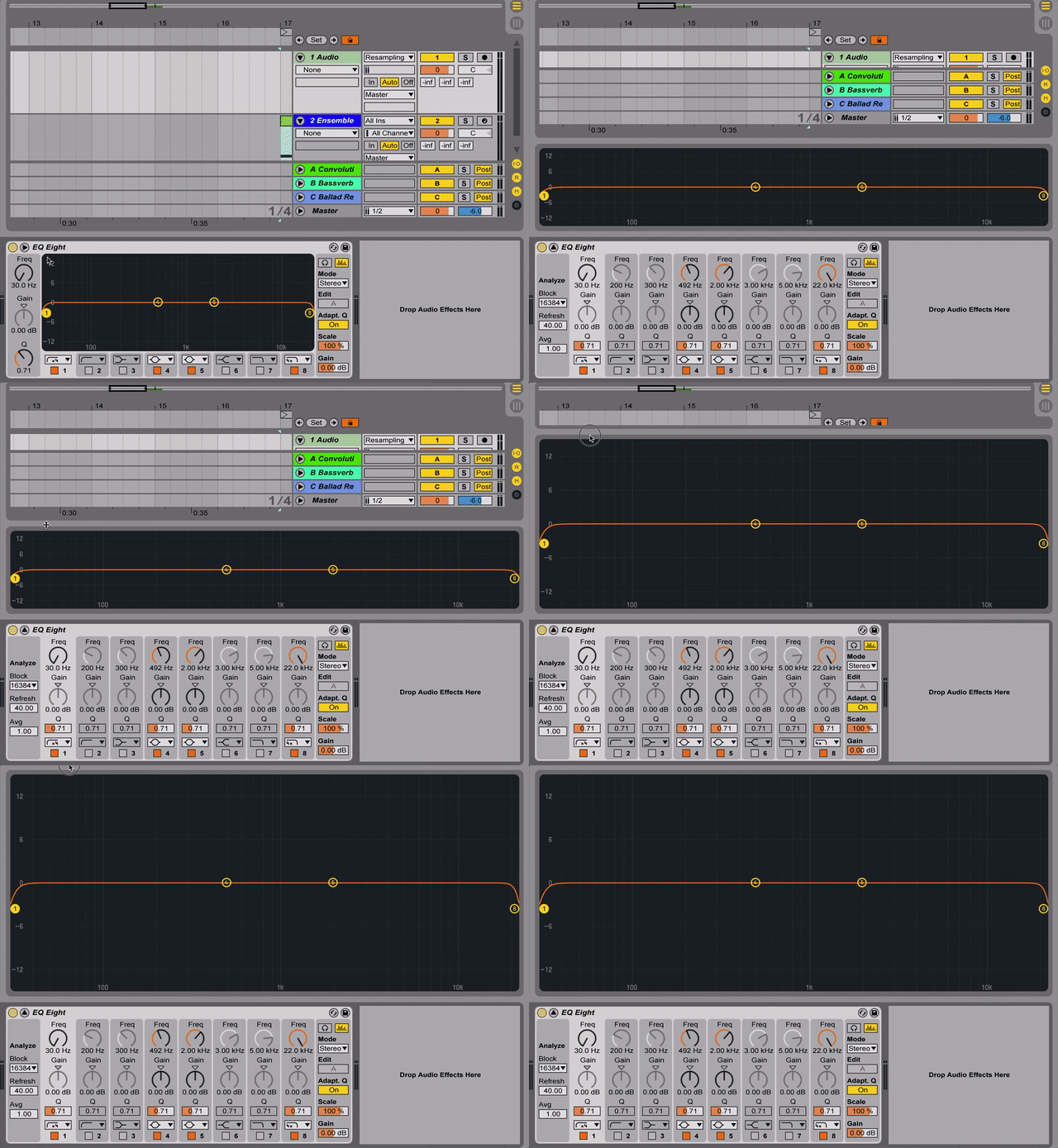
you can expand eq8 by clicking the arrow beside the device name, the benefits of
which are twofold: for one, you get more room to view your curve & spectrum. you'll also
find your band controls become organized in a more console/rack unit fashion which may
feel more natural. if the idea of the expanded view gets you excited, it's good to know you
can extend this as large as your screen by dragging from the top. if you really need to get
into the details, this level of magnification will ensure you don't miss a thing.
selecting multiple bands

some of the best eq techniques involve the interaction of multiple bands - a subtle cut
beside a boosted hump can go a long way in creating balanced & natural adjustments to
your sound. by selecting multiple nodes, you can lock in these relationships when you move
your eq curves as needed. just click & drag over as many or as few nodes as you want.
adjusting q
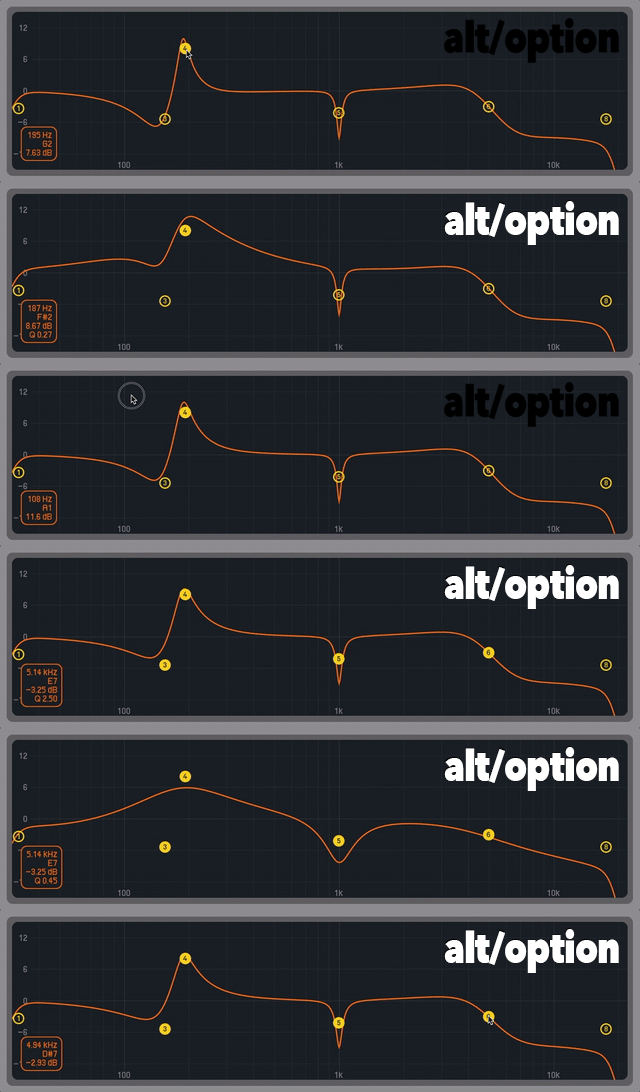
you might not know you can edit a band's q right from the graphical interface.
hold down alt/option & drag up & down on a node to make the adjustment.
I find this useful to avoid having to break my workflow when setting gains &
frequencies, which I prefer to do using the graphical interface. this can also combine
with the previous technique to adjust all q's at once.
spectrum tweaks
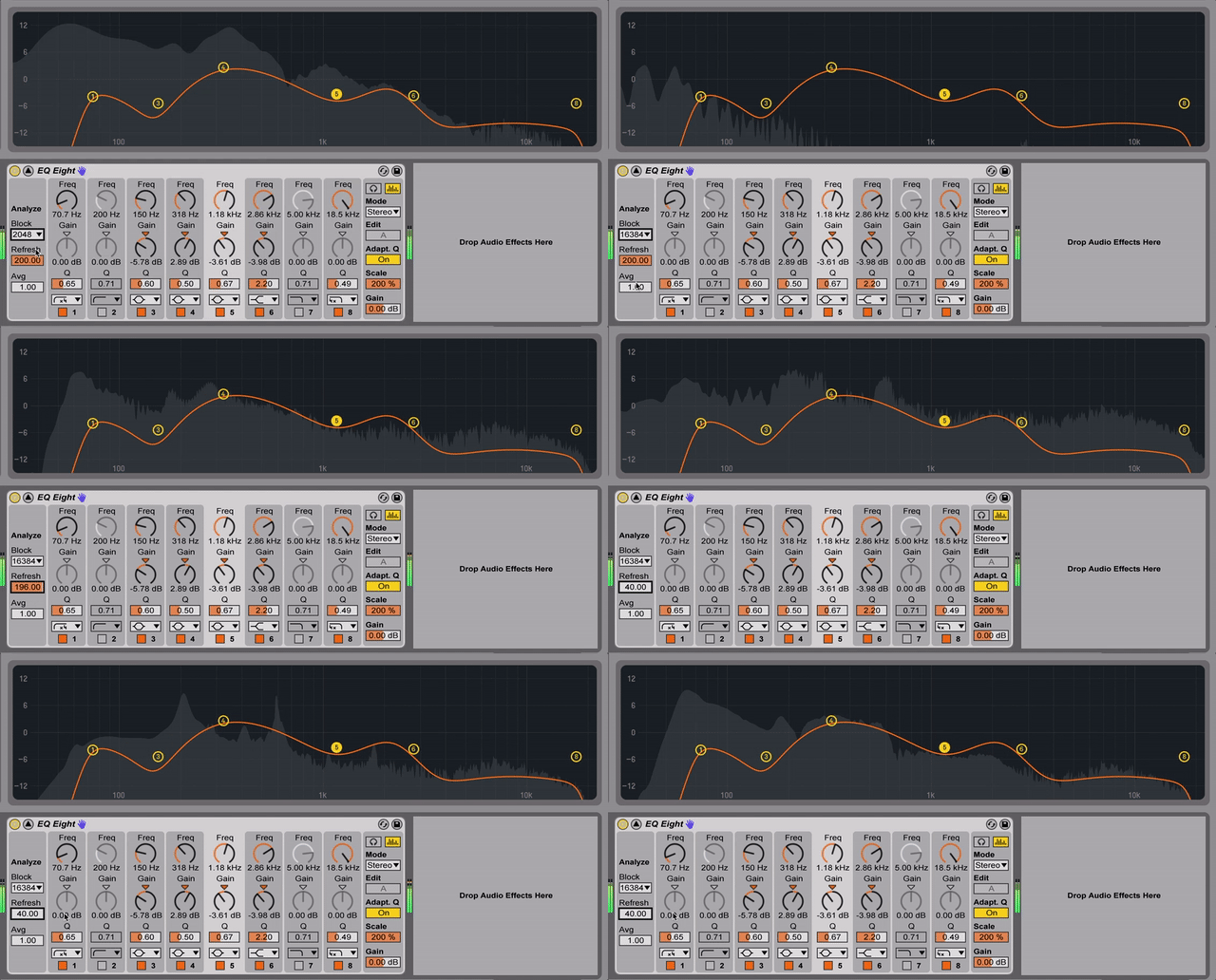
getting a visual look at your sound's spectrum can help you understand its
frequency content. in the expanded view, you can get more control over the behavior
of the spectrum overlay - essentially, these will allow it to become more accurate at
the cost of cpu. I recommend maximizing accuracy by setting "block" to the largest
value & "refresh" & "avg" to the lowest. you can than collapse the expanded view &
save these settings into the default preset (via the context menu) to always have the
most detail.
scale & inverse
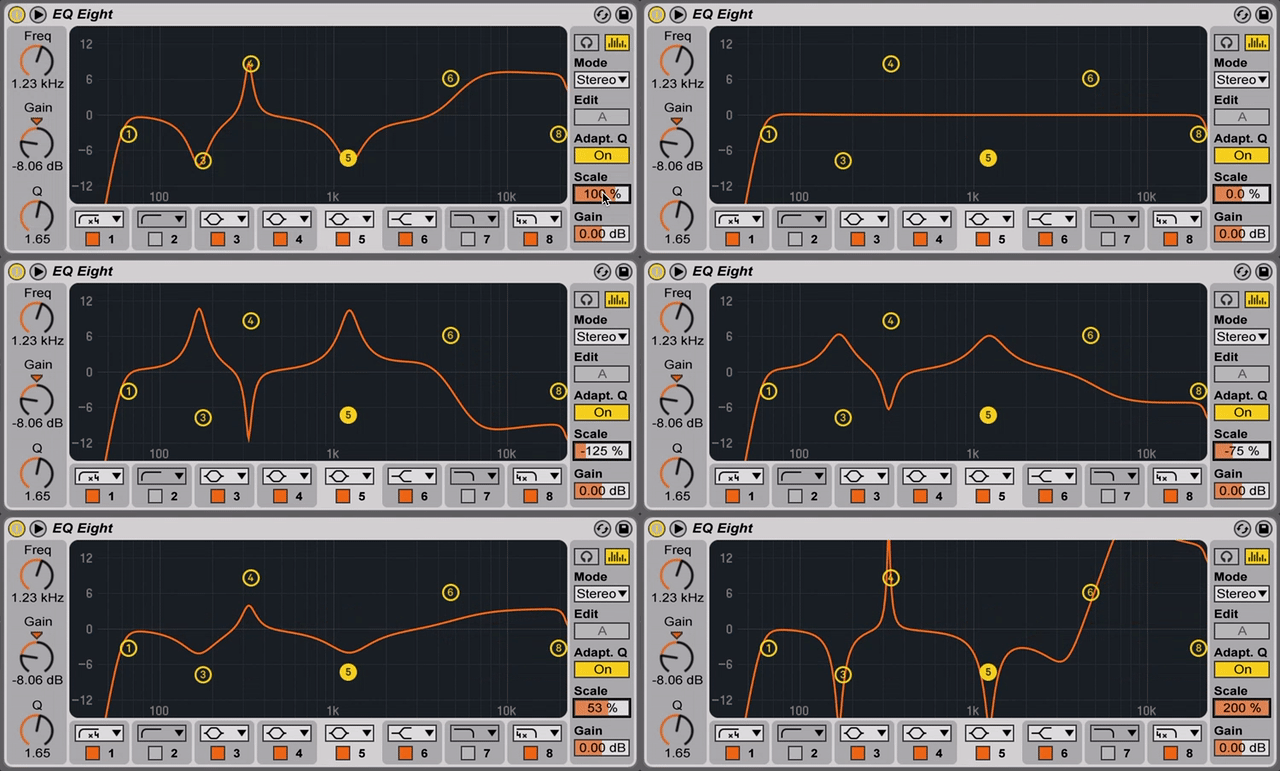
if your eq isn't doing enough work globally, the scale value will let you emphasize
existing bands (or ease them off if they're too strong). what's cool is you can lower this into
negative values to invert the curve. if you have two sounds that are fighting each other, you
might find it useful to boost the important bits on one, copy the eq to the other, & inverse it
to give yourself a starting point on getting the two sounds to behave with one another.
reset all gains
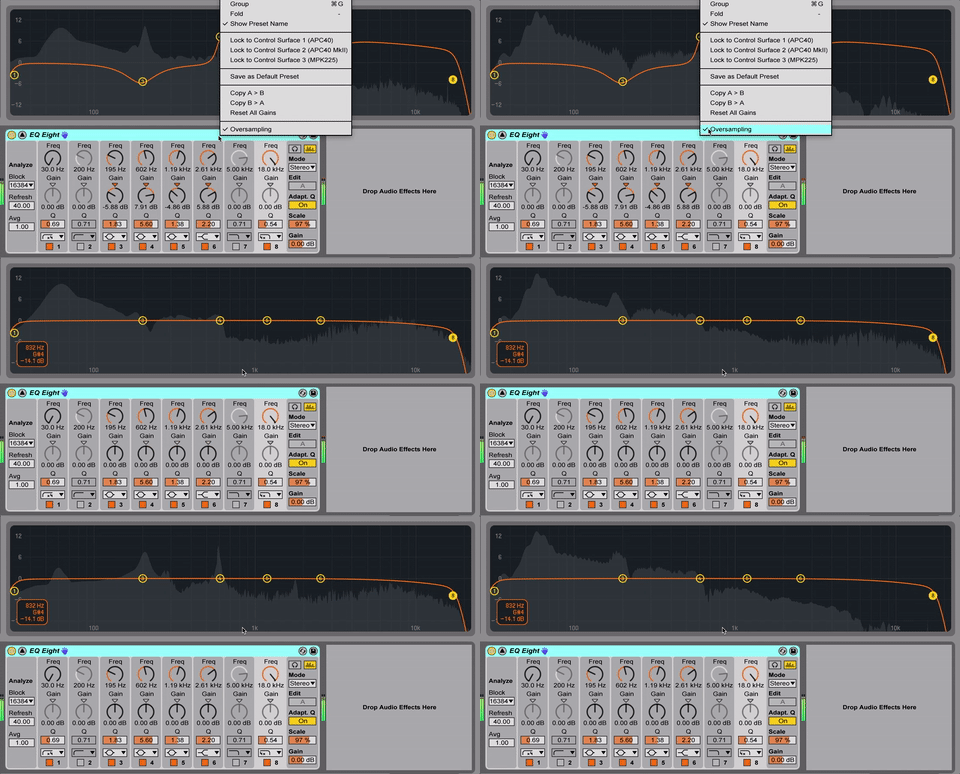
sometimes, nodes/bands are best used as markers & placeholders. you can copy
an eq to a competing instrument & reset all gains. this will show you where the important
frequencies are in the other sound as a reference for setting the new curve. this can also be
handy for starting over if you feel you've done too much, of course.
oversampling
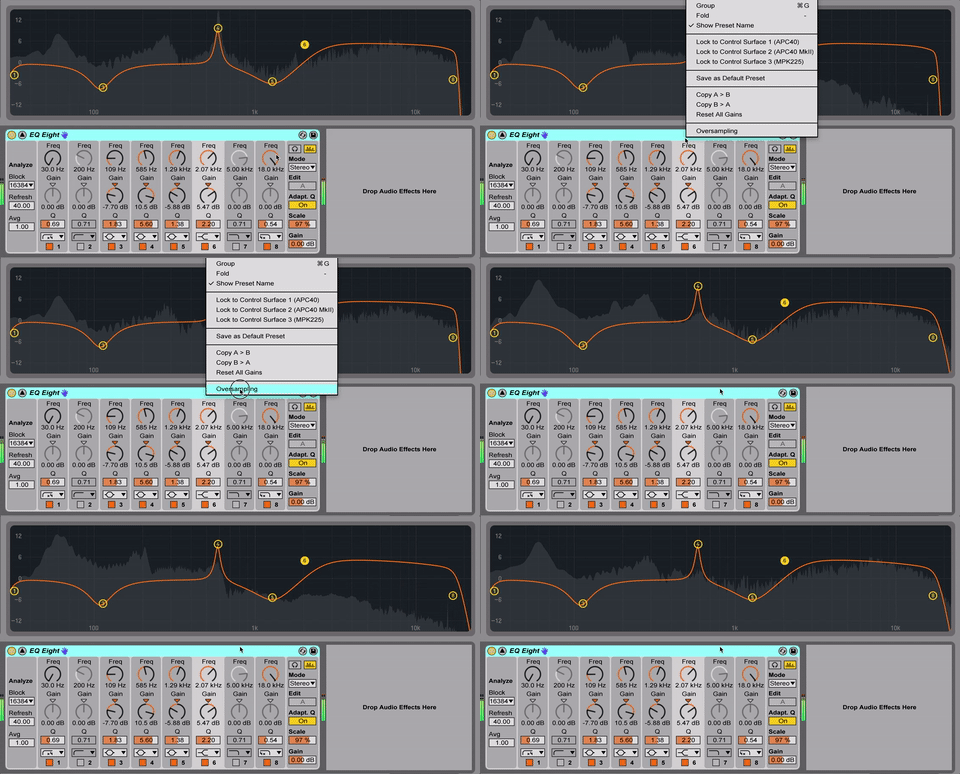
I've beat the oversampling/hi-quality horse to death by this point, but I would be remiss not to
include it in this list for those that haven't dug through the context menu. unless you are really
fighting high cpu, this should probably be saved
into your default preset.
m > s, s < m; l > r, r < l
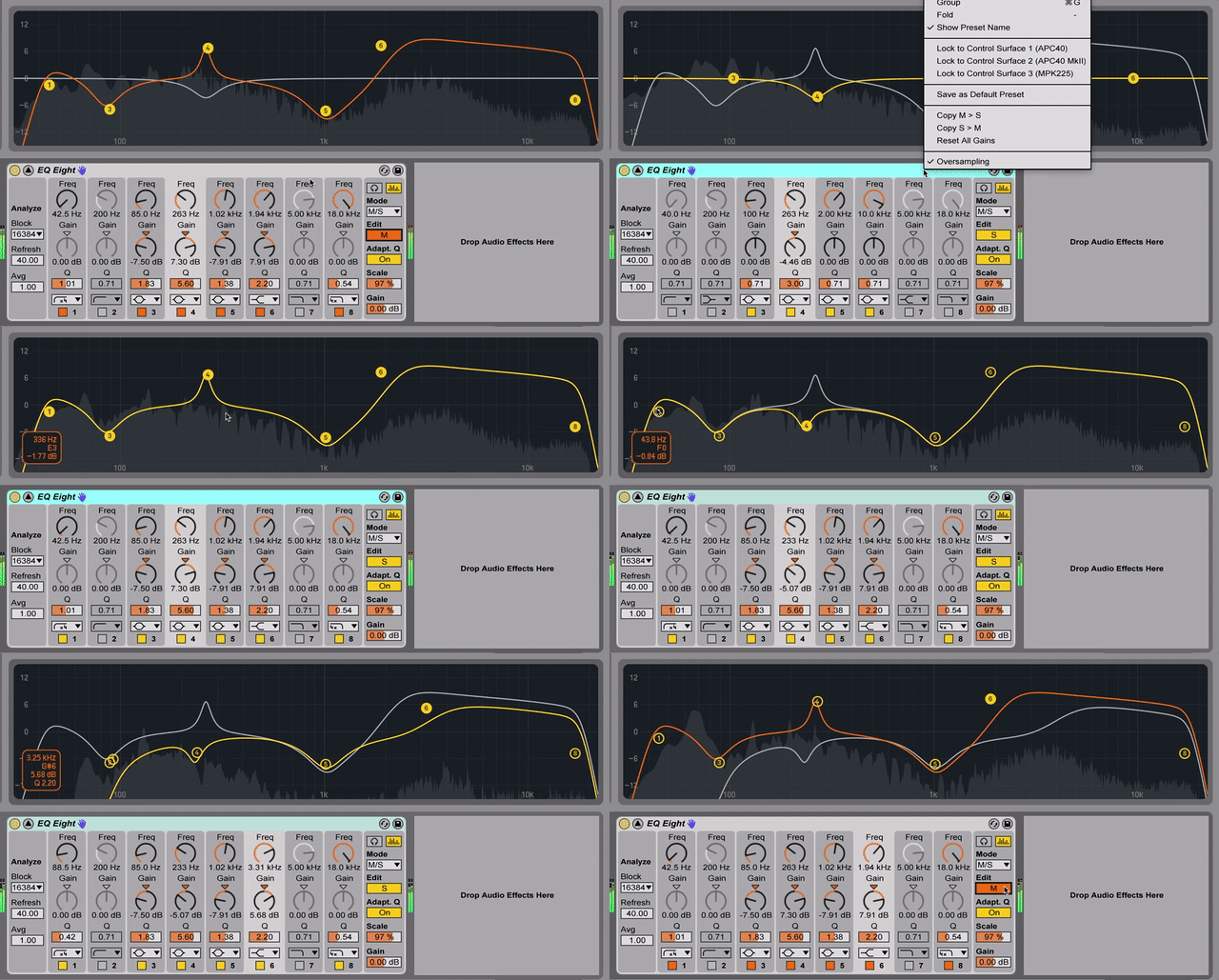
if you're taking advantage of eq8's split modes, you'll love this time-saving tip. in the
context menu, you can copy your mid curve to your sides curve or vice versa. this is really useful
for giving yourself a starting point when you switch between them. of course, the copy feature
also works for l/r mode.
read this article and more at https://patches.zone
eq8 is probably the most used live device - it's extremely powerful & at the same
time really easy to use. despite this, there may be a number of less obvious features you
aren't using. I find these to be tragically underused, so I'll detail some of those here.
expanded display
you can expand eq8 by clicking the arrow beside the device name, the benefits of
which are twofold: for one, you get more room to view your curve & spectrum. you'll also
find your band controls become organized in a more console/rack unit fashion which may
feel more natural. if the idea of the expanded view gets you excited, it's good to know you
can extend this as large as your screen by dragging from the top. if you really need to get
into the details, this level of magnification will ensure you don't miss a thing.
selecting multiple bands
some of the best eq techniques involve the interaction of multiple bands - a subtle cut
beside a boosted hump can go a long way in creating balanced & natural adjustments to
your sound. by selecting multiple nodes, you can lock in these relationships when you move
your eq curves as needed. just click & drag over as many or as few nodes as you want.
adjusting q
you might not know you can edit a band's q right from the graphical interface.
hold down alt/option & drag up & down on a node to make the adjustment.
I find this useful to avoid having to break my workflow when setting gains &
frequencies, which I prefer to do using the graphical interface. this can also combine
with the previous technique to adjust all q's at once.
spectrum tweaks
getting a visual look at your sound's spectrum can help you understand its
frequency content. in the expanded view, you can get more control over the behavior
of the spectrum overlay - essentially, these will allow it to become more accurate at
the cost of cpu. I recommend maximizing accuracy by setting "block" to the largest
value & "refresh" & "avg" to the lowest. you can than collapse the expanded view &
save these settings into the default preset (via the context menu) to always have the
most detail.
scale & inverse
if your eq isn't doing enough work globally, the scale value will let you emphasize
existing bands (or ease them off if they're too strong). what's cool is you can lower this into
negative values to invert the curve. if you have two sounds that are fighting each other, you
might find it useful to boost the important bits on one, copy the eq to the other, & inverse it
to give yourself a starting point on getting the two sounds to behave with one another.
reset all gains
sometimes, nodes/bands are best used as markers & placeholders. you can copy
an eq to a competing instrument & reset all gains. this will show you where the important
frequencies are in the other sound as a reference for setting the new curve. this can also be
handy for starting over if you feel you've done too much, of course.
oversampling
I've beat the oversampling/hi-quality horse to death by this point, but I would be remiss not to
include it in this list for those that haven't dug through the context menu. unless you are really
fighting high cpu, this should probably be saved
into your default preset.
m > s, s < m; l > r, r < l
if you're taking advantage of eq8's split modes, you'll love this time-saving tip. in the
context menu, you can copy your mid curve to your sides curve or vice versa. this is really useful
for giving yourself a starting point when you switch between them. of course, the copy feature
also works for l/r mode.
read this article and more at https://patches.zone

