Page 1 of 1
Working with wav/aif files
Posted: Mon Jan 16, 2017 7:44 pm
by RandomMannix
I'm completely new to Ableton, and have been trying to figure this out by myself, but to no avail. I've looked to the forums and the help videos, but none of them directly pertain to my issue. If someone has a solution, please go step by step, being clear and specific in your answer, as anything else might only add to my confusion.
I downloaded some 3rd party sounds and added them under the "Places Section". Most of them are wav or aif files, and I can't figure out how to crop the audio and add it to a MIDI track. I'm using my computer keys as the MIDI.
I know I can drag a sound from under "Categories" and add it to a new MIDI track. Then when I double click on a clip slot, the MIDI Note Editor pops up, and every note I play has the same "Category" Sound.
What I want is to be able to do the same thing with the wav/aif files, and use them as the MIDI sound.
I can add the wav/aif file to a clip slot under a new MIDI track, but then it automatically becomes an Audio track. I right-clicked on the clip and selected the "Splice to New MIDI Track" option, then a new MIDI track popped up with the new clip. But when I double click the new clip and open the MIDI Note Editor, only one or more bars are displayed, depending on the notes in the file, all titled "Splice 1,2,3, etc.".
How do I get the whole MIDI keyboard to show up on the left side of the Note Editor?
Re: Working with wav/aif files
Posted: Tue Jan 17, 2017 3:45 pm
by Tikayer
RandomMannix wrote:I'm completely new to Ableton, and have been trying to figure this out by myself, but to no avail. I've looked to the forums and the help videos, but none of them directly pertain to my issue. If someone has a solution, please go step by step, being clear and specific in your answer, as anything else might only add to my confusion.
I downloaded some 3rd party sounds and added them under the "Places Section". Most of them are wav or aif files, and I can't figure out how to crop the audio and add it to a MIDI track. I'm using my computer keys as the MIDI.
I know I can drag a sound from under "Categories" and add it to a new MIDI track. Then when I double click on a clip slot, the MIDI Note Editor pops up, and every note I play has the same "Category" Sound.
What I want is to be able to do the same thing with the wav/aif files, and use them as the MIDI sound.
I can add the wav/aif file to a clip slot under a new MIDI track, but then it automatically becomes an Audio track. I right-clicked on the clip and selected the "Splice to New MIDI Track" option, then a new MIDI track popped up with the new clip. But when I double click the new clip and open the MIDI Note Editor, only one or more bars are displayed, depending on the notes in the file, all titled "Splice 1,2,3, etc.".
How do I get the whole MIDI keyboard to show up on the left side of the Note Editor?
I think this covers pretty much everything you'll need to know:
https://www.youtube.com/watch?v=S_fFZQpwYkY
Basically:
Create a midi track -> add a instrument rack to it -> add your samples to the instrument rack and map them to match your midi keyboard layout.
Now, you'll be able to play those mapped samples with your midi keyboard.
The midi note editor is actually not for live usage, but you can record your live session to that track while playing your set. It then saves your live session to that note editor which then you can do .. anything .. you'd like with it.
Re: Working with wav/aif files
Posted: Sat Jan 21, 2017 3:36 am
by RandomMannix
Tikayer, thank you so much for your reply. I tried your suggestion, and it gave me a taste of what I wanted, but not quite.
It's difficult to explain this via text, so bear with me. Sorry if this sounds condescending, it's just the simplest way to convey my issue.
Think of an older electric keyboard. Chances are that it has a list of rhythms or tones that you can choose from to make the keys sound different. I'll use the CTK-720 keyboard as an example. When using this keyboard, there are over 100 different "tones" you can select, each one having a different sound. You can select a tone and every key you play on the keyboard will have that sound. In this video, he is using a different model, but it can give you a visual of what I mean:
https://www.youtube.com/watch?v=ZFHQVlcwh98
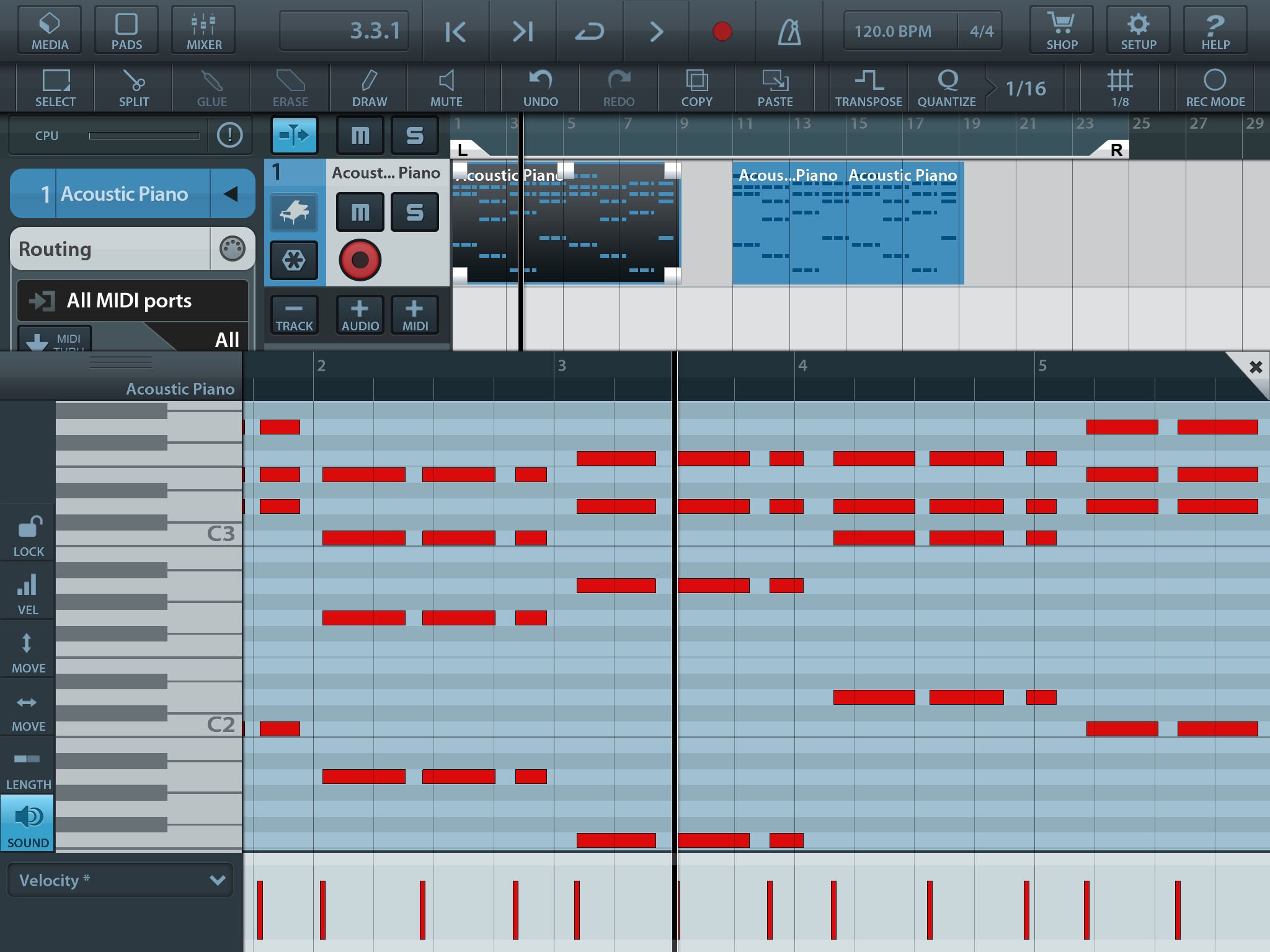
What I want, is to have a virtual keyboard/full page note editor in Ableton. I don't use an external keyboard, so I want to have a keyboard display so that I can draw(click) in the desired notes. Here are some visuals of this concept:
https://www.youtube.com/watch?v=7SswxK7CQlo
https://i.ytimg.com/vi/hAujItWHvFs/maxresdefault.jpg
http://musicappblog.com/wp-content/uplo ... ions-2.jpg
I also want to use my aforementioned 3rd party wav/aif sounds to act as "tones" on the virtual keyboard, similar to the first link.
Can anyone show me how to do these things?
Thanks
Re: Working with wav/aif files
Posted: Sat Jan 21, 2017 7:17 am
by Tarekith
You would need to load those wav files into a Sampler in Live in order to play them like a midi keyboard. Which version of Live do you have?
Re: Working with wav/aif files
Posted: Sat Jan 21, 2017 6:25 pm
by RandomMannix
Tarekith,
I'm using the latest version of 9 Suite, 9.7.1
Re: Working with wav/aif files
Posted: Sat Jan 21, 2017 7:39 pm
by Tarekith
Then you have the Sampler instrument already, so I'd recommend watching some videos to get a handle on how that works. The manual is very easy to understand as well.
Re: Working with wav/aif files
Posted: Mon Jan 23, 2017 10:33 pm
by RandomMannix
Tarekith, thank you for your suggestion. I fiddled around with the Sampler, and was able to load the audio file into one of Sampler's clip slots, and that converted it into a MIDI file. I can finally see the piano roll next to the MIDI editor and draw in notes, which is what I wanted. But when I draw in notes and hit play, it's mute. The same thing happens when I activate the MIDI editor preview, still mute. Did I miss something? I watched some videos on Sampler, and read the manual, but found nothing.