Page 1 of 1
Deactivate instrument (NOT Track Activator)
Posted: Mon Aug 27, 2018 6:43 am
by 8E
Friends, is there any way to quickly deactivate instruments, instead of deactivating tracks only?
The point is that when a track (MIDI in this case) is deactivated, it still takes computer's resources for computing the signal, yet it is muted.
I believe that there should be two buttons, one that deactivate track and one that deactivate instrument.
I need to keep my clips activated in order to "see" what is in each of them. Hitting "0" makes clips just blank.
Re: Deactivate instrument (NOT Track Activator)
Posted: Mon Aug 27, 2018 8:06 am
by Ubik
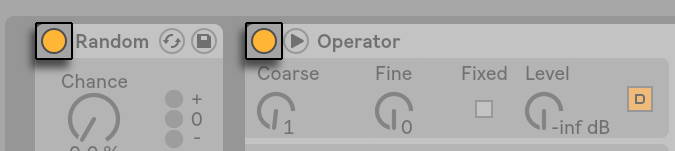
the device activator button
Re: Deactivate instrument (NOT Track Activator)
Posted: Mon Aug 27, 2018 12:04 pm
by 8E
Ubik wrote:the device activator button
That is right, but what I mean is a shorter way to do it. In order to get into the track, you need to click the track first, than sometimes even Device Selector. What I mean it would be great to have "deactivator" on the track, such as solo or mute.
Re: Deactivate instrument (NOT Track Activator)
Posted: Mon Aug 27, 2018 5:13 pm
by Ubik
ok, the best way to do this would be the use of the Show Device Slots in the options.txt file !
https://sonicbloom.net/en/10-hidden-fea ... tions-txt/
Re: Deactivate instrument (NOT Track Activator)
Posted: Mon Aug 27, 2018 5:25 pm
by scheffkoch
…when you have an instrument rack you can map a device’s on/off switch to the device selector and set a dedicated range for it so that the device is only active when selected…
Re: Deactivate instrument (NOT Track Activator)
Posted: Wed Aug 29, 2018 4:06 pm
by 8E
Hm, that is interesting indeed. I can't find it showing up in Arrangement view. Is there any way to get it displayed there as well?
scheffkoch wrote:…when you have an instrument rack you can map a device’s on/off switch to the device selector and set a dedicated range for it so that the device is only active when selected…
Sorry, I am not sure what you mean exactly.
Re: Deactivate instrument (NOT Track Activator)
Posted: Thu Aug 30, 2018 8:14 am
by scheffkoch
...when you group instruments you can map a knob to the slider so that you have dedicated "zones" per instrument, e.g. 0-10 for instrument 1, 11-20 for instrument 2 and so on...you also can map the on/off button to this matrix so that instrument 1 is only "on" when it's set to e.g. 1-10 so that leaving it at 0 the instrument stays "off"...only when you dial the selector knob to a value more than 0 the instrument switches on...
Re: Deactivate instrument (NOT Track Activator)
Posted: Thu Aug 30, 2018 8:19 am
by Ubik
For the macro on/off tips, look here :
viewtopic.php?f=1&t=217173
8E wrote:
Hm, that is interesting indeed. I can't find it showing up in Arrangement view. Is there any way to get it displayed there as well?
It is only available in session view...