New PreSonus Studio 192 Mobile USB 3.0 (pics) - Woes routing DJ style headphone cue + nasty static starting tracks.
Posted: Thu Jun 06, 2019 7:18 pm
New PreSonus Studio 192 Mobile USB 3.0 (pics) - Woes routing DJ style headphone cue + nasty static starting tracks. MacBook Pro Retina 2015 running Ableton Live 9 with a powered USB 3.0 seven port hub, and a mapped MIDI USB controller for manual control in session view.
Apologies in advance for the lengthy post. When it comes to a traditional mixers with wires, knobs and faders ... no problem. Been using Ableton since v7. Take me into the digital realm and nothing seems right and I might as well be a newby. My buddy setup my last interface rig back in the old firewire days, so I'm not sure what his routing tricks were.
I know this question has been circulating for ages, but I'm going to put it out here again since no amount of videos or tutorials seem to be helping. My problem is, setting up a headphone cue is just not working correctly. I keep getting bleed through from all directions and all channels despite the logical routing setup. Is it even possible to setup a pre-fader listen to headphones, like on a DJ mixer? I'd be okay if just one of two things could happen: One, hitting cue on a track column sent only that isolated track signal to the headphones, even if the track is playing in the main mix. Or two, even better would be for playing a track with pre-fader listen (PFL) of cue selection with fader down (so it doesn't play in the main mix) but still sends audio to you headphones which can be adjusted with the cue volume in the main output section. Sadly, none of these scenarios work properly for me. Basically I just want to isolate the selected "cue" track to the headphones without hearing all the other tracks playing.
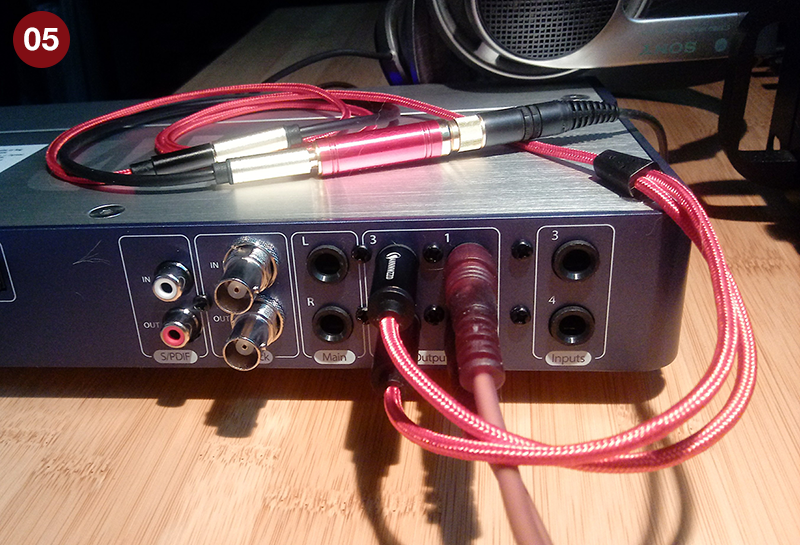
(photo 05) For simplicity on the Presonus I'm only using outputs 1 & 2 as stereo right and left (brownish looking cables) which go to my amplifier. Outputs 3 & 4 as stereo right and left to Y adapter (bright red braided cable) which I plug my headphones into. Simple enough, seems to be the most common setup.
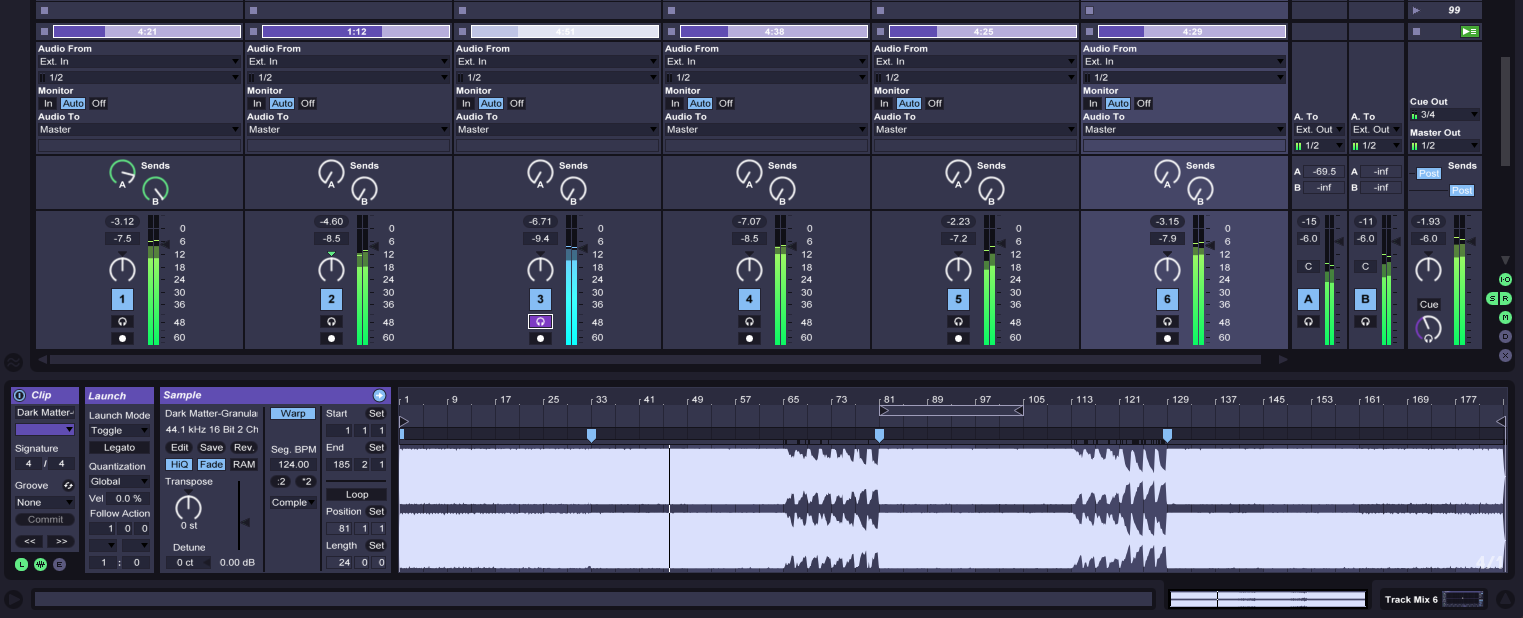
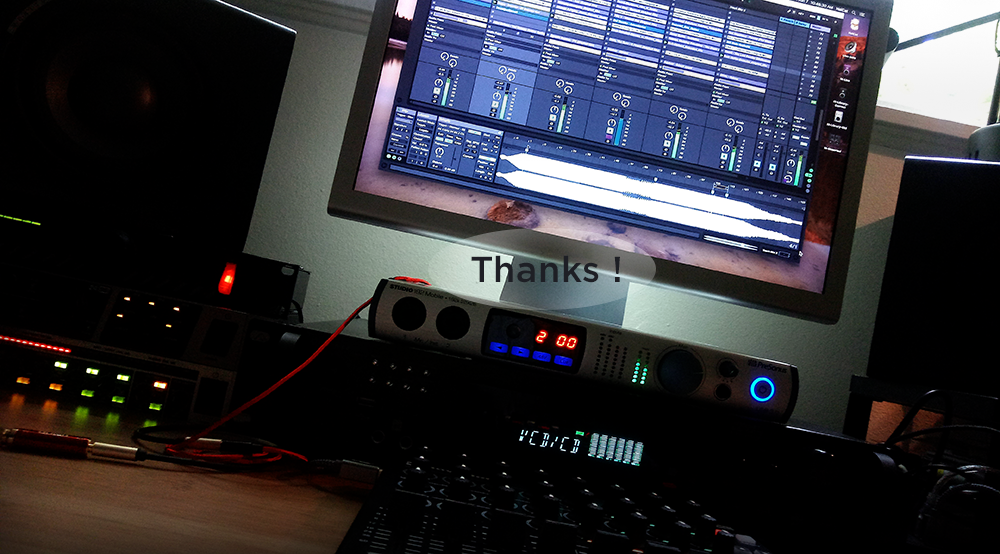
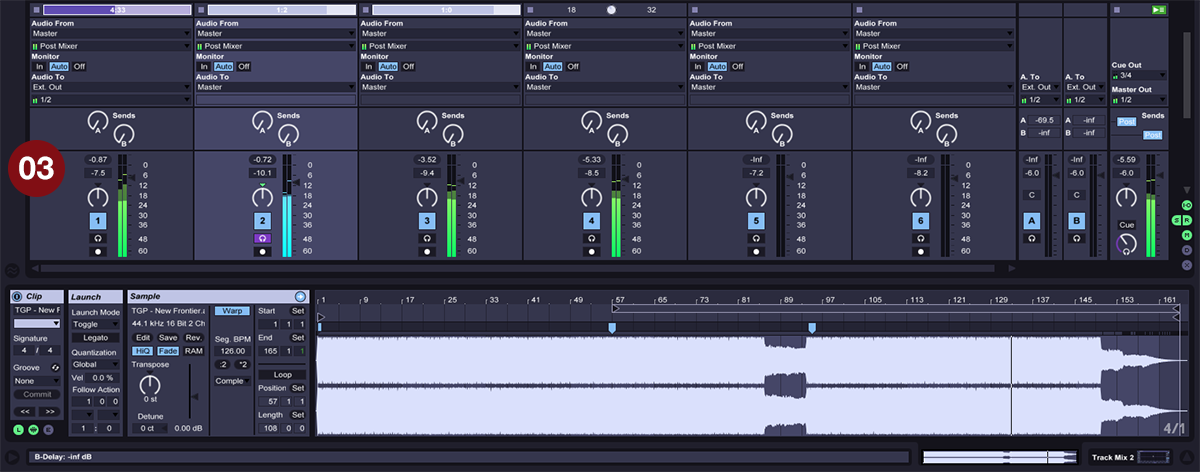
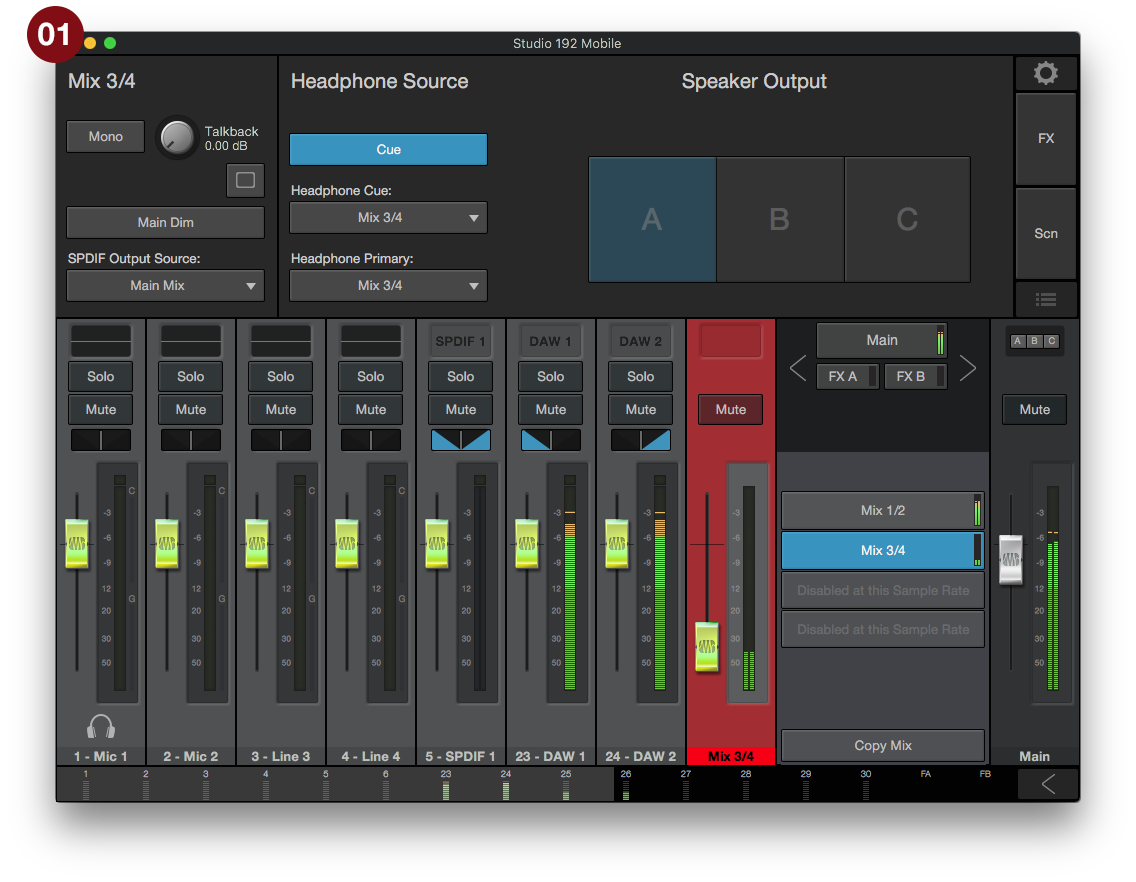
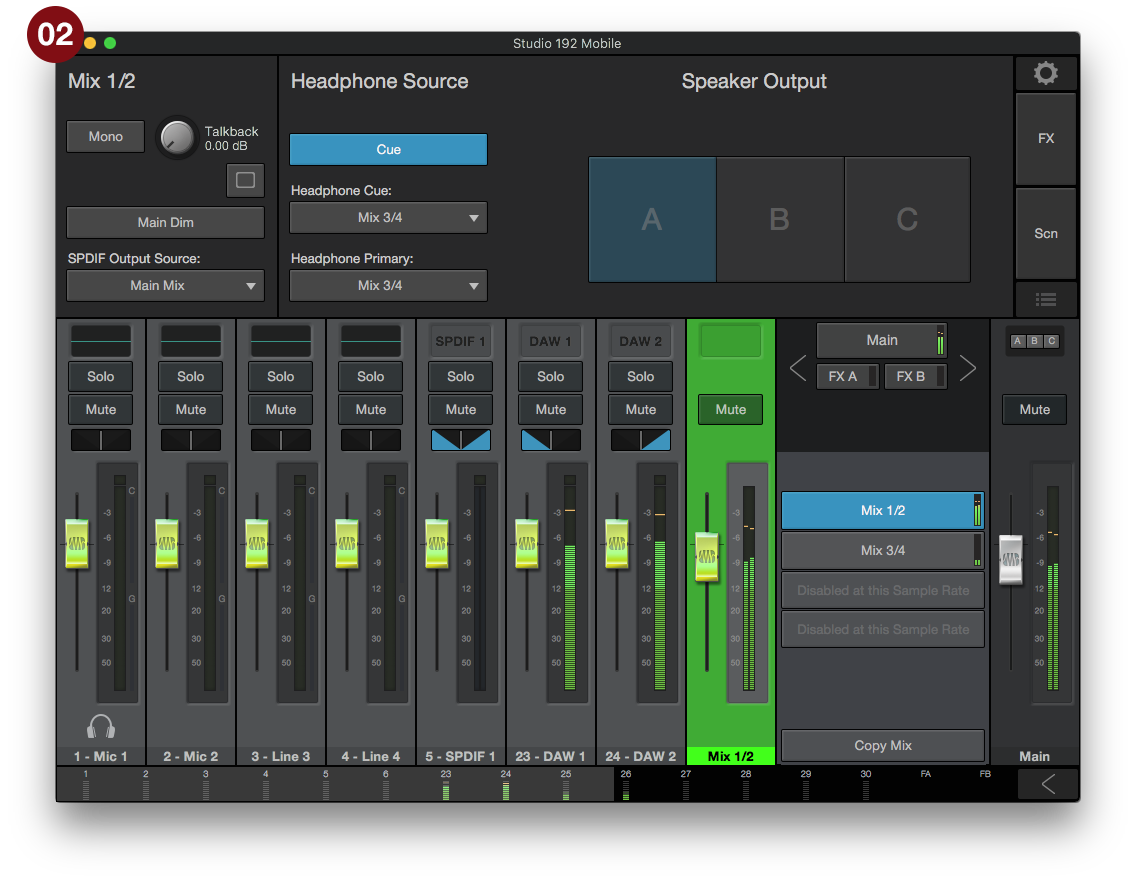
(photo 03) In Ableton, set CUE OUT channels 3/4 in master column to go to my headphones. MASTER OUT channels 1/2 go to amplifier. The PreSonus uses the Universal Audio app seen in photos 1 and 2.
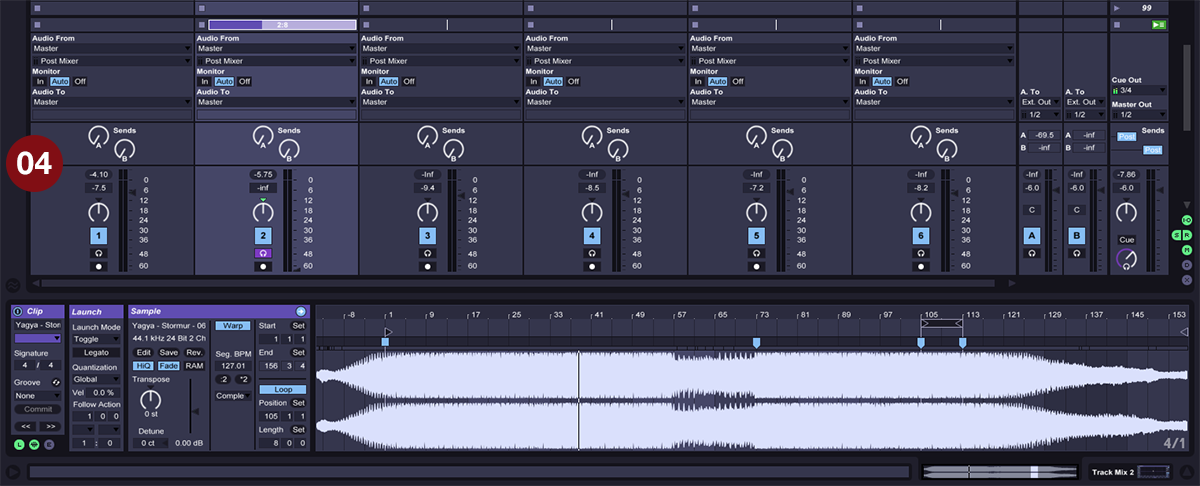
Despite the easy routing, I can always hear outputs 1/2 in my headphones even though I should only be hearing 3/4. Selecting cue just makes that tracks volume louder in both the headphones and in main mix. Selecting cue does not solo the track or mute it from the main mix. Scenario two (photo 04), I have the cued track with the fader down, I can hear the song in the headphones, but any other track playing can also be heard in the headphones, which are set to output 1/2 as the main mix. You can see outputs 3/4 CUE OUT in the main output are active. I even tried changing the Monitor audio output to see if anything different happened, nope (photo 03, first column). So basically all audio bleeds into the headphones regardless of selection, and any audio being sent to 3/4 also can be heard in outputs 1/2 in the main mix.
My audio signal out of Ableton is also coming into the PreSonus app really hot and I have to bring the levels below unity gain to avoid clipping (photos 1 &2) while Ableton levels are all nice and in the green zone. The cue settings in the PreSonus app make no difference whether on or off or whether I'm plugged into the actual headphone jack on the front of the unit, I still get complete bleed through into the main mix.
So where is this going wrong? Is there a better way to achieve this?
Distortion Click. Also, now that I'm using the Presonus, when I launch a track using either a mouse or controller it sometimes gives a micro second click of distortion as soon as the audio starts. It happens more often if nothing has been going on and then I start a track, happens with songs that have completely silent intros which is the most noticeable. It's like a micro second electrical surge. This never happened when I was just using the headphone out jack off my MacBook. It even does it on the web if playing a video, or in a music player when playing MP3s, always right as soon as the audio starts. I've tried using different USB 3.0 hubs. Any ideas what's happening?
Thanks a bunch.
-
-
-
-
-
Apologies in advance for the lengthy post. When it comes to a traditional mixers with wires, knobs and faders ... no problem. Been using Ableton since v7. Take me into the digital realm and nothing seems right and I might as well be a newby. My buddy setup my last interface rig back in the old firewire days, so I'm not sure what his routing tricks were.
I know this question has been circulating for ages, but I'm going to put it out here again since no amount of videos or tutorials seem to be helping. My problem is, setting up a headphone cue is just not working correctly. I keep getting bleed through from all directions and all channels despite the logical routing setup. Is it even possible to setup a pre-fader listen to headphones, like on a DJ mixer? I'd be okay if just one of two things could happen: One, hitting cue on a track column sent only that isolated track signal to the headphones, even if the track is playing in the main mix. Or two, even better would be for playing a track with pre-fader listen (PFL) of cue selection with fader down (so it doesn't play in the main mix) but still sends audio to you headphones which can be adjusted with the cue volume in the main output section. Sadly, none of these scenarios work properly for me. Basically I just want to isolate the selected "cue" track to the headphones without hearing all the other tracks playing.
(photo 05) For simplicity on the Presonus I'm only using outputs 1 & 2 as stereo right and left (brownish looking cables) which go to my amplifier. Outputs 3 & 4 as stereo right and left to Y adapter (bright red braided cable) which I plug my headphones into. Simple enough, seems to be the most common setup.
(photo 03) In Ableton, set CUE OUT channels 3/4 in master column to go to my headphones. MASTER OUT channels 1/2 go to amplifier. The PreSonus uses the Universal Audio app seen in photos 1 and 2.
Despite the easy routing, I can always hear outputs 1/2 in my headphones even though I should only be hearing 3/4. Selecting cue just makes that tracks volume louder in both the headphones and in main mix. Selecting cue does not solo the track or mute it from the main mix. Scenario two (photo 04), I have the cued track with the fader down, I can hear the song in the headphones, but any other track playing can also be heard in the headphones, which are set to output 1/2 as the main mix. You can see outputs 3/4 CUE OUT in the main output are active. I even tried changing the Monitor audio output to see if anything different happened, nope (photo 03, first column). So basically all audio bleeds into the headphones regardless of selection, and any audio being sent to 3/4 also can be heard in outputs 1/2 in the main mix.
My audio signal out of Ableton is also coming into the PreSonus app really hot and I have to bring the levels below unity gain to avoid clipping (photos 1 &2) while Ableton levels are all nice and in the green zone. The cue settings in the PreSonus app make no difference whether on or off or whether I'm plugged into the actual headphone jack on the front of the unit, I still get complete bleed through into the main mix.
So where is this going wrong? Is there a better way to achieve this?
Distortion Click. Also, now that I'm using the Presonus, when I launch a track using either a mouse or controller it sometimes gives a micro second click of distortion as soon as the audio starts. It happens more often if nothing has been going on and then I start a track, happens with songs that have completely silent intros which is the most noticeable. It's like a micro second electrical surge. This never happened when I was just using the headphone out jack off my MacBook. It even does it on the web if playing a video, or in a music player when playing MP3s, always right as soon as the audio starts. I've tried using different USB 3.0 hubs. Any ideas what's happening?
Thanks a bunch.
-
-
-
-
-