Session View - Clip View - Batch Audio Clips Start/End Points
Posted: Fri Apr 28, 2023 12:06 pm
Hi all,
Need a bit of help to improve my workflow.
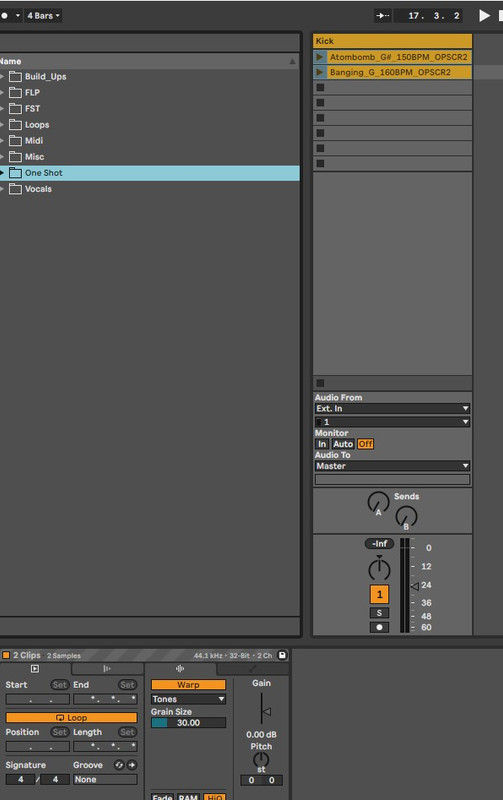
Here I'm in Session View and I have selected two audio clips. At the bottom left you can see the Clip View Window.
I would like to set the end points for both clips to be exactly the same so for example I want both clips to be End: 1:1:2
At the moment I have to do this manually for each audio clip. In my case I have 50 audio clips to do.
Is there any way to set the end point for a batch of audio clips?
Thanks
Need a bit of help to improve my workflow.
Here I'm in Session View and I have selected two audio clips. At the bottom left you can see the Clip View Window.
I would like to set the end points for both clips to be exactly the same so for example I want both clips to be End: 1:1:2
At the moment I have to do this manually for each audio clip. In my case I have 50 audio clips to do.
Is there any way to set the end point for a batch of audio clips?
Thanks