Help to edit number of bars shown in arrangement view
Posted: Sat Nov 25, 2023 1:53 pm
I feel stupid for asking this question but as a relatively new user to ableton it's driving me mad.
I decided to completely change and shorten my track arrangement - however in the arrangement view the number of bars still goes all the way to 250 even though there are no clips in the last 200 bars!! How do I change the view so that I can only see bars where are clips?
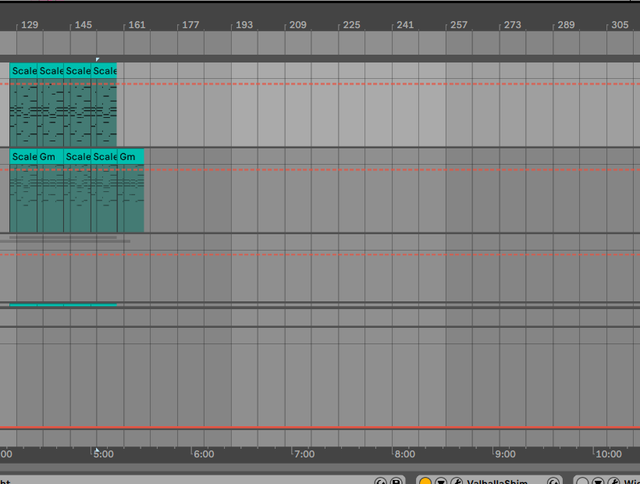
Thanks in advance to anyone who can save me....
I decided to completely change and shorten my track arrangement - however in the arrangement view the number of bars still goes all the way to 250 even though there are no clips in the last 200 bars!! How do I change the view so that I can only see bars where are clips?
Thanks in advance to anyone who can save me....