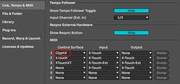
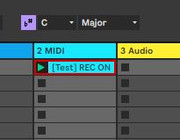
Hi, Although this thread seems to read like you can do everything you want with ClyphX-pro and the MackieControl script except one thing (bank changes), it's also possible that "...the script doesn't seem to react." because what you want to do can't be done with "legacy scripts" like MackieControl.
See this nativeKontrol forum thread:
https://nativekontrol.proboards.com/thr ... her-script
From first post: Most Control Surface scripts can easily be retrofitted to either load the ClyphX Pro library or to load a component that
allows the script to have its own X-Controls. In this way, you can access the functionality of the ClyphX Pro library without having to use up Control Surface slots for either ClyphX Pro or ClyphX XT scripts.
Specifically, from the second post: ...Additionally,
the following legacy scripts cannot be retrofitted: Axiom, FireOne, LV1_LX1, LV2_LX2_LC2_LD2,
MackieControl, MackieControlXT, MackieControl_Classic, MasterControl, Nocturn, ProjectMixIO, RemoteSL, RemoteSL_Classic and Tranzport.
I suspect the difference is scripts like MackieControl that (still derive from the _Framework classes and) don't derive from the ableton.v2 (or v3) framework classes won't "retrofit" with ClyphX-Pro.
Does this info help? Even if you are using a script slot for ClyphX-pro, it's possible the X-Controls can't talk to "_Framework legacy" scripts like you want (XControls ([] CS "MackieControl" BANK >))
<Similarly ClyphX-pro no longer automatically links with Arsenal scripts to save slots because Arsenal scripts completely stopped working one to five minor updates (to Live 10) before Live 11 came out. Arsenal scripts derive(d) from _Framework classes>