Page 1 of 2
Live 7 definitely needs flying plugin windows
Posted: Mon Oct 29, 2007 4:36 pm
by poshook
Spectrum plugin on master track (basic way) is useless when I need to see spectral graph of whole mix while changing levels or EQ on particular tracks in the mix. this is because Spectrum is attached with master track and is hidden everytime I select different track.

Posted: Mon Oct 29, 2007 5:23 pm
by Poster
yeah.. but I don't think that flying windows are going to happen any time, soon..
what could be interesting though is the ability to have 'side chain' in on Spectrum so you can see a 2nd graph, in relation to the other graph, in one instance of Spectrum..
sjeeez.. that would actually make alot of sense..

one for the wishlist forum..
Posted: Mon Oct 29, 2007 5:34 pm
by simon803
or...
the ability to expand a track and see spectrum in the same way you can see the mixer, i/o etc... might be more useful that way as a cross reference. especially when trying to discern what track is causing a frequency peak at the master. I'd prefer to see it integrated into the mixer controls rather than a plug in.
Posted: Mon Oct 29, 2007 6:17 pm
by globalgoon
More control over lives own windows and panel would be great (especially if you have more than one monitor), but it does break the original design paradigm though!
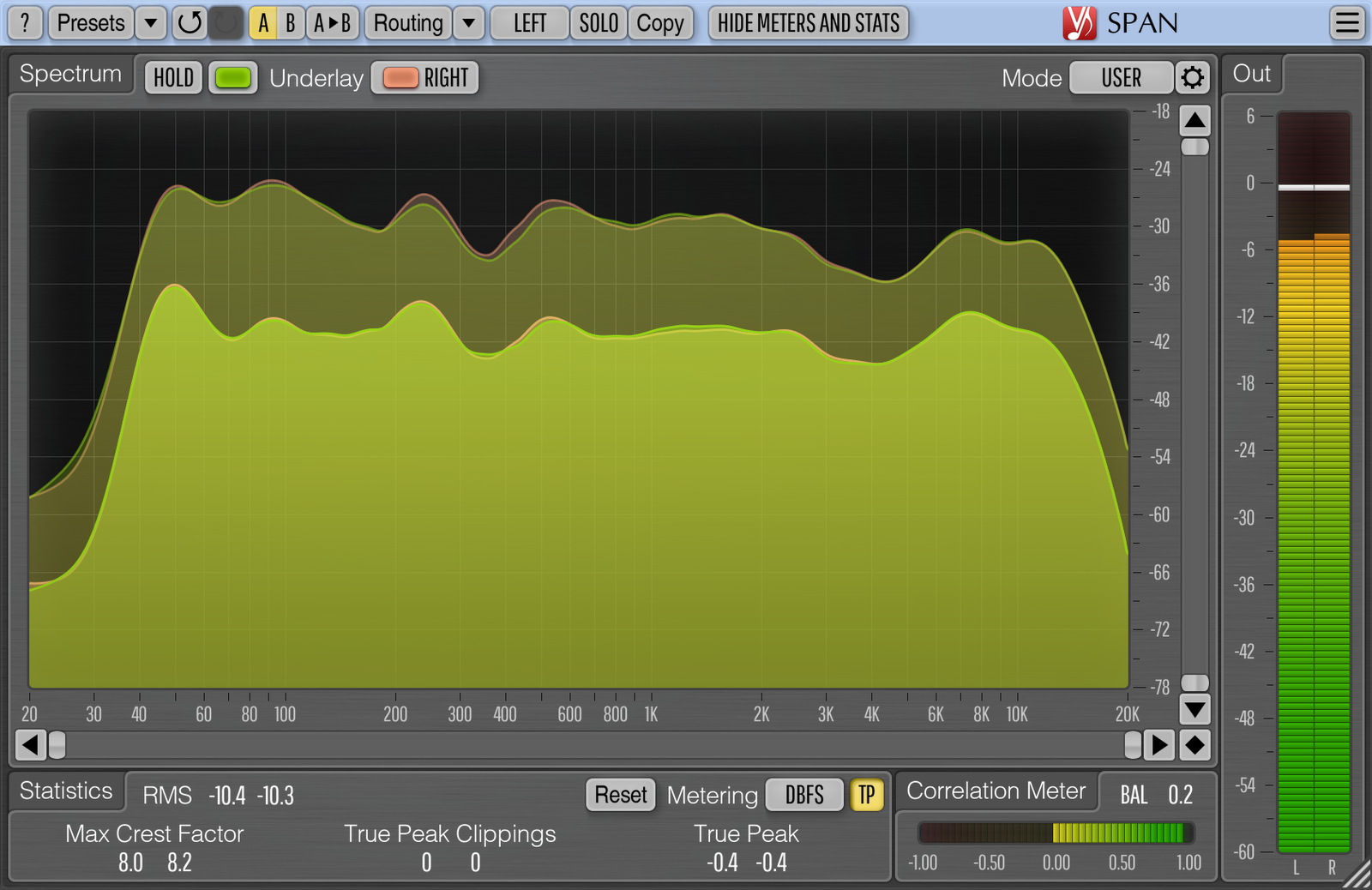
I have this £$free VST open on my auxilliary monitor:
http://www.voxengo.com/product/SPAN/
Posted: Mon Oct 29, 2007 6:25 pm
by 3dot...
globalgoon wrote:More control over lives own windows and panel would be great (especially if you have more than one monitor), but it does break the original design paradigm though!
I have this £$free VST open on my auxilliary monitor:
http://www.voxengo.com/product/SPAN/
hehe...
Guess 'Span' is still the way to go.... kinda sad actually..

Posted: Mon Oct 29, 2007 6:46 pm
by poshook
globalgoon wrote:More control over lives own windows and panel would be great (especially if you have more than one monitor), but it does break the original design paradigm though!
I have this £$free VST open on my auxilliary monitor:
http://www.voxengo.com/product/SPAN/
I used SPAN for several years but now I am Mac user and free 3th party software support for OS X is a nightmare
Posted: Mon Nov 19, 2007 12:40 pm
by gustavo bravetti
What about a "stick" option on the Spectrum GUI dedicated windows (also should include a spectrum placement description)
Another approach could be to implement the "SIDE CHAIN" feature on Spectrum, in that way you can place a Spectrum where you want to play with parameters values and use the "SIDE CHAIN" to select from where you want the audio to be analyzed.
When.
I think the "Stick" method is better, I just suggest the "SIDE CHAIN" because may be it is easier to implement as it is already programmed.
Posted: Mon Nov 19, 2007 4:56 pm
by Alex
Hi folks,
I moved that thread into the Wishlist forum.
Regards,
/Alex
Posted: Mon Nov 19, 2007 8:01 pm
by Nokatus
Posted: Wed Nov 21, 2007 3:57 am
by Fledz
I agree. I need flying windows for the same reason when using spectrum analysers (I use SPAN too

) and it gets very annoying how it disappears when you select another track. Makes having another screen kind of pointless. Well not entirely but it significantly reduces the efficiency of your work flow, even on a single monitor.
Nokatus wrote:

Posted: Mon Nov 26, 2007 8:14 pm
by friend_kami
wow thats stupid.
Posted: Thu Nov 29, 2007 9:54 pm
by alvaro
-1
Many of us here indeed choose Live to get far away from this cluttered / mosaic-like daw GUIs.
Flying windows is absolutely against Live GUI design philosophy. It would be
plain horrible that Live becomes another kind of Adobe app.
There are other (and much better) ways for ableton to deliver us a customized gui view.
Posted: Thu Nov 29, 2007 10:11 pm
by roby
True, but taking into account the way people use spectrum analyzers, the flying window idea would be one of the best ideas. That's because peopl like to set a spectrum analyzer on the Master track, and then like to EQ individual tracks while observing what happens to the graph. The problem with Live is that you cannot view different plugin/devices for different tracks at the same time. So when you're looking at the spectrum in the master track, then click on a different audio track, you loose view of the analyzer....
if it's not that, then to be able to view multiple tracks at the same time would be an option, but would clutter thing up too. I think flying windows is the way to go. We already have flying windows for VST plugins, so no harm can be made with making flying windows out of Live devices. This would be so great also for EQs and compressors, specially in situations where you want to EQ a kick drum in relation to a bass guitar, or two vocal tracks.
Also flying windows for VSTs with no GUI would be so great.
Posted: Thu Nov 29, 2007 10:36 pm
by friend_kami
roby wrote:
True, but taking into account the way people use spectrum analyzers, the flying window idea would be one of the best ideas. That's because peopl like to set a spectrum analyzer on the Master track, and then like to EQ individual tracks while observing what happens to the graph. The problem with Live is that you cannot view different plugin/devices for different tracks at the same time. So when you're looking at the spectrum in the master track, then click on a different audio track, you loose view of the analyzer....
yesyes, completely idiotic if you ask me. what where they thinking?
Posted: Thu Nov 29, 2007 11:03 pm
by roby
friend_kami wrote:roby wrote:
True, but taking into account the way people use spectrum analyzers, the flying window idea would be one of the best ideas. That's because peopl like to set a spectrum analyzer on the Master track, and then like to EQ individual tracks while observing what happens to the graph. The problem with Live is that you cannot view different plugin/devices for different tracks at the same time. So when you're looking at the spectrum in the master track, then click on a different audio track, you loose view of the analyzer....
yesyes, completely idiotic if you ask me. what where they thinking?
They could introduce something like docking too, though with Live's current GUI, I wouldn't be a fan of this idea. But still, the idea of being able to dock Live devices to a space on the right side of the GUI, where the Lessons usually go, would be an option too. Maybe even have the docker on top of the clip view/plugin view. You could dock any device and plugin on the docker, regardless of what track they belong to....