The iPad/iPhone/iPod Touch Resource Thread
-
henrygibson
- Posts: 3
- Joined: Sun Dec 30, 2007 10:05 am
Re: The iPad/iPhone/iPod Touch Resource Thread
anyone know when that midipad is out, i really want to have a go on one - looks really tidy
-
LoopStationZebra
- Posts: 10586
- Joined: Sat Jan 17, 2009 5:57 pm
- Contact:
Re: The iPad/iPhone/iPod Touch Resource Thread
^  I'd say it was vapourware but clearly they've built something.
*shrug*
They don't respond to emails, and barely respond to their YouTube vids. My guess is that they saw the brilliance that is ST8's LiveControl (not to mention it's, um, FREE )and just said 'fuck it'.

I'd say it was vapourware but clearly they've built something.*shrug*
They don't respond to emails, and barely respond to their YouTube vids. My guess is that they saw the brilliance that is ST8's LiveControl (not to mention it's, um, FREE
)and just said 'fuck it'.I came for the
But stayed for the
But stayed for the
-
LiquidSoul
- Posts: 58
- Joined: Thu Sep 03, 2009 5:44 am
Re: The iPad/iPhone/iPod Touch Resource Thread
Here it is!
MELLOTRONICS M3000 HD - 3 minute guide
http://www.youtube.com/watch?v=tEdG3_tAPb8
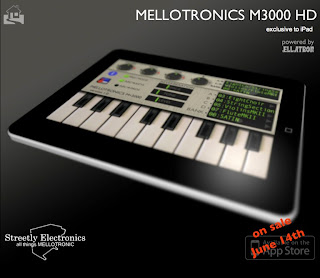
OmenieSoftware — June 09, 2010 — Here's a short 'How to use it' guide with no words - just watch and learn. And with an added twist - this isn't just a 'How to use it' video, it's a personal challenge. Like scaling Everest, but using just your fingers. Maybe not quite like scaling Everest to be honest, but - just like the previous 'Strawberry Fields for Ella', I set myself the following challenge - can a total non-pianist have a shot at probably the most iconic Mellotron song ever (as opposed to the most iconic Mellotron intro ever!) using just one finger and the M3000's chord pads.
See what you think - the solo isn't quite right, but honestly, you have no idea how many takes I had to do to get it this close. Next time I want to make a video, I am renting me a pianist. And maybe some dancing girls too.
MELLOTRONICS M3000 HD - 3 minute guide
http://www.youtube.com/watch?v=tEdG3_tAPb8
OmenieSoftware — June 09, 2010 — Here's a short 'How to use it' guide with no words - just watch and learn. And with an added twist - this isn't just a 'How to use it' video, it's a personal challenge. Like scaling Everest, but using just your fingers. Maybe not quite like scaling Everest to be honest, but - just like the previous 'Strawberry Fields for Ella', I set myself the following challenge - can a total non-pianist have a shot at probably the most iconic Mellotron song ever (as opposed to the most iconic Mellotron intro ever!) using just one finger and the M3000's chord pads.
See what you think - the solo isn't quite right, but honestly, you have no idea how many takes I had to do to get it this close. Next time I want to make a video, I am renting me a pianist. And maybe some dancing girls too.
Re: The iPad/iPhone/iPod Touch Resource Thread
Has anyone experimented with the Aurora Sound App? Was it a positive experience? Pros & Cons?
-
LiquidSoul
- Posts: 58
- Joined: Thu Sep 03, 2009 5:44 am
Re: The iPad/iPhone/iPod Touch Resource Thread
Just look at this!
http://www.youtube.com/watch?v=lpbxt5Gc-6g
Live Piano by Katsuomi Kobayashi,
iELECTRIBE by Korg,
Synth by Retronyms,
miniSynthPro by Yonac inc.,
iSequence by Beep Street,
SunVox by Modular Music Creation Studio,
DigiDrummer HD by Magnick Software,
S1MidiTrigger by Miura Acoustic
Wind Chimes by Henry Lowengard
Eensy Harp by Jeff Mohl Design LLC
Celtic Harp by Jason Sommerlad
VoiceKeyboard HD by Terry Demco
Ellatron HD by Omenie
http://www.youtube.com/watch?v=lpbxt5Gc-6g
Live Piano by Katsuomi Kobayashi,
iELECTRIBE by Korg,
Synth by Retronyms,
miniSynthPro by Yonac inc.,
iSequence by Beep Street,
SunVox by Modular Music Creation Studio,
DigiDrummer HD by Magnick Software,
S1MidiTrigger by Miura Acoustic
Wind Chimes by Henry Lowengard
Eensy Harp by Jeff Mohl Design LLC
Celtic Harp by Jason Sommerlad
VoiceKeyboard HD by Terry Demco
Ellatron HD by Omenie
Re: The iPad/iPhone/iPod Touch Resource Thread
What's the app Richie Hawtin is using in this one ?
http://www.youtube.com/watch?v=aoA4-yn6 ... r_embedded
http://www.youtube.com/watch?v=aoA4-yn6 ... r_embedded
-
LiquidSoul
- Posts: 58
- Joined: Thu Sep 03, 2009 5:44 am
Re: The iPad/iPhone/iPod Touch Resource Thread
Could be TouchOSC but with a strange interface.Hervé wrote:What's the app Richie Hawtin is using in this one ?
http://www.youtube.com/watch?v=aoA4-yn6 ... r_embedded
-
LiquidSoul
- Posts: 58
- Joined: Thu Sep 03, 2009 5:44 am
Re: The iPad/iPhone/iPod Touch Resource Thread
http://www.nanoloop.com/
http://www.youtube.com/watch?v=NcAkrUlgj7o
Nanoloop is a mobile music software that provides all functionality you need to create nice electronic music. With its clear, minimalistic interface it plays almost like a game while still allowing for complex musical structures as well as sheer noise.
combines sequencer, synthesizer and sampler in one package. Features include:
- Six channels, each can be synth or sampler
- Fast and easy to use stepsequencer
- Synthesizer with envelope, filter, LFO and other parameters
- Sample external audio or nanoloop's own sound output
- Song editor with loop function
- Save function
- Works on 1st gen iPod touch and 2.2 software
- WAV-export (beta)
- NEW: WAV-import via e-mail
- Send and receive projects via e-mail
sequencer
The sequencer displays the pattern as a grid of 4 x 4 rectangles. Notes can be set, removed and edited just by tapping and swiping. This editing without mode-changes and the straight, generous layout ensure a smooth workflow.
Unlike the Game Boy versions, nanoloop for iPhone only allows to set pitch and one additional value step-wise in the sequencer. All other sound parameters are controlled channel-wide through the synth panel.
synthesizer
The simple but powerful synthesizer allows to create a great bandwidth of sounds, including beats, noises, basses and pads. Available synthesis types are:
- rectangular wave with filter
- FM
- LFSR noise generator
Rectangular wave and LFSR sound similar to the Game Boy's and other console's soundchips but offer more fine control and additional effects (lfo / envelope for pulse width or filter, simple phaser for noise).
The FM synth is the simple type with two sine wave oscillators, with fixed base frequency and variable modulator frequency. An envelope / LFO can be applied to modulation amplitude or frequency. For a sweeping spatial effect, the modulator can be slightly detuned, with inverted phase for left/right.
Each synth channel is two-voice polyphonic and a stereo effect can be applied.
sampler
Samples of one second length @ 44 kHz, mono (or about 5.5 sec @ 8 kHz mono or 0.5 sec @ 44 kHz stereo) can not just be used in a drum-machine style, but also be pitched and played as notes.
Recording sources for samples are the built-in microphone (iPhone only), a headset microphone (iPhone, iPod touch 2nd gen only) and nanoloop's own sound output. The latter allows to create new samples from scratch, using up to five channels to create one single sound. Typical applications would be percussion (claps, snares etc), chords, arpeggio and microrhythmic / microtonal elements.
share
With nanoloop for iPhone, you can send your saved projects to other nanoloop users and your PC via e-mail. If nanoloop is installed on the recipient's iPhone / iPod, she/he can simply tap on the file name in the received e-mail to start nanoloop and import the attached file so that it is available for editing. This makes collaboration very easy, multiple users around the world can work on the same project by simply e-mailing the file back and forth.
export
Projects sent by e-mail can be converted to WAV audio files with just one click, using the nanoloop2wav desktop conversion tool (beta, Mac OS X only).
http://www.youtube.com/watch?v=NcAkrUlgj7o
Nanoloop is a mobile music software that provides all functionality you need to create nice electronic music. With its clear, minimalistic interface it plays almost like a game while still allowing for complex musical structures as well as sheer noise.
combines sequencer, synthesizer and sampler in one package. Features include:
- Six channels, each can be synth or sampler
- Fast and easy to use stepsequencer
- Synthesizer with envelope, filter, LFO and other parameters
- Sample external audio or nanoloop's own sound output
- Song editor with loop function
- Save function
- Works on 1st gen iPod touch and 2.2 software
- WAV-export (beta)
- NEW: WAV-import via e-mail
- Send and receive projects via e-mail
sequencer
The sequencer displays the pattern as a grid of 4 x 4 rectangles. Notes can be set, removed and edited just by tapping and swiping. This editing without mode-changes and the straight, generous layout ensure a smooth workflow.
Unlike the Game Boy versions, nanoloop for iPhone only allows to set pitch and one additional value step-wise in the sequencer. All other sound parameters are controlled channel-wide through the synth panel.
synthesizer
The simple but powerful synthesizer allows to create a great bandwidth of sounds, including beats, noises, basses and pads. Available synthesis types are:
- rectangular wave with filter
- FM
- LFSR noise generator
Rectangular wave and LFSR sound similar to the Game Boy's and other console's soundchips but offer more fine control and additional effects (lfo / envelope for pulse width or filter, simple phaser for noise).
The FM synth is the simple type with two sine wave oscillators, with fixed base frequency and variable modulator frequency. An envelope / LFO can be applied to modulation amplitude or frequency. For a sweeping spatial effect, the modulator can be slightly detuned, with inverted phase for left/right.
Each synth channel is two-voice polyphonic and a stereo effect can be applied.
sampler
Samples of one second length @ 44 kHz, mono (or about 5.5 sec @ 8 kHz mono or 0.5 sec @ 44 kHz stereo) can not just be used in a drum-machine style, but also be pitched and played as notes.
Recording sources for samples are the built-in microphone (iPhone only), a headset microphone (iPhone, iPod touch 2nd gen only) and nanoloop's own sound output. The latter allows to create new samples from scratch, using up to five channels to create one single sound. Typical applications would be percussion (claps, snares etc), chords, arpeggio and microrhythmic / microtonal elements.
share
With nanoloop for iPhone, you can send your saved projects to other nanoloop users and your PC via e-mail. If nanoloop is installed on the recipient's iPhone / iPod, she/he can simply tap on the file name in the received e-mail to start nanoloop and import the attached file so that it is available for editing. This makes collaboration very easy, multiple users around the world can work on the same project by simply e-mailing the file back and forth.
export
Projects sent by e-mail can be converted to WAV audio files with just one click, using the nanoloop2wav desktop conversion tool (beta, Mac OS X only).
Re: The iPad/iPhone/iPod Touch Resource Thread
Griid Pro !!!LiquidSoul wrote:Could be TouchOSC but with a strange interface.Hervé wrote:What's the app Richie Hawtin is using in this one ?
http://www.youtube.com/watch?v=aoA4-yn6 ... r_embedded
http://liine.net/griid/product.html
Re: The iPad/iPhone/iPod Touch Resource Thread
Wow, what an utterly useless site.Hervé wrote:Griid Pro !!!LiquidSoul wrote:Could be TouchOSC but with a strange interface.Hervé wrote:What's the app Richie Hawtin is using in this one ?
http://www.youtube.com/watch?v=aoA4-yn6 ... r_embedded
http://liine.net/griid/product.html
Re: The iPad/iPhone/iPod Touch Resource Thread
Richie Hawtin is gearing up to announce the arrival of Griid—the first development from new company Liine, who will "aim to redefine the way people interact with sound."Hervé wrote:Griid Pro !!!LiquidSoul wrote:Could be TouchOSC but with a strange interface.Hervé wrote:What's the app Richie Hawtin is using in this one ?
http://www.youtube.com/watch?v=aoA4-yn6 ... r_embedded
http://liine.net/griid/product.html
Taking the role of spokesperson, co-developer and first official user, Richie Hawtin will tonight announce the arrival of the first in a series of control modules for Ableton Live, the first of which, Griid, is designed for expressive and tactile live performance via an iPad, iPhone or iPod Touch. Following the 30-minute presentation for Sonar's Digital Music 2.0/10 event at Barcelona's Pulitzer Hotel, Hawtin will then go on to present a full demonstration of the app at the Minus Ghost Space, taking place at the city's Miscelanea venue this Saturday, June 19th at 17.00.
Although at the time nothing conclusive could be drawn from the footage, you may recall seeing the video last week of Hawtin rehearsing at Detroit's Movement festival using an iPad and a then unidentified app. We now understand that Griid will be based around an "advanced clip grid interface" allowing users to rapidly navigate their Live sets and fire clips. The feel of Griid is said to be very much in line with users' everyday experiences of using Apple's iPhone and iPad.
Further details will be announced in the coming weeks, although Liine have said that Griid will be available in three versions: Griid Pro for iPad; Griid for iPhone and iPod Touch; and Griid Lite which acts as a free trial version of the product.
"Development begins and ends with the performance experience in mind," reads Liine's first official press release. "As such, Griid's specialised touch objects and gestures are refined through a back and forth process which blurs the boundary between stage and laboratory. The result is a playful and inspiring tool, augmenting the Ableton Live experience."
http://www.residentadvisor.net/news.aspx?id=12386
-
LoopStationZebra
- Posts: 10586
- Joined: Sat Jan 17, 2009 5:57 pm
- Contact:
Re: The iPad/iPhone/iPod Touch Resource Thread
Grid. I mean....ooooookay. I don't know what this could possibly do that TouchOSC couldn't already do....?
I mean, unless you're going to rely on M4L in some way, how in the world could you get MORE control? Wha? Eh?
I mean, unless you're going to rely on M4L in some way, how in the world could you get MORE control? Wha? Eh?
I came for the
But stayed for the
But stayed for the
Re: The iPad/iPhone/iPod Touch Resource Thread
Beatmaker 2 coming very soon...

Re: The iPad/iPhone/iPod Touch Resource Thread
Don't be dense. Remember how much better this iPod was than the regular iPod.LoopStationZebra wrote:Grid. I mean....ooooookay. I don't know what this could possibly do that TouchOSC couldn't already do....?
I mean, unless you're going to rely on M4L in some way, how in the world could you get MORE control? Wha? Eh?

-
LoopStationZebra
- Posts: 10586
- Joined: Sat Jan 17, 2009 5:57 pm
- Contact:
Re: The iPad/iPhone/iPod Touch Resource Thread
I know, right? I mean, I was going to add:

But I decided to restrain myself.Sounds like more uber self promotion/self-aggrandizing from that fucking no talent DJ hack Hawtin than an actual cool app
I came for the
But stayed for the
But stayed for the