Laptop as an external controller?
Laptop as an external controller?
While using Ableton at a friends house, we managed to dig up an old (but still functioning) PC laptop, and immediately wondered wether we could use it (or any other computer, at that) as a separate midi controller or in tandem as a monitor displaying the sample editor, mixer, etc. Does anyone know of a program which enables this? I'm known for trying to scrounge for musical gear, so forgive me if this is a stretch.
Re: Laptop as an external controller?
How old are you talking?? XP?
I'm not great on this topic, but you have many options. Two possibilities:
1. If you have a way to send midi into it, you can run a dedicated synth on it that receives midi data from your main computer. You'll always be able to tweak it, and you essentially get a dedicated audio out for fx pedals or mixer options. There are many standalone synths out there, especially from Native Instruments.
2. There are a lot of other music programs (many free, some even on linux if you dare go that road). A free tracker program is called SunVox. I like to read the createditigitalmusic.com blog which sometimes brings up very efficient software that will run on almost anything.
I'm not great on this topic, but you have many options. Two possibilities:
1. If you have a way to send midi into it, you can run a dedicated synth on it that receives midi data from your main computer. You'll always be able to tweak it, and you essentially get a dedicated audio out for fx pedals or mixer options. There are many standalone synths out there, especially from Native Instruments.
2. There are a lot of other music programs (many free, some even on linux if you dare go that road). A free tracker program is called SunVox. I like to read the createditigitalmusic.com blog which sometimes brings up very efficient software that will run on almost anything.
Re: Laptop as an external controller?
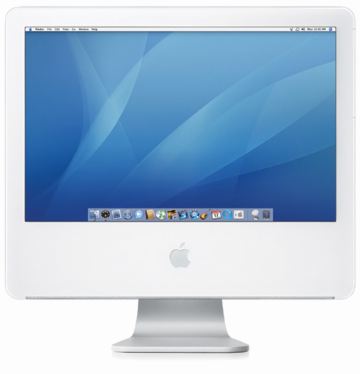
Yeah it's an XP laptop, I downloaded SunVox and I'm looking it over now. It looks like a really interesting tool for creating synth patches and editing them in real time much like how Ableton allows you to edit music in real time. I'm definitely going to play around with this some more on my actual setup. Let me give a little more detail; it's a Gateway laptop that runs XP, I have the lite version of Ableton running on it now. My main computer is a Macbook running the Ableton suit. Do you know if there is a way I can tether this application to Ableton even though it's a cross platform divide or even send midi data to or from the PC? Also I have an old 1st gen iMac g5 desktop (http://km.support.apple.com/library/APP ... 1724_4.jpg), do you think that would work better for porting over midi data from computer to computer if they were both mac's?
Re: Laptop as an external controller?
There are probably ways to sync via wifi/adhoc, or there are midi in/out and audio in/out options. I don't know much about Open Sound Control, but that is probably a really great control option.
The main problem is deciding what Kind of information you want to send. Most likely synced. Midi data? Audio data? Syncing is the first problem.. and there have been a number of people who have had trouble with that.
A huge bonus, once you are synced, is having a whole second instance of Live that you can use midi controllers on
The main problem is deciding what Kind of information you want to send. Most likely synced. Midi data? Audio data? Syncing is the first problem.. and there have been a number of people who have had trouble with that.
A huge bonus, once you are synced, is having a whole second instance of Live that you can use midi controllers on
Re: Laptop as an external controller?
I guess the real question I'm getting to is:
Is there any practical musical use for a second computer in Ableton, or any DAW?
Is there any practical musical use for a second computer in Ableton, or any DAW?