Desktop Window Manager GPU Problem

Discuss music production with Ableton Live.
Post Reply
arasju
Posts: 3
Joined: Wed Apr 10, 2019 11:51 am

Desktop Window Manager GPU Problem

Post by arasju » Wed Apr 10, 2019 11:56 am

Hey,

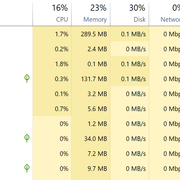
Desktop Window Manager is causing GPU usage peaks, when ableton is being used, causing extrem lags!
I never had problems running Ableton but suddenly my GPU is running on its limit because the process Desktop Window Manager is using all its power when i use ableton.
As soon as i close ableton the process Desktop Window Manager is using just a few % of the GPU.
i made Screenshots
Image
Image

Anybody knows how to solve this issue?
Thanks in advance

fmoura
Posts: 6
Joined: Fri May 04, 2007 12:43 am

Re: Desktop Window Manager GPU Problem

Post by fmoura » Sun Apr 14, 2019 4:46 pm

I'm having the same issue. Cubase and others run smoothly on iGPUs.

To relieve some strain on Live, I have to bring my display down to 1920x1080 res. That's why I haven't used Live and won't until they fix this issue.

TLW
Posts: 809
Joined: Thu Aug 23, 2018 2:37 am

Re: Desktop Window Manager GPU Problem

Post by TLW » Mon Apr 15, 2019 12:36 am

This might be relevant, it’s for Macs but it should be possible to create an options.txt file for Live in Windows.

viewtopic.php?f=4&t=230967

Worked wonders on my MacBook Pro.
Live 10 Suite, 2020 27" iMac, 3.6 GHz i9, MacOS Catalina, RME UFX, assorted synths, guitars and stuff.

Post Reply