So I have a problem that i've come across since upgrading to live 12.
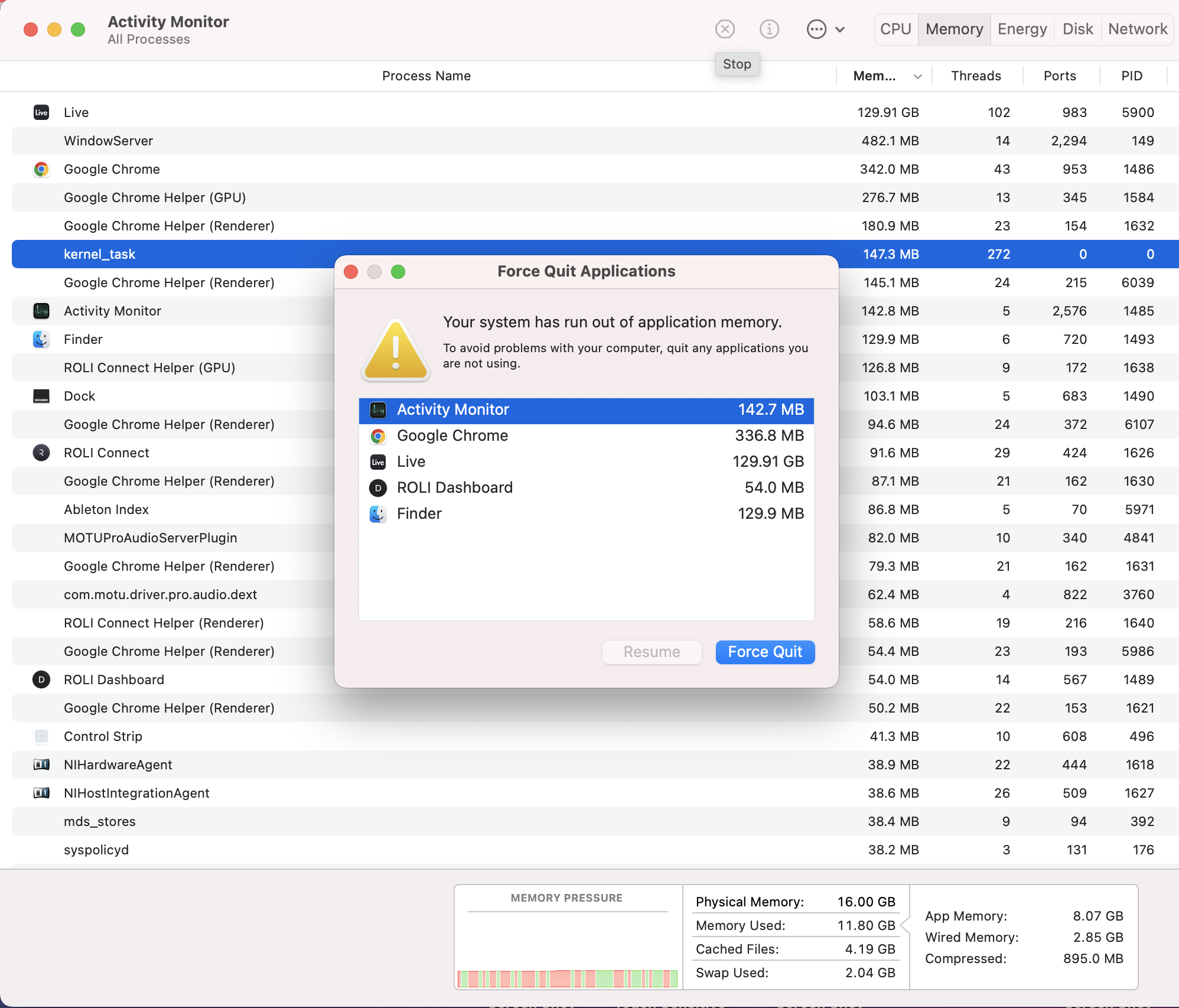
Pretty much I started a project yesterday night and later that night my macbook gave me an error saying "your system has run out of application memory". So I have to choose to force quite which application is using the most (Which is Ableton running at about 130gb)
i'm not very knowledgable when it comes to this side of computers but from what i've seen from looking online is that thats a pretty high number.
So i've opened activity monitor and watched Ableton. The thing is is that when i open the project and do nothing, its fine for about 30-45minutes (Ableton memory usage is sitting around 1-4gb) and then it just randomly ramps up to the high 100gb's even after doing nothing.
i've frozen majority of tracks using plugins and this still has no difference. I also switched off the plugins that I last added thinking they might of had some kind of affect on the project.
My macbook specs are 2019 macbook pro running 16gb ram with 500gb storage. I have about 50gb storage remaining but i've had less in the past with Ableton 11 and have run larger projects then what i'm doing now with ease.
Ive also just started using an external ssd to store some of my sample library, although unlikely just stating whats new to maybe get a helpful glimpse to anything that might be causing this.
Ive reinstalled live 12, updated my OS software to a more recent version of bigsur, checked to see if any plugins being used need updating and have waited for Ableton to completely scan my sample library and external ssd library before continuing.
Just wondering if anyone might be able to point me in a direction or if anyone else has experienced this before as i'm a little lost at the moment. apologies in advance if this is a computer problem and not related to Ableton but I haven't run into this problem before, only after the upgrade.