Send specific note with Drum Rack / External Instrument

Discuss music production with Ableton Live.
Post Reply
dinoglava
Posts: 6
Joined: Mon Oct 24, 2022 9:10 am

Send specific note with Drum Rack / External Instrument

Post by dinoglava » Tue Oct 08, 2024 4:23 pm

I want to use a Drum Rack to send specific MIDI notes to other MIDI tracks.

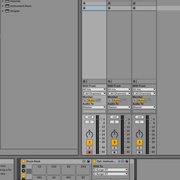
I have added a Drum Rack on a track and created another MIDI track which is holding a virtual instrument (a VST3 Plug-In in this case, for example Analog Lab V). I have added an External Instrument to my Drum Rack pad. When I open the "MIDI To" drop-down, the track holding the virtual Instrument (Analog Lab V) isn't showing up. Some virtual instruments, for example the VST3 Plug-In of Surge XT, work and I can see them in the drop down menu (see screenshot).
What am I missing here? Why isn't Analog Lab V and others showing up there? How would I go about achieving my original goal of sending specific notes with the Drum Rack to other MIDI tracks and triggering the virtual instruments on them? Am I approaching this wrongly?

I have tried to just route the MIDI from the Drum Rack to the MIDI track holding Analog Lab V. It works, it's playing sound, but I cannot choose which note to map it to, i.e. if I hit the C1 Drum Rack it's playing the C1 in the virtual instrument (Analog Lab). Adding a Chain and tweaking the Receive and Play notes doesn't seem to have an effect.

Image

scg
Posts: 218
Joined: Sun Feb 12, 2023 10:14 pm

Re: Send specific note with Drum Rack / External Instrument

Post by scg » Tue Oct 08, 2024 7:57 pm

Couple questions:

- "I have tried to just route the MIDI from the Drum Rack to the MIDI track holding Analog Lab V." How are you doing this exactly? (I know this isn't what you want to do specifically, but I'm just curious as to how you're doing it.)

- Is the Surge XT actually in an instrument slot, and not inserted as an effect? I ask because for me, 'External Instrument' seems to allow you to route to audio effects (including those that can function as instruments, like SerumFX), but not to instruments themselves, so I'm wondering if you're actually able to route to Surge XT in an instrument slot.

One thing I notice is that the documentation for External Instrument only mentions routing to physical MIDI ports, or multitimbral plugins. In practice you can use it to route to any MIDI-receiving audio effect, but I'm not sure that's documented. In any case, the documentation doesn't mention the ability to route to instrument slots.

dinoglava
Posts: 6
Joined: Mon Oct 24, 2022 9:10 am

Re: Send specific note with Drum Rack / External Instrument

Post by dinoglava » Wed Oct 09, 2024 7:54 am

scg wrote:
Tue Oct 08, 2024 7:57 pm
- "I have tried to just route the MIDI from the Drum Rack to the MIDI track holding Analog Lab V." How are you doing this exactly? (I know this isn't what you want to do specifically, but I'm just curious as to how you're doing it.)
On the track with Analog Lab V, in the "MIDI From" drop-down menu I just pick the MIDI track holding the Drum Rack.
scg wrote:
Tue Oct 08, 2024 7:57 pm
- Is the Surge XT actually in an instrument slot, and not inserted as an effect? I ask because for me, 'External Instrument' seems to allow you to route to audio effects (including those that can function as instruments, like SerumFX), but not to instruments themselves, so I'm wondering if you're actually able to route to Surge XT in an instrument slot.

One thing I notice is that the documentation for External Instrument only mentions routing to physical MIDI ports, or multitimbral plugins. In practice you can use it to route to any MIDI-receiving audio effect, but I'm not sure that's documented. In any case, the documentation doesn't mention the ability to route to instrument slots.
How can I differentiate whether it's an instrument or effect slot? That sounds like it's the solution to this. Perhaps Surge XT is indeed an "effect" in this case. How do I check that?

scg
Posts: 218
Joined: Sun Feb 12, 2023 10:14 pm

Re: Send specific note with Drum Rack / External Instrument

Post by scg » Wed Oct 09, 2024 3:44 pm

On the track with Analog Lab V, in the "MIDI From" drop-down menu I just pick the MIDI track holding the Drum Rack.
Got it. Yes, I see that that doesn't help because it just transmits the MIDI directly without applying the drum rack's note mapping.
How can I differentiate whether it's an instrument or effect slot? That sounds like it's the solution to this. Perhaps Surge XT is indeed an "effect" in this case. How do I check that?
I'd be a little surprised if Surge XT were an effect, but at the same time I'm not sure how you'd be able to route MIDI to it using External Instrument otherwise.

If you could post a screenshot of the device chain that includes Surge, and perhaps also a screenshot of the External Instrument instance that's routed to it, that would be interesting to see. Meanwhile though, if the device chain for a MIDI track has audio effects but no instruments, you'll see an empty slot on the left that says "Drop Instrument Here". If Surge is all the way to the left and there's no such empty slot, then Surge is probably inserted as an instrument, in which case I'm not sure why you're able to route to it, but not to other instruments.

Valkon
Posts: 74
Joined: Sun Apr 22, 2018 6:07 pm

Re: Send specific note with Drum Rack / External Instrument

Post by Valkon » Fri Oct 11, 2024 1:44 pm

When you route midi through Ext.Instrument, you should keep in mind the limitations that the developers intentionally impose: for some reason, known only to them, it is impossible to select the input of a MIDI track and the input of an instrument that is not have multitimbral (such as Analog Lab V) as the target point. Since Surgic XT is a VST3 plug-in with 4 midi ports, it is apparently considered by Ableton as a multitimbral plug-in and allows you to direct the midi output of Ext.Instrument to it.
In such cases, I use the Plogue Bidule (16 in channels VST2 or VST3 ) and put the right tool in it to circumvent the DAW restriction.

dinoglava
Posts: 6
Joined: Mon Oct 24, 2022 9:10 am

Re: Send specific note with Drum Rack / External Instrument

Post by dinoglava » Sun Oct 13, 2024 6:30 pm

scg wrote:
Wed Oct 09, 2024 3:44 pm

If you could post a screenshot of the device chain that includes Surge, and perhaps also a screenshot of the External Instrument instance that's routed to it, that would be interesting to see.
Surge is just alone in the device chain, in its own track:
Image
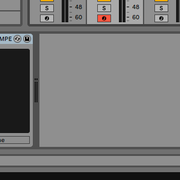
Here's the Drum Rack with the extranal Instrument:
Image
scg wrote:
Wed Oct 09, 2024 3:44 pm
if the device chain for a MIDI track has audio effects but no instruments, you'll see an empty slot on the left that says "Drop Instrument Here". If Surge is all the way to the left and there's no such empty slot, then Surge is probably inserted as an instrument, in which case I'm not sure why you're able to route to it, but not to other instruments.
Yes, Surge is all the way to the left, as seen in the screenshot above, without the "Drop Instrument Here", so I assume it's indeed an instrument.
Valkon wrote:
Fri Oct 11, 2024 1:44 pm
When you route midi through Ext.Instrument, you should keep in mind the limitations that the developers intentionally impose: for some reason, known only to them, it is impossible to select the input of a MIDI track and the input of an instrument that is not have multitimbral (such as Analog Lab V) as the target point. Since Surgic XT is a VST3 plug-in with 4 midi ports, it is apparently considered by Ableton as a multitimbral plug-in and allows you to direct the midi output of Ext.Instrument to it.
In such cases, I use the Plogue Bidule (16 in channels VST2 or VST3 ) and put the right tool in it to circumvent the DAW restriction.
Thanks, that seems to be the case here. I looked into the Plogue Bidule and a virtual MIDI device (via loopMIDI). It would work (I tested it with loopMIDI), but I dislike having to run another thing to get some slightly "advanced" routing.

scg
Posts: 218
Joined: Sun Feb 12, 2023 10:14 pm

Re: Send specific note with Drum Rack / External Instrument

Post by scg » Mon Oct 14, 2024 4:06 am

It does seem like the limitations of External instrument may be the issue here. I've also encountered cases where I wished I could route External Instrument to an arbitrary instrument slot, but alas :( Maybe there's an M4L device that can do it (or maybe there are API limitations that make even that impossible).

Panoramica
Posts: 76
Joined: Thu Feb 03, 2005 8:30 pm
Location: Wellington, New Zealand
Contact:

Re: Send specific note with Drum Rack / External Instrument

Post by Panoramica » Sun Nov 24, 2024 10:28 am

Try https://maxforlive.com/library/device/7509/midi-router.

My setup is:
  • MIDI channel containing Drum Rack.
  • Show Chain List and Input/Output Section - each drum pad is set to receive and play the same note (e.g. Pad 1 receives/plays C-2, Pad 2 receives/plays C#-2 etc) (I am using the drum sequencer layout in Push 2)
  • Each drum pad in the range I want has an instance of MidiRouter, set to MIDI From: No Input, MIDI To: The channel I want to control
  • Triggering a drum pad will send the specified note to the channel I want to control
  • On the channel I want to control I have Monitor In activated, and then I have another drum rack which I use with the Chain List to filter out any incoming notes which are outside the range I want (my scenario is controlling different things in Traktor Pro depending on which drum sequencer I am currently using)
Hope that helps.
Dan
Panoramica. Lush Downbeat.
Bandcamp

MacBook Pro 2018
Ableton Standard 12 + Push 2
Traktor Kontrol S8
MCU Pro
Stream Deck XL

Post Reply