Trigger — remap any key or MIDI note to Ableton shortcuts (macOS menu bar app)

Share your favorite Ableton Live tips, tricks, and techniques.
Post Reply
benjamingordon
Posts: 560
Joined: Tue Jan 24, 2006 11:20 pm

Trigger — remap any key or MIDI note to Ableton shortcuts (macOS menu bar app)

Post by benjamingordon » Wed Jun 03, 2026 6:27 pm

Image

Hey all, I'm an Ableton user and a producer, and I built a small macOS app to scratch my own itch.

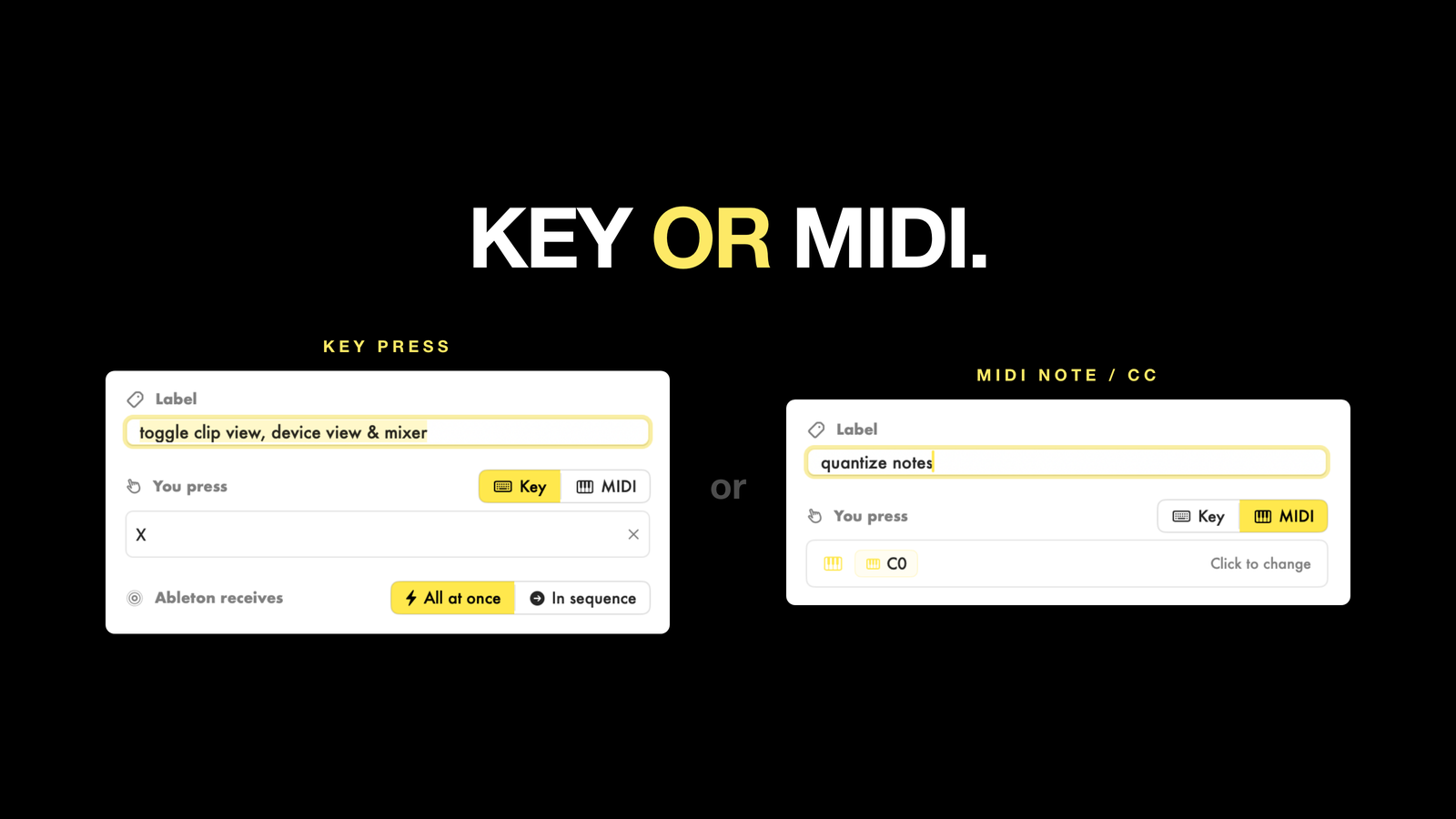
Ableton has hundreds of shortcuts, but you can't reassign them and a lot are awkward two-handed combos. Trigger lets you remap any key, or any MIDI note/CC, to the command you actually want, so you can drive Live from comfortable keys or straight from your controller.
Image

What it does:
- Map a MIDI note or CC to any Ableton shortcut
- Remap keyboard shortcuts to whatever's comfortable
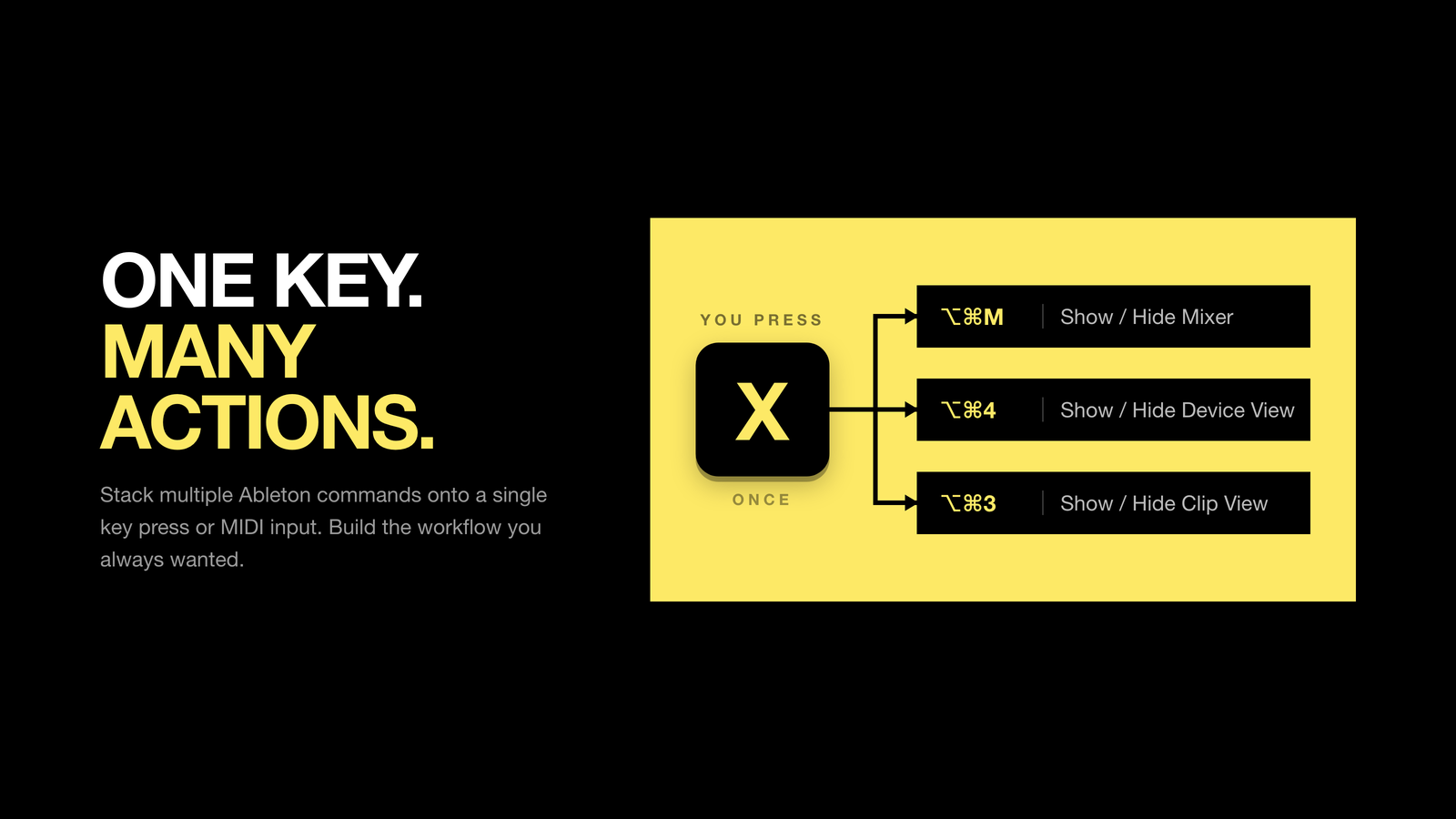
- Fire multiple commands at once, or as a timed sequence (macros)
- Only active when Ableton is in focus, so it never interferes with the rest of your Mac
- Profiles for different sets, with iCloud sync across your Macs
- Global on/off hotkey
Image

One-time purchase: $9 (intro pricing) at allgoodfolks.com/trigger

I build these apps to fix the problems I hit in my own workflow, so they're made with care. Trigger is my first, so I'd love to hear what you think and take feature requests.

Image

Calagan
Posts: 336
Joined: Fri Jul 24, 2015 4:44 am

Re: Trigger — remap any key or MIDI note to Ableton shortcuts (macOS menu bar app)

Post by Calagan » Wed Jun 03, 2026 6:45 pm

looks amazing : I'm precisely searching for such an app for a show where I need to stop/pause Live while playing/speaking.

I know it exists some M4L devices that do that but your app is doing much more.

For the price I guess it can't go wrong. I'm just a little anxious about the fact it's your first app and I never heard about your works, so I feel a bit being a guinea pig...

benjamingordon
Posts: 560
Joined: Tue Jan 24, 2006 11:20 pm

Re: Trigger — remap any key or MIDI note to Ableton shortcuts (macOS menu bar app)

Post by benjamingordon » Wed Jun 03, 2026 6:47 pm

I promise you wont be disappointed.
If anything goes wrong email me [email protected] and Ill help!

Calagan
Posts: 336
Joined: Fri Jul 24, 2015 4:44 am

Re: Trigger — remap any key or MIDI note to Ableton shortcuts (macOS menu bar app)

Post by Calagan » Thu Jun 11, 2026 3:57 pm

I just bought the app this morning...

So far I'm very impressed : it's very well done (excellent design and ergonomy), it does exactly what it says it does and it's completely transparent regarding CPU use (something like 0,2 or 0,3% of my CPU use).
It works flawlessly on my M1 pro running Sonoma.

There's also a lot of options : saving presets/profiles, using a key to turn the app (and the mappings) on/off while using Live, etc. etc.
I can recommend.

For the price of a M4L device, it's a very useful productivity app and I can already think of many ways to use it with Ableton Live for recording sessions, live sessions, mixing sessions, etc. etc.

2 exemples :
- I use it to play/pause Live from a midi keyboard (using a midi button to trigger shift+spacebar). It's impossible to do it otherwise
- I'm thinking about a mixing profile where I can use the numbers keys of my laptop keyboard (that don't do numbers but the useless characters (at least for Ableotn Live) &é"'(§è!çà on my french keyboard) in order to map features I can't map otherwise with the basic Live mapping feature. For exemple, to show/hide the return tracks, the shortcut is alt+cmd+R, but it's much quicker to use "à" (number 0) thanks to Trigger

Very nice app : I can recommend it to the Live users (especially for the price) !

benjamingordon
Posts: 560
Joined: Tue Jan 24, 2006 11:20 pm

Re: Trigger — remap any key or MIDI note to Ableton shortcuts (macOS menu bar app)

Post by benjamingordon » Thu Jun 11, 2026 4:12 pm

hey! really happy to hear that its working well for you!!!
thanks for the great feedback, much appreciated!
ben! (www.allgoodfolks.com)

Post Reply