Just wondering what people have found for amplifying and adding effects to electric guitar audio tracks;
I'm having a hard time getting the volume of my electric guitar to match other tracks. I've tried chaining Abletons Tube Amps with Chorus Fuzz, for example, but together these effects consume about 25% of the processor.(1 GHZ processor... might need to update). Is there an effect (or vst) that is very efficient on computing power, and maybe all it does is boost the signal? For that matter, do people tend to use stomp boxes (effect boxes) between the guitar and PC input?
One other question... I mentioned I chained Tube amp with Chorus Fuzz. This can be done in series or parallel. Both took the same processing power and sounded about the same. What is the difference?
Guitar effects consume alot of computing power; alternatives
-
pairajacks
- Posts: 29
- Joined: Fri Nov 23, 2007 6:50 am
Utility plug in for gain.
this is why I use a Line 6 Pod, so I don't have to rely on the computer for tone or processing power. besides, not all effects are designed for use with a guitar.
series or parallel? 99% of the time guitar effects are in series. use your ears, that's all that matters.
this is why I use a Line 6 Pod, so I don't have to rely on the computer for tone or processing power. besides, not all effects are designed for use with a guitar.
series or parallel? 99% of the time guitar effects are in series. use your ears, that's all that matters.
In my life
Why do I smile
At people who I'd much rather kick in the eye?
-Moz
Why do I smile
At people who I'd much rather kick in the eye?
-Moz
Tone has it absolutely correct. You've got to boost your signal BEFORE you go into your interface. He mentions the Line 6 Pod, and that's a great one. In fact, any of the Pod items will essentially act as a preAmp. I use the Floor Pod; which does things up very nicely. I can get a certain sound going (echo, flange, delay, whatever), plus the benefit of a preAmp, then dump it into Ableton where I mangle the shit out it with VSTs, regular Live plugs, whatever.
Keep in mind, though. Line 6 stuff aren't true preAmps. I used this unit for a couple of days:
http://www.musiciansfriend.com/product/ ... sku=184125
But gave it up. It gave a nice fat tube sound and acted as a preAmp should, but ultimately the Pods do the same thing AND give you a boatload of effects to boot.
After running into live, my guitar input Channel also has the simple 3 channel EQ; where you can just nudge down the high to eliminate any bit of hiss. Simple, and far more advanced ways to do this, but it works for me.
BTW, what are you using for an interface?
Keep in mind, though. Line 6 stuff aren't true preAmps. I used this unit for a couple of days:
http://www.musiciansfriend.com/product/ ... sku=184125
But gave it up. It gave a nice fat tube sound and acted as a preAmp should, but ultimately the Pods do the same thing AND give you a boatload of effects to boot.
After running into live, my guitar input Channel also has the simple 3 channel EQ; where you can just nudge down the high to eliminate any bit of hiss. Simple, and far more advanced ways to do this, but it works for me.
BTW, what are you using for an interface?
-
hacktheplanet
- Posts: 2846
- Joined: Sat Sep 25, 2004 6:37 am
- Location: Chicago, IL
- Contact:

-
Winterpark
- Posts: 1671
- Joined: Thu Apr 15, 2004 2:59 am
- Location: Melbourne, Australia
i think that if you aren't getting enough level in, then you need to check the levels in of your audio interface.... guitars don't output at Line Level.
As an hardware alternative... i'd totally two thumbs up to a Sanamp Tri-AC pedal.
it's so much better than any other amp-sim pedal i've tried.... in terms of response and tone.
As an hardware alternative... i'd totally two thumbs up to a Sanamp Tri-AC pedal.
it's so much better than any other amp-sim pedal i've tried.... in terms of response and tone.
You didn't mention which platform you're running but if you're on PC this plugin asolutely wipes the floor with any other guitar amp sim I've ever tried. It has convolution based cabinet simulations which can also process drums and vocals really well.
One of the best freebies on the net at the moment imho.
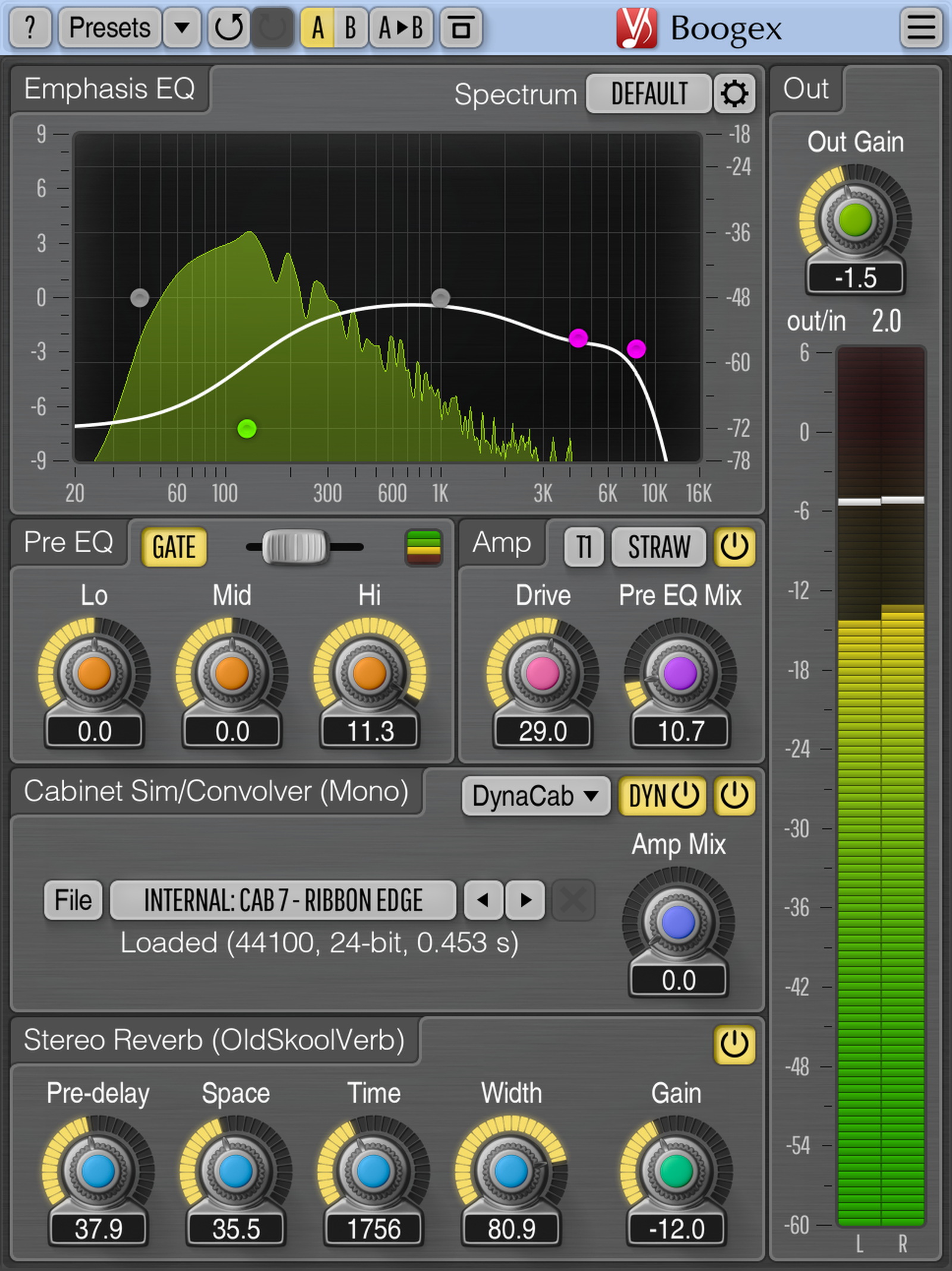
http://www.voxengo.com/product/boogex/
It runs pretty light for a convo too.
One of the best freebies on the net at the moment imho.
http://www.voxengo.com/product/boogex/
It runs pretty light for a convo too.
-
terryhamel
- Posts: 15
- Joined: Thu Nov 03, 2005 5:38 am
What you use to distort your guitar depends on how you want it to sound. If CPU is your top priority, then of course you have to put sound further down the list. I tried the Ableton guitar racks and found them they sounded close, but were more CPU intensive than the Marshall stack simulator that sounded much closer to the real thing. The plugin now even has a UI. I've managed to take poorly EQ'd, poorly distorted guitar recordings from non-DBX recorded cassette tapes and turn it into an almost authentic sounding Marshall stack. I say "almost" because you can't replicate analogue feedback that occurs by playing within the speaker's range. Regardless, I was very happy with the results and I'll even share the "how" here with some suggested plugins to achieve the result.
* EQ to remove hiss, rumble, and give a "U" shape
* build synthetic low end(that was lost or wasn't there)
* run it through the Marshall simulator
* multi-band compress low/mid/high to tame frequency peaks
* add shimmer (harmonic distortion/exciter) from a high-pass saturator
* use a spectral analysis tool to make sure you are shaping it correctly
* compare with your favorite artist recordings
* adjust parameters to sit the channel in the mix
If you remove the Marshall from the equation, this formula works well for just about anything - drums, bass, vocals, etc. It's the difference between a good sound and one that is indistinguishable from a professional recording.
* EQ to remove hiss, rumble, and give a "U" shape
* build synthetic low end(that was lost or wasn't there)
* run it through the Marshall simulator
* multi-band compress low/mid/high to tame frequency peaks
* add shimmer (harmonic distortion/exciter) from a high-pass saturator
* use a spectral analysis tool to make sure you are shaping it correctly
* compare with your favorite artist recordings
* adjust parameters to sit the channel in the mix
If you remove the Marshall from the equation, this formula works well for just about anything - drums, bass, vocals, etc. It's the difference between a good sound and one that is indistinguishable from a professional recording.