Nice find. I was just thinking about something like this the other day.Blurr wrote:I use a "Lenovo USB Travel Keyboard with UltraNav USB"
It's about as small and thin as a full size keyboard could possibly be and it has both a TrackPoint and a TrackPad built in THUS "UltraNav"
The TrackPoint handsomely rewards the practice it requires. Track Pointers are not all the same by the way, I never found that Toshiba could make one that worked correctly eg. The IBM TrackPoint is by far the best.
Zooming, Panning, selecting, drag and drop, and your fingers never actually move, It's all just pressure, want it to move faster ? Push a little harder, Slower - No problem. The TrackPoint has no edges to it's movement so there's never any reciprocating action required like when you get to the edge of the mouse pad, ball, etc and you haven't got to your destination pixel.
The UltraNav TrackPoint also supports mouse button operations just by pushing down.
I've said way too much about such a mundane item but I've often wondered how much of the worlds time is wasted with their hand in motion somewhere between the keyboard and mouse.
Using a trackball instead of a mouse!
-
oblique strategies
- Posts: 3606
- Joined: Thu Nov 02, 2006 9:57 pm
- Location: Another Green World
Re: Using a trackball instead of a mouse!

Re: Using a trackball instead of a mouse!
Hi all, I have been searching for alternatives to using a mouse. Has anyone tried the Kensington Slimblade Trackball yet?
-
oblique strategies
- Posts: 3606
- Joined: Thu Nov 02, 2006 9:57 pm
- Location: Another Green World
Re: Using a trackball instead of a mouse!
Looks like a recipe for frustration...kingrad wrote:Hi all, I have been searching for alternatives to using a mouse. Has anyone tried the Kensington Slimblade Trackball yet?
Plus only 2 of the 4 buttons are configurable.
I use & recommend this: Kensington Expert Mouse -which is an absolutely brilliant name consider in it is a trackball...
http://us.kensington.com/html/2200.html

Last edited by oblique strategies on Sun May 31, 2009 6:06 am, edited 1 time in total.
Re: Using a trackball instead of a mouse!
Whats the scrolling ring like ?oblique strategies wrote:I use & recommend this: Kensington Expert Mouse -which is an absolutely brilliant name consider in it is a trackball...kingrad wrote:Hi all, I have been searching for alternatives to using a mouse. Has anyone tried the Kensington Slimblade Trackball yet?
http://us.kensington.com/html/2200.html
I was looking at the griffin powermate ages ago to do something like the novation 'speed dial' ...
could the scroll ring do this ?
There was some discussion about this here - ot: Novation speed dial: how usefull ?
Im using this at the moment... easy on the wrist and the RSI is gone.
Live8 & Serato
Download NYE'08 DJset
Download NYE'08 DJset
-
oblique strategies
- Posts: 3606
- Joined: Thu Nov 02, 2006 9:57 pm
- Location: Another Green World
Re: Using a trackball instead of a mouse!
It's fine -easy to control -nice rubbery feel. It's easy to swap vertical & horizontal scrolling.BinaryB wrote:Whats the scrolling ring like ?oblique strategies wrote:
I use & recommend this: Kensington Expert Mouse -which is an absolutely brilliant name consider in it is a trackball...
http://us.kensington.com/html/2200.html
It won't function like a MIDI controller, & basically only controls elements that can be scrolled. You can only configure the speed & direction of the scroll wheel, but you can customize these parameters on an application by application basis.BinaryB wrote:I was looking at the griffin powermate ages ago to do something like the novation 'speed dial' ...
could the scroll ring do this ?
There was some discussion about this here - ot: Novation speed dial: how usefull ?
-
oblique strategies
- Posts: 3606
- Joined: Thu Nov 02, 2006 9:57 pm
- Location: Another Green World
Re: Re:
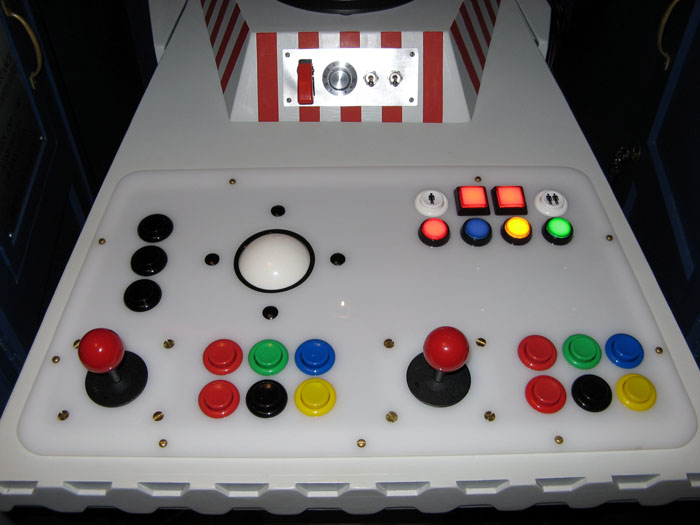
No man, this is the one to have.H20nly wrote:This is the one to have.djsynchro wrote:
this is the one i got
-
fishmonkey
- Posts: 4479
- Joined: Wed Oct 24, 2007 4:50 am
Re: Using a trackball instead of a mouse!
i got one a few weeks ago...kingrad wrote:Hi all, I have been searching for alternatives to using a mouse. Has anyone tried the Kensington Slimblade Trackball yet?
it takes a little while to get used to, but overall i really like it...
once you get the hang of it, using the whole ball to scroll is cool... in normal mode you twist the ball in the horizontal plane to scroll up/down... in media mode, the whole ball becomes a gigantic 2D scroll ball so you can scroll in any direction (like the scroll ball on the Apple Mighty Mouse), and twisting the ball zooms in and out...
it does suck that you can't re-configure the top two buttons (in fact the driver doesn't have any config options)... the lamest feature is the iTunes control mode, which you get into with the top left button...
another downside is that the media modes only support a limited range of software, which i imagine could really frustrate the shit out of some people... hopefully they will keep updating the driver to support more apps... if you're the kind of person that can automatically keep track of which control mode the trackball is in, then it's a cool concept (if not, then it's definitely not the trackball for you)...
anyway, i'm definitely a trackball convert now...
-
oblique strategies
- Posts: 3606
- Joined: Thu Nov 02, 2006 9:57 pm
- Location: Another Green World
Re: Using a trackball instead of a mouse!
Thanks for the review (& for being a brave early adopter!fishmonkey wrote:i got one a few weeks ago...kingrad wrote:Hi all, I have been searching for alternatives to using a mouse. Has anyone tried the Kensington Slimblade Trackball yet?
it takes a little while to get used to, but overall i really like it...
once you get the hang of it, using the whole ball to scroll is cool... in normal mode you twist the ball in the horizontal plane to scroll up/down... in media mode, the whole ball becomes a gigantic 2D scroll ball so you can scroll in any direction (like the scroll ball on the Apple Mighty Mouse), and twisting the ball zooms in and out...
it does suck that you can't re-configure the top two buttons (in fact the driver doesn't have any config options)... the lamest feature is the iTunes control mode, which you get into with the top left button...
another downside is that the media modes only support a limited range of software, which i imagine could really frustrate the shit out of some people... hopefully they will keep updating the driver to support more apps... if you're the kind of person that can automatically keep track of which control mode the trackball is in, then it's a cool concept (if not, then it's definitely not the trackball for you)...
anyway, i'm definitely a trackball convert now...
 )
)Re: Using a trackball instead of a mouse!
Thanks for the reviews everyone, much appreciated. Will hopefully try one of these soon.
Re: Using a trackball instead of a mouse!
Don't get the thumb version,..
Get the nose-finger version
Get the nose-finger version

Re: Using a trackball instead of a mouse!
Is it much flatter then the old Expert ? That would be main reason for me to upgrade, Expert is bit high and I finally fixed the support pad permanently, otherwise my wrist was uncomfortably bent.. I am so thankful to read about it here and giving it a try. Now few months later, no more problems with my wrist. For those considering getting one, I was using it much faster then mouse in a minute, nothing really to get used to though other trackballs are OK it is worth spending more the 4 buttons and the ring are ideal for audio and video editing.fishmonkey wrote:i got one a few weeks ago...kingrad wrote:Hi all, I have been searching for alternatives to using a mouse. Has anyone tried the Kensington Slimblade Trackball yet?
it takes a little while to get used to, but overall i really like it...
once you get the hang of it, using the whole ball to scroll is cool... in normal mode you twist the ball in the horizontal plane to scroll up/down... in media mode, the whole ball becomes a gigantic 2D scroll ball so you can scroll in any direction (like the scroll ball on the Apple Mighty Mouse), and twisting the ball zooms in and out...
it does suck that you can't re-configure the top two buttons (in fact the driver doesn't have any config options)... the lamest feature is the iTunes control mode, which you get into with the top left button...
another downside is that the media modes only support a limited range of software, which i imagine could really frustrate the shit out of some people... hopefully they will keep updating the driver to support more apps... if you're the kind of person that can automatically keep track of which control mode the trackball is in, then it's a cool concept (if not, then it's definitely not the trackball for you)...
anyway, i'm definitely a trackball convert now...
-
fishmonkey
- Posts: 4479
- Joined: Wed Oct 24, 2007 4:50 am
Re: Using a trackball instead of a mouse!
yeah, my wrist is much happier too...rikhyray wrote: Is it much flatter then the old Expert ? That would be main reason for me to upgrade, Expert is bit high and I finally fixed the support pad permanently, otherwise my wrist was uncomfortably bent.. I am so thankful to read about it here and giving it a try. Now few months later, no more problems with my wrist. For those considering getting one, I was using it much faster then mouse in a minute, nothing really to get used to though other trackballs are OK it is worth spending more the 4 buttons and the ring are ideal for audio and video editing.
i've never used an Expert Mouse but from the pictures i've seen the Slimblade is flatter... you can see the ball from underneath, and it is almost flush with the bottom of the housing...
as i mentioned though, the top two buttons are send non-standard messages so it's not straightforward to reassign them to other functions... i use Steermouse, and it doesn't see those buttons at all... maybe one day i'll see if the Controller Mate (http://www.orderedbytes.com/controllermate/) people can provide support for it...
Re: Re:
LOL! Yeah it looks like it. Problem is, it won't fit on my desk. With all those extra buttons (features) I'm probably missing out on something good like rapid fire and high punch, mid punch, low punch. Can you apply that to an 808 kick?oblique strategies wrote:
No man, this is the one to have.
-
oblique strategies
- Posts: 3606
- Joined: Thu Nov 02, 2006 9:57 pm
- Location: Another Green World
Re: Using a trackball instead of a mouse!
I agree that it's worth it to spend the extra money for the pro level features of the Expert model. I've been using trackballs since the mid 90's, & have found that it is the best.rikhyray wrote:For those considering getting one, I was using it much faster then mouse in a minute, nothing really to get used to though other trackballs are OK it is worth spending more the 4 buttons and the ring are ideal for audio and video editing.fishmonkey wrote:i got one a few weeks ago...kingrad wrote:Hi all, I have been searching for alternatives to using a mouse. Has anyone tried the Kensington Slimblade Trackball yet?
it takes a little while to get used to, but overall i really like it...
There is one possible downside when using it in live performances because the actual trackball is not attached in any way to the base, it is resting in it. I have this fear that somehow the ball will jump out or get knocked out of the base & roll away! While this has never happened (in performance or at home), & is unlikely to happen, it could happen.
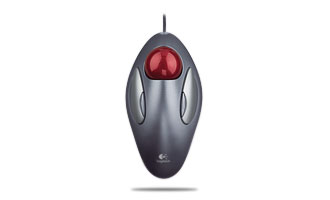
So I am planning on getting another one with the trackball set down into it. I think the one with the red ball pictured above has the ball more firmly attached.