First, people praise the browser in Ableton (and its good), I'm having major problems with it which affects my workflow. Problem is, this is the only program I have which works with VST's which some I have and wanted to use for a long time. But Live is love/hate for me, it does a lot of things well then does stupid stuff.
Or Am I doing something wrong? Maybe there are some workarounds for these issues? In the preferences maybe?
1. can you search for something like "F#"? Because I cant make it work. Thats one thing that Live doesnt let me enter the hashmark character in the first place, but then it shows everything with an "F" in it, basically ignoring the hash. This makes searching for keyed samples a big pain in the *** already.
2. The sample preview player (at the bottom of the browers) is way too simple. We're talking about one of the most important functions here yet you cant even use your cursor to start a sample at a certain point, or rewind it or whatever. In modern electronic music samples are fundamental. I shouldnt need to load a track just to listen to a sample properly. Also: no volume control for this player either. I know people (djs0 )use more than output channels for this but producers rarely do.
3. Searching affects every category. Now this is something I really find annoying, maybe its not a problem for others: lets say you search for something in the samples, then you find something you want to load: Now if you go to "Intruments" or "Plugins", they show the result of that search. So I need to delete the search first, enter a new search (or just find a plugin), go back to samples, then search again so I can continue looking for stuff... Very annoying and slows you down
General annoyances:
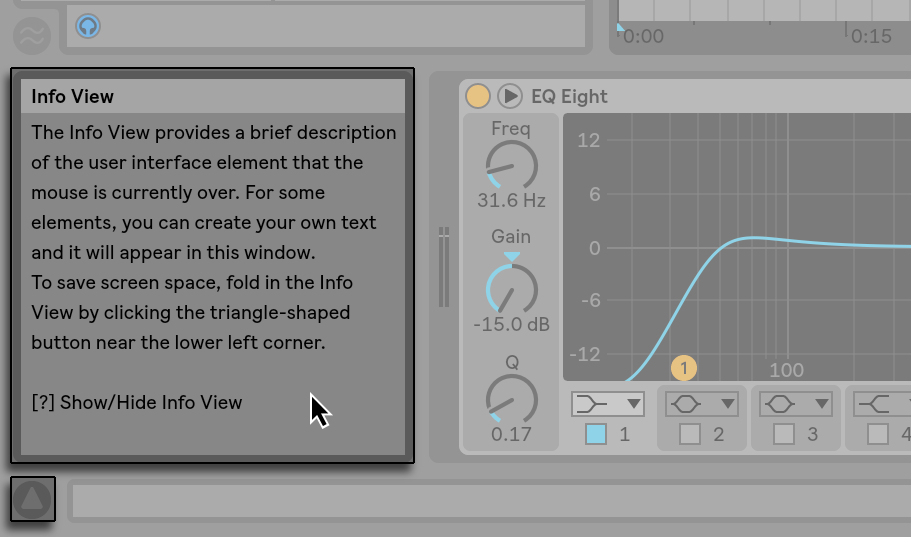
4. NO TOOLTIPS ANYWHERE. JUST WHY. I'd expect a program made it to version 9 to have some kind of explanations when you go over a button with the mouse. Ableton instead of tooltips have a dedicated window at the bottom left corner, meaning every time you want to read something you need to go down there and then back to where you were. Like when I try to set a knob I have to look at both the knob and the bottom bar at the same time. Again, completely and pointlessly time consuming.
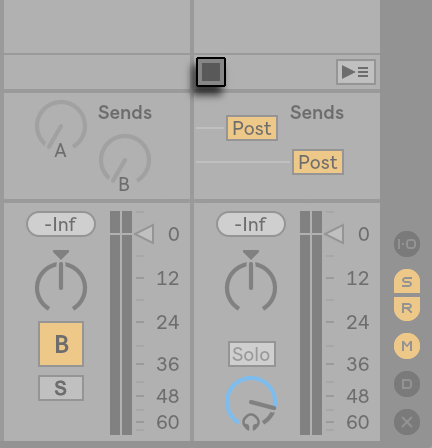
5. Annoying limitation of the mixing/session view: There is just not enough space for anything here. I have to group then group some more to save space, but it gets messy after a while. Then of course I have the ability to color code stuff which doesnt really help with this. On my screen I can fit in maybe 12 tracks, 2 sends and the master channel. Okay, so this is how a real life console looks like you say? Well the thing is, Ableton's flat design is just CRAP for this, tracks look mashed together, no defined borders, nothing. Ableton should work on desing altogether, the whole program looks like its a beta version. Maybe they should look up such futuristic design paradigms as "space" or "UX design"

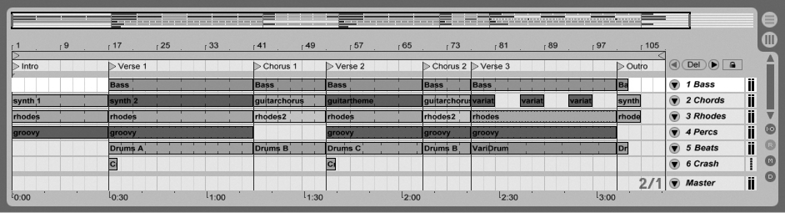
6. Live displays song progress in beats. I dont know who thought this was a good idea. At least let me change it to minutes/seconds. I need both for a good workflow. Beats while composing, and time while mixing/mastering.
7. Scrollbars are small and you need to take a fraction of a second each time to find them. They add up.
8. You cant enter exact values. This is a HUGE deal for a lot of people apparently, yet Ableton couldnt figure it out for 9 versions. Like I want something at 15db but Ableton decides I can only enter 14.9 or 15.2. Or worse, I have to fine tune something with a knob and it just needs very fine mouse movements like its a puzzle game???

9. Vertical zoom in arrangement view: This should be there, as you can zoom horizontally, but when lets say doing automation stuff its very annoying to try to mess with small dots and lines
10. Cursor in session view: when I hit mouse, I expect the program to draw a line all the way down and up. Instead, it puts a line through the selected clip. Makes matching clips VERY ANNOYING to say at least.
11. REX files: these I have a lot, yet Ableton cant play them like I really want them. I have to slice the rex to a new midi track just to play with it. Basically Ableton treats REX files like audio files
12. No built in spectrum analyser on tracks. Do I have to put a plugin on each track just so I can see whats going on there? This is more baffling when you consider that Live HAS a built in Spectrum analyser.
13. No real zoom ability in session view. Why cant I just zoom at a certain point with one click, instead of playing with the zoom bar? Generally they should copy Reason here, it has things like slice tool, mute tool etc. Very useful things which are painful not to have after getting used to them
14. Cant create midi clips with write mode in arrangement view: again, while working on a full song this should be there instead of messing with selections and right click menus. I'd prefer the click and drag method, since it makes it so so much faster.
15. I cant record in session view without playing the whole song. This gets an issue especially if the whole CPU load is high. If I only want to record a single MIDI clip I shouldnt need to play the whole song (but there should be an option to do this as well)
I'm sure there is more and maybe there are some solutions for some of these, but small things add up and I realized I spend a lot more time in Ableton looking for things/trying to figure out how to do something instead of actually making music.
Now for some good: Ableton is really better for actually producing because of all the small things they got right. Yet for me in the end its very mixed. And I just HATE the design, and flat design is just stupid for a program like this where you spend hours tweaking small buttons. I really really miss Reason's design. Then again, Reason has a lot of big limitations (not supporting VST's is one, also Refills are stupid).
Should I try Bitwig now?