We are very proud to finally launch our much awaited new update to the PULL software, which enables you to control VST, AU plugins and Max for Live Devices directly from your iPad, along with a template for every live native device.
We have also created a simple framework to create your own templates. There is no Max development needed. You can simply create all of your templates in Lemur.
We have also added mixing/volume controls for tracks and also navigation between devices/tracks, which is explained beneath in more detail.
The possibilities are endless.
PULL v2.0 can be found here - http://www.xmonsta.com/product/pull-ipa ... ce-editor/
If you want to read more about PULL, the original forum post is here - viewtopic.php?f=1&t=205227
Demo video here - https://www.youtube.com/watch?v=JeKvW1wvRYI
We have added two templates to demonstrate how the external plugin template system works:
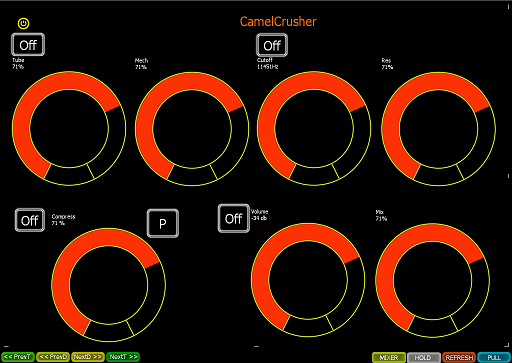
CamelCrusher - VST is a free VST plugin. When you select it, our template will load.
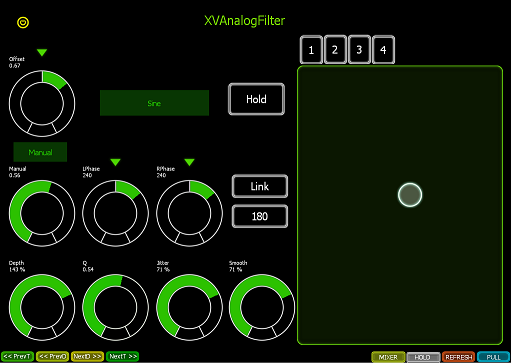
XVAnalogFilter.amxd (included inside download folder) - This is one of our own free Max For Live devices, to demonstrate how templating works for Max for Live devices.
Mixer controls - We have also added the ability to control the Mixing controls (volume, solo, mute, pan etc) of the currently selected track
Navigation buttons - We have added the ability to navigate tracks and also devices. This is quite a pioneering system, because it allows you to navigate inside rack chains also. We believe this has not been attempted before in Max or Python programming and should speed up how you navigate around your set.
Drum Pad Names - We've added the ability to update drum pad names, when you rename drum pads. The cool thing is we have now found a way to control the slider on the drum rack, so you can see the visible pads as you scroll up/down.
Hope you enjoy the update and as always, look forward to hearing your feedback.
Cheers
Xmonsta