I've got the clips, I know how I want them to play together and I want to do a live set triggering the clips, err, live. But I need to clearly see which clips are playing and not squint looking at a MacBook screen. Whether I trigger with keys or pads, I want visual feedback to tell me which ones are playing.
What can I do?
B
I need to clearly see what clips are playing!
Buy a http://monome.org/
I have no pets but enjoy drawing pictures of insects and sending them to people
-
pepezabala
- Posts: 3503
- Joined: Mon Jun 07, 2004 4:29 pm
- Location: In Berlin, finally
Because when I trigger something for the next bar, my audience will hear it is the wrong clip around the same time I realise it is the wrong clip...pepezabala wrote:you can use your ears. Your audience has to, so why don't you?
I don't want to memorize which button triggers which clip, I want to see what clip it is. I want to know it is playing or not and I want more than a light on or off to tell me.
Honestly, my MPC is looking pretty good at this point. Render the loops in Live then see what's muted or not on the MPC.
B
Is there an MPC with backlit pads now?LivePsy wrote:Because when I trigger something for the next bar, my audience will hear it is the wrong clip around the same time I realise it is the wrong clip...pepezabala wrote:you can use your ears. Your audience has to, so why don't you?
I don't want to memorize which button triggers which clip, I want to see what clip it is. I want to know it is playing or not and I want more than a light on or off to tell me.
Honestly, my MPC is looking pretty good at this point. Render the loops in Live then see what's muted or not on the MPC.
B

-
logic_user99
- Posts: 1965
- Joined: Fri Oct 26, 2007 3:58 pm
- Location: Nottingham, UK
Is this going to be another 'Live vs. MPC' thread?
@LivePsy - why don't you just learn your music, man? You don't see bands using pages of tabs/scores when playing live; they learn their songs!
Have you thought about carefully colour-coding/labling your clips so that, even if you trigger a 'wrong' one, it'll still play in some kind of relative key/time/phrasing. I know that Moldover does some clever (it's actually really simple!) stuff with colours & lables. That way, he can just start a loop/track going, and then any coloured clip that is relative to the currently playing track can be played and it'll sound sexy.
Just a thought...
You could always go and spend loads of money on a Lemur or Monome, spend ages learning how to use it instead of working on your tracks, and come out with no better results than if you were just looking at the screen of your lappy.

@LivePsy - why don't you just learn your music, man? You don't see bands using pages of tabs/scores when playing live; they learn their songs!
Have you thought about carefully colour-coding/labling your clips so that, even if you trigger a 'wrong' one, it'll still play in some kind of relative key/time/phrasing. I know that Moldover does some clever (it's actually really simple!) stuff with colours & lables. That way, he can just start a loop/track going, and then any coloured clip that is relative to the currently playing track can be played and it'll sound sexy.
Just a thought...
You could always go and spend loads of money on a Lemur or Monome, spend ages learning how to use it instead of working on your tracks, and come out with no better results than if you were just looking at the screen of your lappy.
Macbook | Live 7.0.18 |
-
Hidden Driveways
- Posts: 1977
- Joined: Tue Mar 21, 2006 8:13 pm
- Location: Brooklyn, NY
- Contact:
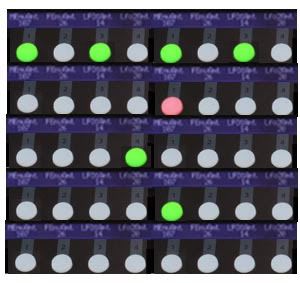
OK, firstly I don't think any controller device external to Live can be much help. Whether the pads/buttons light up or not, its no guarantee that a clip is playing. Only Live's session view is to be believed. Conclusion: I get glasses, or zoom in on the session area. Colours is a great idea too.
Secondly, wanting to see the clips visually is not unmanly or poor musicianship. Playing clips live is not so much a musician's role as a mixer's role. Having no clear display of what is happening is like having a 48 track mixer and telling the engineer he's a wuss for wanting to look at the faders and meters. If you wanna do a Stevie Wonder with Live then be my guest, but wouldn't it be sensible to know what clips are playing and whats coming up next? Conclusion: session view is vital feedback when launching clips live.
Thirdly, the beauty of comparing Live and MPC is that the MPC does so much with so little. Live drowns itself (or you) in features and yet there's always something you'd prefer it did a different way. If there was one new feature I'd like, it would be a new screen in which you arranged graphic objects freely and each one indicated the status of a clip.
@ollyb303: Every aspiring laptop musician should be forced to use something horrible like an MC-500 so that when they use Live they know how great it really is. It just ticks me off when someone obviously only knows Live and criticises everything else. But that's the curse of being over 30 with this new innernet
Secondly, wanting to see the clips visually is not unmanly or poor musicianship. Playing clips live is not so much a musician's role as a mixer's role. Having no clear display of what is happening is like having a 48 track mixer and telling the engineer he's a wuss for wanting to look at the faders and meters. If you wanna do a Stevie Wonder with Live then be my guest, but wouldn't it be sensible to know what clips are playing and whats coming up next? Conclusion: session view is vital feedback when launching clips live.
Thirdly, the beauty of comparing Live and MPC is that the MPC does so much with so little. Live drowns itself (or you) in features and yet there's always something you'd prefer it did a different way. If there was one new feature I'd like, it would be a new screen in which you arranged graphic objects freely and each one indicated the status of a clip.
@ollyb303: Every aspiring laptop musician should be forced to use something horrible like an MC-500 so that when they use Live they know how great it really is. It just ticks me off when someone obviously only knows Live and criticises everything else. But that's the curse of being over 30 with this new innernet
I don't know how you work or where (clubs, studio...) but IMO stuff like this is nothing but practice, getting used to using your tools. Live can't do everything for you, sometimes the onerous is on the user to step it up, rather than Live, no new gear necessary.
In my life
Why do I smile
At people who I'd much rather kick in the eye?
-Moz
Why do I smile
At people who I'd much rather kick in the eye?
-Moz
-
logic_user99
- Posts: 1965
- Joined: Fri Oct 26, 2007 3:58 pm
- Location: Nottingham, UK
+1 *high five*Tone Deft wrote:I don't know how you work or where (clubs, studio...) but IMO stuff like this is nothing but practice, getting used to using your tools. Live can't do everything for you, sometimes the onerous is on the user to step it up, rather than Live, no new gear necessary.
Macbook | Live 7.0.18 |
-
adventurepants_
- Posts: 1773
- Joined: Tue May 29, 2007 3:05 am
+1000000LivePsy wrote: Thirdly, the beauty of comparing Live and MPC is that the MPC does so much with so little. Live drowns itself (or you) in features and yet there's always something you'd prefer it did a different way. If there was one new feature I'd like, it would be a new screen in which you arranged graphic objects freely and each one indicated the status of a clip.
this is exactly the sort of direction i wish Ableton would go in for 8, much more emphasis on Live performance features.
nathannn wrote:i will block everyone on this forum if i have to.
-
sdmiddleton
- Posts: 412
- Joined: Tue Oct 21, 2008 1:35 am
- Location: Sutton